
Windows 11 Search Is Getting a Major Redesign — You Can Change Settings Directly From Search
Microsoft is testing a faster WinUI 3 Windows Search with inline actions that can change dark mode, Bluetooth, brightness and window layouts directly from search.
Contents
- What is changing in Windows Search?
- Why Microsoft is removing the large preview pane
- The biggest change: actions directly from Search
- Do Not Disturb and Airplane Mode actions
- Better typo and synonym matching
- Phone Link actions are coming
- Copilot integration will be optional
- Inline file previews are planned later this year
- Rich web previews are also coming
- Search filters are being redesigned
- Is the new Search available in stable Windows 11?
- Which Insider builds support it?
- How to enable the new Search in the Insider preview
- Why Experimental means you should be cautious
- Does the Start menu use the new Search too?
- Is this part of Windows 11 26H2?
- How is this different from the Windows 11 October update?
- Will the new Search use more AI?
- What about privacy?
- Why the WinUI 3 rewrite matters
- Could this replace Quick Settings?
- Could it replace the Settings app?
- What should Microsoft improve before stable release?
- Frequently asked questions
- Is Windows 11 getting a new Search interface?
- Can Windows Search change settings directly?
- Is it available to everyone?
- Will it come to the Start menu?
- Will Copilot be forced into Search?
- Should I join Windows Insider just to get it?
- The bottom line
- Sources
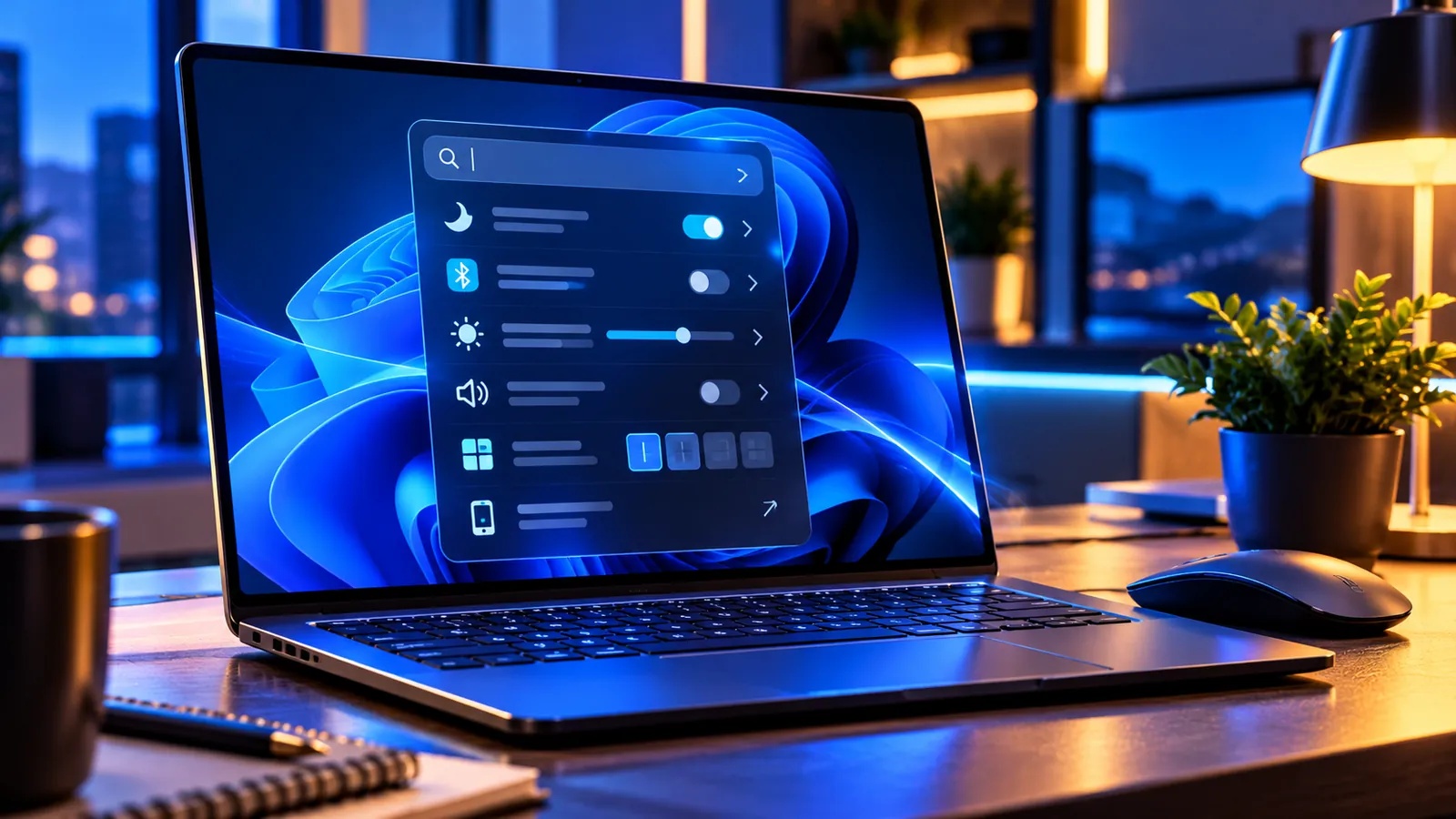
Last reviewed: October 11, 2026. Microsoft is testing one of the biggest Windows Search changes in years: a redesigned taskbar search built on WinUI 3 that is meant to be faster, use resources more efficiently and let you perform common Windows actions directly from search results.
Instead of searching for a Settings page and then clicking through menus, the new experience can understand commands such as “switch to dark mode,” “turn on Bluetooth,” “dim my screen,” “mute,” or “arrange windows on screen.”
The feature started rolling out on October 7, 2026 to Windows Insiders in the Experimental channel. It is not a normal stable Windows 11 feature yet, and the first preview supports English only.
What is changing in Windows Search?
Microsoft is replacing the current taskbar search experience with a more streamlined interface built on WinUI 3.
The company says early testing shows substantial improvements in performance and memory usage. The goal is for search to open and respond faster while using fewer resources.
The visual design also changes. Microsoft is moving toward a single easy-to-scan results list instead of the current layout that dedicates a large area to a preview pane.
Why Microsoft is removing the large preview pane
Microsoft says its usage data shows that nearly all clicks in the current search interface happen in the results list on the left, not in the large preview pane on the right.
The new layout puts results into one focused list so users can see more relevant items without as much visual clutter.
That does not mean previews are disappearing forever. Microsoft says richer inline previews are planned later this year, but they will appear inside the streamlined results experience rather than dominating the window.
The biggest change: actions directly from Search
Windows Search is evolving from a place that only finds settings into a place that can also change them.
Microsoft calls these inline actions. In the current Insider preview, examples include:
- “Switch to dark mode” — change the Windows theme directly.
- “Turn on night light” — enable Night light without opening Settings.
- “Turn on Bluetooth” — switch Bluetooth on from Search.
- “Dim my screen” — adjust display brightness.
- “Mute” — mute the PC.
- “Minimize all my windows” — clear the desktop quickly.
- “Arrange windows on screen” — access window-layout actions.
The important idea is that Windows can understand intent and offer the action in the search interface instead of sending you to another app or Settings page.
Do Not Disturb and Airplane Mode actions
Microsoft’s broader Windows announcement also demonstrates commands such as “turn on Do Not Disturb” and “enable Airplane mode.”
This makes Search behave more like a command surface for everyday system controls.
As the action library expands, the usefulness of the feature will depend heavily on how reliably Search understands natural language rather than requiring users to memorize exact commands.
Better typo and synonym matching
Microsoft is also improving how Windows Search interprets queries.
The new system includes better matching for typos and synonyms, so users should not need to enter the exact official name of a setting or file.
For example, a user might describe what they want to accomplish rather than knowing the precise Settings label.
Microsoft says it will continue tuning relevance as it gathers feedback from Insiders.
Phone Link actions are coming
Microsoft says Phone Link actions are planned as another step in the new Search model.
The company demonstrated the idea of sending a text message from Search to a connected phone.
That would make Search a cross-device command surface, not just a tool for finding local files and apps.
The Phone Link actions are listed as coming soon rather than part of every initial preview build.
Copilot integration will be optional
Microsoft also plans to offer an optional integration between the new taskbar Search and Copilot.
The idea is to provide quick answers inline and then allow the user to move into the full Copilot app for a longer conversation.
Microsoft says this integration will be opt-in and will first roll out to select markets later this year.
The current Windows Search preview therefore should not be described as simply replacing Search with Copilot.
Inline file previews are planned later this year
Microsoft says richer file previews will come to the new Search experience later in 2026.
Users will be able to see more context for similar documents and images directly inside the results list.
Microsoft has shown examples involving PowerPoint presentations, Word documents and photos.
The aim is to preserve useful preview information while keeping the interface more compact than the old two-pane design.
Rich web previews are also coming
The roadmap includes web answers directly in Search for questions such as weather, stock information or factual queries.
Microsoft’s example shows a result such as the weather in a city or the height of a landmark appearing inside Search without immediately opening a browser.
This is separate from the system-control actions: one side is about getting information, while the other is about changing Windows itself.
Search filters are being redesigned
Microsoft says filters will be available when users want to narrow results to categories such as files.
Filtering already exists in Windows Search today, but the company plans to integrate it more naturally into the new single-pane layout.
That should make the interface feel less like several separate search surfaces stitched together.
Is the new Search available in stable Windows 11?
Not yet. As of October 11, the new experience is rolling out to Windows Insiders in Experimental channels.
Microsoft is deliberately testing it early so it can measure relevance, performance and stability across different hardware before expanding the preview.
Stable Windows 11 users should not expect to see the redesigned Search simply because they installed the latest normal cumulative update.
Which Insider builds support it?
Microsoft lists the feature for:
- Experimental Build 26340.9616.
- Experimental (26H1) Build 28120.3181.
Microsoft also announced the feature as part of the October 7 Insider build wave, while the detailed Search blog explains how to enable it for users who want to preview it sooner.
How to enable the new Search in the Insider preview
For supported Experimental builds, Microsoft says users can enable the preview through a feature flag.
- Join or use a supported Windows Insider Experimental channel.
- Update to Build 26340.9616 or Build 28120.3181.
- Open Settings > Windows Update > Windows Insider Program > Feature flags.
- Click Check for updates in Windows Update.
- Restart the PC.
- Look for the New Windows Search Experience feature flag when it becomes available.
Because this is experimental software, do not move a mission-critical PC to an Insider build just to get the new Search early.
Why Experimental means you should be cautious
Experimental Windows features can change, break or disappear before public release.
Search is a core part of the desktop, so bugs could affect app launching, file discovery or system responsiveness.
If you depend on your PC for work, gaming events, production or school deadlines, waiting for a stable release is safer than changing Insider channels just for this feature.
Does the Start menu use the new Search too?
Not in the initial preview.
Microsoft says the first version applies to Search from the taskbar. Searching from the Start menu continues to use the existing experience while Microsoft learns from the preview.
The company says work is planned for next year to bring the new experience to the Start menu and adapt it to different taskbar positions and Windows configurations.
Is this part of Windows 11 26H2?
The new Search is being tested on Experimental Insider builds rather than being presented as a standard feature that every Windows 11 26H2 PC gets immediately.
Microsoft can move features between testing channels before stable rollout, so it is too early to promise exactly which public Windows version will receive every part of the redesign.
For the current public version decision, see Windows 11 26H2 Is Rolling Out — Should You Upgrade Now or Wait?.
How is this different from the Windows 11 October update?
The October stable security update and the experimental Search redesign are separate rollouts.
The October cumulative update brings supported security and quality changes to normal Windows installations, while the new Search is an Insider preview.
We cover the normal servicing release here: Windows 11 October 2026 Update Arrives October 13 — New Features and the Final 24H2 Patch.
Will the new Search use more AI?
Microsoft is clearly moving Search toward more natural-language understanding and action execution, but the current preview should not be reduced to an “AI search” label.
The documented changes include a modern WinUI 3 foundation, better query matching, direct system actions and future optional Copilot integration.
That combination can feel more intelligent without every search necessarily being sent to an AI model.
What about privacy?
The new preview changes what Search can do, so privacy depends on the type of request.
Local actions such as changing brightness or toggling Bluetooth are different from web queries or future Copilot integrations.
Microsoft says Copilot integration will be opt-in. Users who care about cloud processing should review Windows Search and Copilot settings when those features reach stable builds.
The preview is still evolving, so privacy behavior can also change before broad release.
Why the WinUI 3 rewrite matters
WinUI 3 is Microsoft’s modern Windows application UI framework.
Moving a core interface such as Search onto that foundation can make it easier for Microsoft to modernize visuals, performance and interaction patterns consistently with other Windows components.
For users, the important result is not the framework name itself; it is Microsoft’s claim that the new implementation is faster and more memory-efficient in early testing.
Could this replace Quick Settings?
Not completely.
Quick Settings remains faster when you already know where a toggle is and can click it directly. Search becomes useful when you remember what you want to do but do not remember where Windows placed the setting.
For example, typing “dim my screen” may be more intuitive than navigating Settings on a device you do not use every day.
The two interfaces can complement each other rather than compete.
Could it replace the Settings app?
Again, not entirely.
Inline actions are best suited to quick, unambiguous tasks. Complex configuration still belongs in Settings, where users can see dependencies, warnings and multiple related options.
The redesigned Search is better understood as a shortcut layer over Windows rather than a replacement for the full configuration interface.
What should Microsoft improve before stable release?
- Reliable intent recognition so commands do not trigger the wrong action.
- Clear confirmation for actions with important consequences.
- Consistent performance on low-memory PCs.
- Strong keyboard navigation and accessibility.
- Transparent behavior for web and Copilot queries.
- Useful but non-intrusive file previews.
- Good multilingual support beyond the initial English-only preview.
Because Search is opened dozens of times a day by many users, small friction points can become very noticeable.
Frequently asked questions
Is Windows 11 getting a new Search interface?
Yes. Microsoft began previewing a new WinUI 3-based taskbar Search on October 7, 2026.
Can Windows Search change settings directly?
Yes, in the new Insider preview. Microsoft demonstrates actions such as turning on Bluetooth, switching to dark mode, dimming the screen and arranging windows.
Is it available to everyone?
No. It is currently an Experimental Windows Insider feature and supports English in the initial release.
Will it come to the Start menu?
Microsoft says that work is planned for next year. The initial preview changes taskbar Search only.
Will Copilot be forced into Search?
Microsoft says the planned Copilot integration will be opt-in and will first roll out to select markets.
Should I join Windows Insider just to get it?
Not on a primary mission-critical PC. Experimental builds are intended for testing and can contain instability.
The bottom line
Microsoft is trying to turn Windows Search from a launcher into an action surface.
The redesign is cleaner, built on WinUI 3 and intended to use fewer resources, but the most interesting part is the ability to complete tasks such as changing dark mode, Bluetooth, brightness or window layouts directly from Search.
For now, it remains an Insider experiment. If the performance gains and intent recognition hold up during testing, this could become one of the most useful everyday Windows changes when it reaches stable PCs.
Sources
Microsoft Windows Insider Blog — Announcing new builds for 7 October 2026.
Microsoft Windows Experience Blog — Building Windows for hybrid intelligence.
You may also like
 Technology & How-To
 NVIDIA Is Ending Windows 10 Game Ready Driver Support — What GeForce Users Need to Know
NVIDIA says October 2026 is the final month for full Windows 10 Game Ready and Studio Drivers. Here’s…
 Technology & How-To
 Galaxy S24 Gets Android 17 / One UI 9 — New Features, Download Size and Rollout Status
Samsung has started rolling out stable One UI 9 based on Android 17 to the Galaxy S24 series,…
 Technology & How-To
 Amazon Alexa Tablets Are Here — Full Android, Google Play, Prices, Specs and Release Date
Amazon’s new Alexa Tablet 8, 11 and 12 Pro run Android with the full Google Play Store, Alexa+…