
Galaxy S24 Gets Android 17 / One UI 9 — New Features, Download Size and Rollout Status
Samsung has started rolling out stable One UI 9 based on Android 17 to the Galaxy S24 series, Z Fold6 and Z Flip6. Here’s what’s new, download sizes and rollout details.
Contents
- Which Galaxy phones are getting One UI 9 now?
- How big is the Galaxy S24 One UI 9 update?
- What about Galaxy Z Fold6 and Z Flip6?
- How to check for the update
- The biggest One UI 9 changes
- My FanCam
- More customizable Now Brief
- Warranty and Care in Settings
- Now Nudge
- Interpreter improvements
- Document Scan gets smarter
- Voice Recorder summaries
- Security Brief
- Privacy Alerts
- Scam Detection expands
- Quick Panel and interface customization
- Location privacy indicator
- Is One UI 9 a big upgrade from One UI 8.5?
- Should you update immediately?
- Back up before installing
- What if the update is not showing?
- Will One UI 9 improve battery life?
- Will One UI 9 remove my data?
- What security patch comes with the rollout?
- How Android 17 fits into Samsung’s security strategy
- Frequently asked questions
- Is One UI 9 available for Galaxy S24 now?
- Is One UI 9 based on Android 17?
- How large is the Galaxy S24 update?
- Are Fold6 and Flip6 included?
- Why is the update not available in my country yet?
- Will I get every One UI 9 feature?
- The bottom line
- Sources
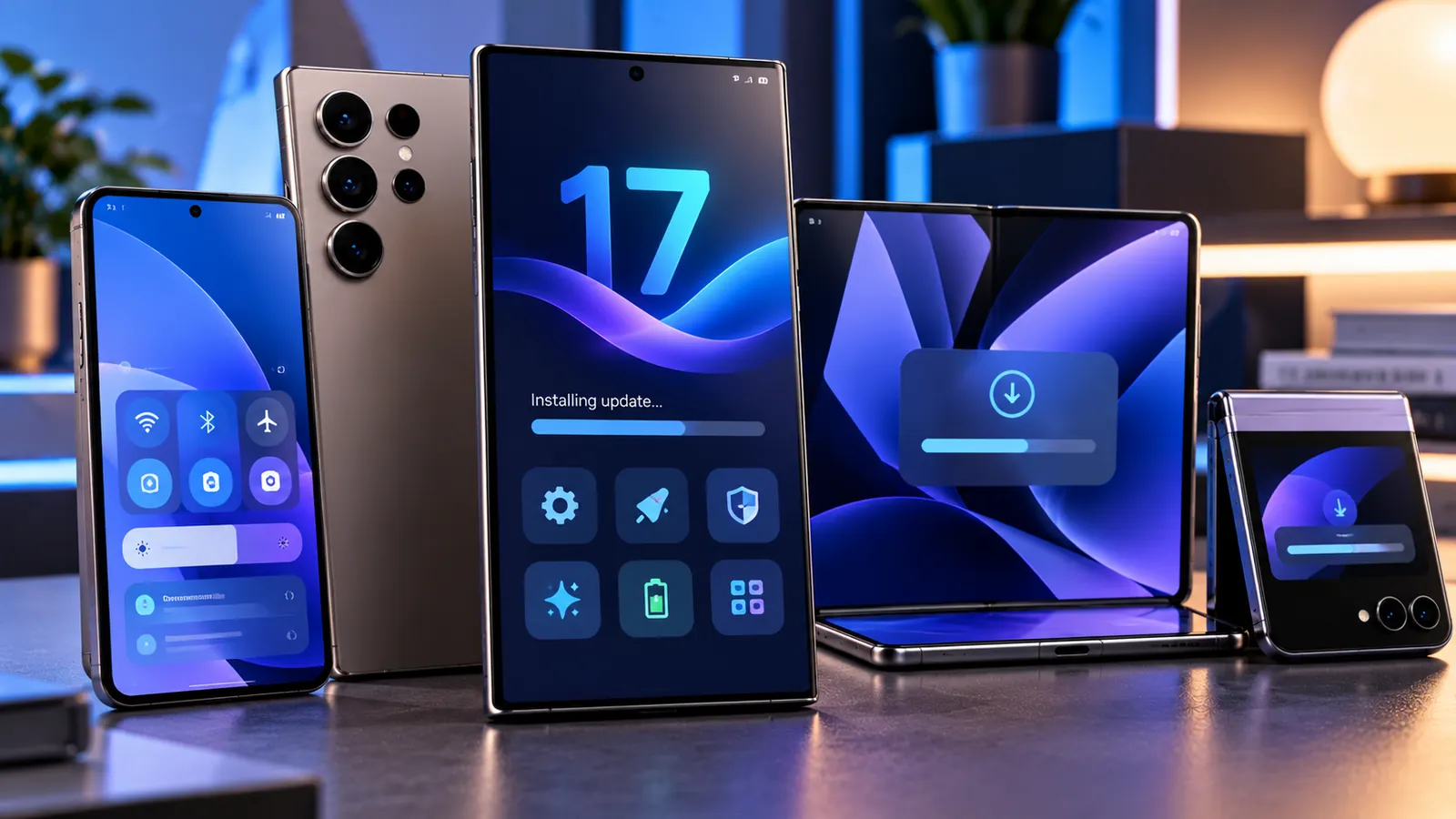
Last reviewed: October 11, 2026. Samsung has started rolling out the stable One UI 9 update based on Android 17 to the Galaxy S24, Galaxy S24+, Galaxy S24 Ultra, Galaxy Z Fold6 and Galaxy Z Flip6.
The stable release first appeared in South Korea. Wider availability in the U.S., Europe and other markets is expected to follow in stages, so the update may not appear on every eligible phone at the same time.
For Galaxy S24 owners coming from the One UI 9 beta, the final update is relatively small at roughly 500MB. Users updating directly from One UI 8.5 are seeing a much larger download of about 3.8GB, because they are installing the full Android 17 / One UI 9 upgrade.
Which Galaxy phones are getting One UI 9 now?
- Galaxy S24
- Galaxy S24+
- Galaxy S24 Ultra
- Galaxy Z Fold6
- Galaxy Z Flip6
The rollout is part of Samsung’s broader Android 17 expansion after One UI 9 first reached newer Galaxy devices such as the Galaxy S26 family and later spread to additional flagships.
The Galaxy S24 FE is not part of the same initial stable rollout report, so owners should check Samsung Members and Software Update rather than assuming availability from the main S24 schedule.
How big is the Galaxy S24 One UI 9 update?
The download size depends heavily on whether your phone was already running the beta.
- Beta users: roughly 480–500MB for the final stable package.
- Users coming from One UI 8.5: roughly 3.8GB for the full Android 17 upgrade.
The exact size can vary slightly by model, carrier and region, so a different number on your phone is not automatically a problem.
What about Galaxy Z Fold6 and Z Flip6?
Samsung is rolling out the same stable One UI 9 generation to its 2024 foldables.
For beta users, the Fold6 update has been reported at around 498MB, while users coming directly from One UI 8.5 can see a package around 3.5GB.
The Z Flip6 follows the same general rollout pattern: small beta-to-stable package, much larger full-version upgrade.
How to check for the update
- Open Settings.
- Tap Software update.
- Choose Download and install or check for updates.
- If One UI 9 is available, connect to reliable Wi-Fi and begin the download.
- Restart the phone when prompted.
If nothing appears, do not assume your device is unsupported. Samsung is rolling the update out by market and firmware branch.
The biggest One UI 9 changes
Samsung says One UI 9 focuses on a more seamless Galaxy experience, improved personalization, stronger Galaxy AI and clearer security information.
The update is not just a visual redesign. It adds several features that can change everyday workflows, especially around video, summaries, device support, translation, scanning and privacy.
My FanCam
My FanCam can automatically track a selected person in a recorded video and keep that subject centered as the scene moves.
Samsung positions it as a way to create more social-ready clips without manually reframing every shot.
The feature requires a Samsung Account and availability can vary depending on the video and device.
More customizable Now Brief
One UI 9 adds Generative and Editable Cards in Now Brief.
Users can choose more of what appears in their daily summaries across areas such as health, weather and video.
The goal is to make Now Brief feel less static and more relevant to what each user actually wants to see.
Warranty and Care in Settings
Samsung is bringing Warranty and Care deeper into the Settings app.
Depending on region and device, users can check warranty coverage, run self-diagnostics, see repair estimates, manage Samsung Care+ and access service options without hunting through separate support apps.
This is one of the more practical changes for users who prefer built-in device support tools.
Now Nudge
Now Nudge provides context-aware suggestions while you are already doing something.
Samsung gives examples such as pulling up reservation details while making plans in a message thread or saving a shared location without leaving the conversation.
Availability depends on country, language, supported apps and the specific type of content.
Interpreter improvements
Interpreter gets a new Thread View so users can follow translated conversations more easily and refer back to earlier exchanges.
Samsung also says Conversation Mode translation is faster, while compatible Galaxy Buds can provide quicker playback.
As always, language support varies by region and some languages require downloadable packs.
Document Scan gets smarter
One UI 9 improves Document Scan for difficult pages, including curved book pages and folded corners.
Samsung says large-screen layouts on compatible Galaxy devices and an improved Finger Eraser can help clean scans with less manual correction.
Fold6 users may benefit especially from the large-screen layout changes.
Voice Recorder summaries
Voice Recorder can present summaries in a clearer structure using headings and tables.
That makes long recordings easier to scan when users care more about the main points than the full transcript.
The exact AI features available can depend on model, language and Samsung Account status.
Security Brief
Samsung is adding Security Brief to surface security and privacy alerts through Now Brief.
Examples include warnings about malware, apps from unknown sources and unnecessary permissions.
The idea is to make security information more visible instead of burying it inside separate menus.
Privacy Alerts
Samsung says Privacy Alerts use on-device AI to identify potential privacy concerns, such as unnecessary attempts by apps to access permissions in the background.
Samsung’s official support notes list the Galaxy S24 family, Fold6 and Flip6 among devices supported for Privacy Alerts, although availability can still vary by region and software configuration.
Scam Detection expands
One UI 9 also expands Samsung’s Scam Detection features to more countries and languages.
Samsung says availability varies by region, language, model and One UI version, so the feature may not appear identically everywhere.
That regional variation is important: seeing One UI 9 on your phone does not guarantee every AI or security feature is available in your country on day one.
Quick Panel and interface customization
The Galaxy S24 rollout also brings more Quick Panel customization and interface refinements.
Users can rearrange controls more flexibly and personalize parts of the experience that were more rigid in earlier One UI releases.
Samsung has also made refinements to DeX, Samsung Notes and accessibility features.
Location privacy indicator
One UI 9 includes a location privacy indicator designed to make location access easier to notice.
The purpose is to give users clearer awareness when apps or services are using location data.
This fits Samsung’s broader emphasis on surfacing privacy information rather than requiring users to dig through background-permission pages.
Is One UI 9 a big upgrade from One UI 8.5?
It is meaningful, but it may not feel as visually dramatic as some earlier Samsung updates.
The bigger value comes from Galaxy AI refinements, Now Brief changes, new support tools, privacy features, translation improvements and updates to Samsung apps.
Users expecting a completely redesigned interface may find the change more evolutionary than revolutionary.
Should you update immediately?
For most Galaxy S24, Fold6 and Flip6 users, yes. Stable One UI 9 is a major supported Android version update and brings new security, privacy and usability features.
That said, if your phone is essential for work, banking, travel or specialist apps, waiting a few days after the update becomes available in your country can be reasonable.
Large Android upgrades occasionally expose app or carrier compatibility problems that are not visible during the first hours of rollout.
Back up before installing
A normal Samsung system upgrade is designed to preserve your apps, files and settings, but backing up irreplaceable data is still smart.
- Sync important photos and videos.
- Make sure your authenticator recovery information is safe.
- Back up work files and local documents.
- Confirm passwords or account recovery methods for important apps.
- Keep the phone charged during the upgrade.
What if the update is not showing?
Try these basic checks before doing anything drastic:
- Restart the phone.
- Connect to stable Wi-Fi.
- Open Settings > Software update > Download and install.
- Install any smaller pending update first.
- Check Samsung Members for regional notices.
- Wait for the rollout to expand to your market.
Do not use unofficial firmware files just because another country received the update first unless you fully understand the risks.
Will One UI 9 improve battery life?
Samsung has not presented the Galaxy S24 rollout primarily as a battery-life update.
A large Android upgrade can temporarily increase battery use while the phone optimizes apps and rebuilds background indexes.
Give the device some normal usage time after the update before judging battery performance.
If heavy drain continues for several days, check Battery usage for an app that may not yet be optimized for Android 17.
Will One UI 9 remove my data?
A standard over-the-air upgrade should keep personal files, apps and settings.
Data loss is not expected during a normal installation, but a backup is still recommended because any operating-system upgrade carries some risk if power, storage or hardware problems occur.
What security patch comes with the rollout?
Early Galaxy S24 stable One UI 9 builds in South Korea have been reported with the September 5, 2026 security patch.
Later regional builds may include a newer patch level depending on when they are released.
For Samsung’s latest monthly security work, see our separate guide Galaxy S26 October 2026 Security Update Is Rolling Out — 62 Fixes and What You Should Do.
How Android 17 fits into Samsung’s security strategy
One UI 9 sits on top of Android 17, but Samsung adds its own privacy, security and Galaxy AI layers.
Android 17 also includes stronger device-level security options. You can read our guide Android 17 Advanced Protection Adds 6 Powerful Security Features for a broader look at those protections.
Frequently asked questions
Is One UI 9 available for Galaxy S24 now?
Yes. The stable rollout has started in South Korea for Galaxy S24, S24+ and S24 Ultra. Wider rollout is expected to expand to more markets.
Is One UI 9 based on Android 17?
Yes. One UI 9 is Samsung’s Android 17-based interface.
How large is the Galaxy S24 update?
Roughly 500MB for beta users moving to stable, and around 3.8GB for users upgrading directly from One UI 8.5.
Are Fold6 and Flip6 included?
Yes. Stable One UI 9 has also started rolling out to Galaxy Z Fold6 and Z Flip6.
Why is the update not available in my country yet?
Samsung uses a staged rollout. Market, carrier and firmware branch can change the timing.
Will I get every One UI 9 feature?
Not necessarily. Some Galaxy AI, privacy and scam-protection features vary by device, language, country and Samsung Account availability.
The bottom line
One UI 9 is now moving onto Samsung’s 2024 flagship generation, starting with the Galaxy S24 family and Galaxy Z Fold6 / Z Flip6.
The update brings Android 17, expanded Galaxy AI, more Quick Panel customization, improved support tools, better privacy visibility and upgrades across Samsung apps.
If your phone has not received it yet, the most likely reason is staged regional rollout. Once it appears officially on your device, most users should install it after making a current backup.
Sources
Samsung Global Newsroom — One UI 9 official rollout and new features.
SamMobile — Galaxy S24 stable One UI 9.0 update is live.
SamMobile — Galaxy Z Fold6 and Flip6 stable One UI 9 rollout.
Android Authority — One UI 9 rollout reaches Galaxy S24 and 2024 foldables.
You may also like
 Technology & How-To
 Windows 11 Search Is Getting a Major Redesign — You Can Change Settings Directly From Search
Microsoft is testing a faster WinUI 3 Windows Search with inline actions that can change dark mode, Bluetooth,…
 Technology & How-To
 NVIDIA Is Ending Windows 10 Game Ready Driver Support — What GeForce Users Need to Know
NVIDIA says October 2026 is the final month for full Windows 10 Game Ready and Studio Drivers. Here’s…
 Technology & How-To
 Amazon Alexa Tablets Are Here — Full Android, Google Play, Prices, Specs and Release Date
Amazon’s new Alexa Tablet 8, 11 and 12 Pro run Android with the full Google Play Store, Alexa+…