
NVIDIA Is Ending Windows 10 Game Ready Driver Support — What GeForce Users Need to Know
NVIDIA says October 2026 is the final month for full Windows 10 Game Ready and Studio Drivers. Here’s what happens in November and how long security updates continue.
Contents
- What exactly is NVIDIA ending?
- The important dates
- Will your NVIDIA GPU stop working in November?
- What happens to new games?
- Does this affect RTX 20, 30, 40 and 50 Series cards?
- What do quarterly security updates mean?
- Why is NVIDIA doing this now?
- Should gamers upgrade to Windows 11 now?
- What if your PC cannot officially run Windows 11?
- Should you install the final October driver?
- Game Ready Driver or Studio Driver?
- Will NVIDIA App still work on Windows 10?
- Do you need to uninstall newer NVIDIA software?
- Can you keep gaming safely on Windows 10?
- Will performance suddenly get worse after the cutoff?
- What about DLSS, Frame Generation and new NVIDIA features?
- What should streamers and creators do?
- How to check your current NVIDIA driver version
- A practical plan for Windows 10 GeForce users
- How this fits with the Windows 11 October update
- Frequently asked questions
- When is the final NVIDIA Game Ready Driver for Windows 10?
- When is the first Game Ready Driver without Windows 10 support?
- Will my GPU stop working after October?
- How long will NVIDIA provide Windows 10 security driver updates?
- Will new games still run on Windows 10?
- Should I move to Windows 11?
- The bottom line
- Sources
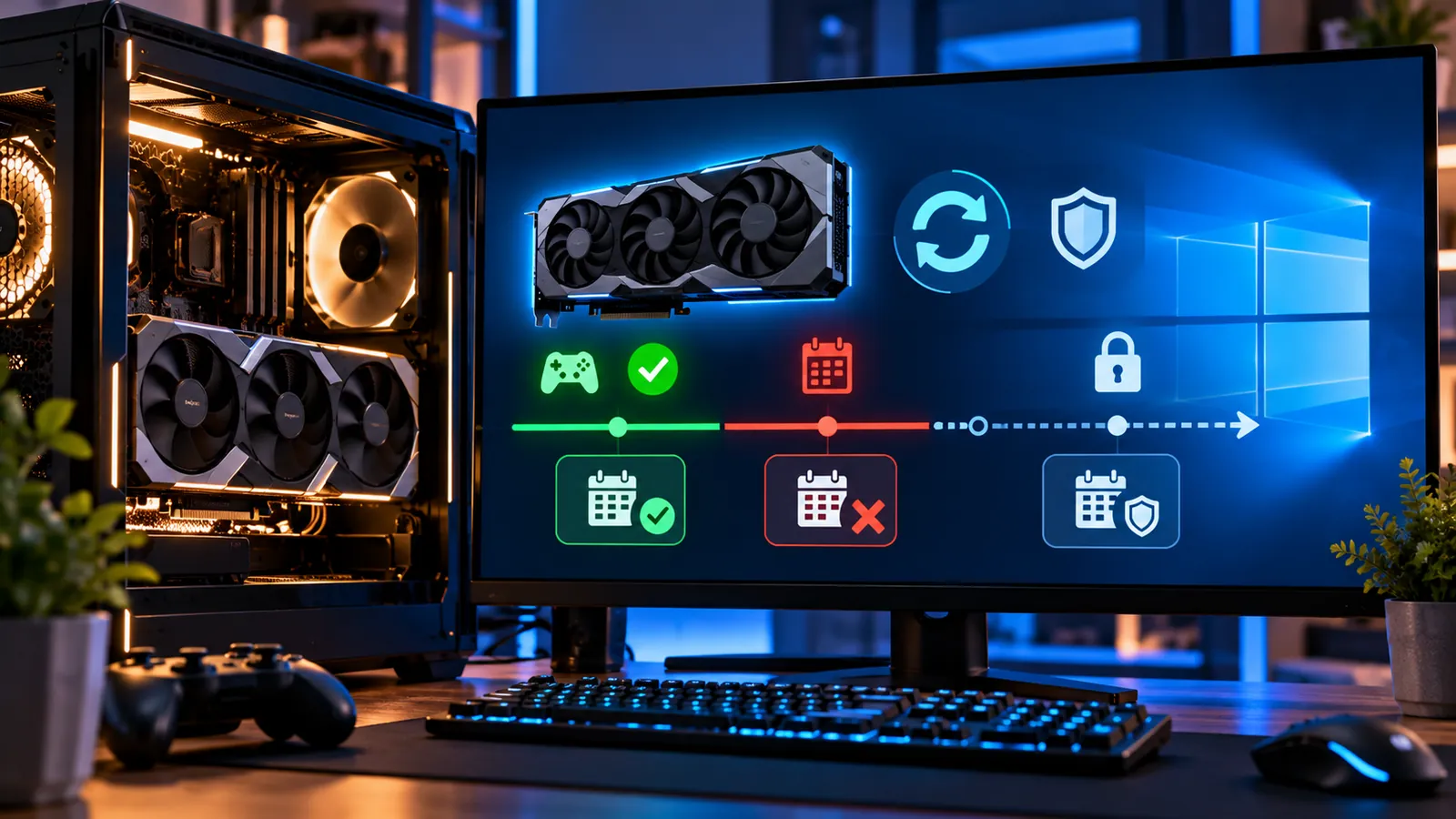
Last reviewed: October 11, 2026. NVIDIA is approaching a major support cutoff for GeForce users who still run Windows 10. The company says the final Game Ready Driver and NVIDIA Studio Driver with full Windows 10 support will be released in October 2026.
The first Game Ready Driver that does not support Windows 10 is scheduled for November 2026. After that, Windows 10 moves to a reduced support model: NVIDIA says it will provide quarterly critical security driver updates through October 2029.
That does not mean your GeForce card will suddenly stop working in November. Your installed driver will continue to function, and existing games will not simply disappear. The change is about future driver development, new game optimizations, feature updates and routine bug fixes.
What exactly is NVIDIA ending?
NVIDIA is ending full Windows 10 support in Game Ready Drivers and NVIDIA Studio Drivers after October 2026.
Game Ready Drivers are the frequent releases NVIDIA uses to add day-one optimizations, support new games and technologies, fix gaming issues and update the graphics software stack.
Studio Drivers target creative workflows and prioritize stability for applications used in video editing, 3D, design and other professional work.
Both driver branches are affected by the Windows 10 transition.
The important dates
- October 2026: the final Game Ready Driver that supports Windows 10 is scheduled to go public.
- November 2026: the first Game Ready Driver without Windows 10 support is scheduled to arrive.
- After October 2026: Windows 10 moves to quarterly security-only driver updates.
- October 2029: NVIDIA says critical security driver updates for Windows 10 will end.
NVIDIA published this plan in its official GeForce Support Plan for Windows 10.
Will your NVIDIA GPU stop working in November?
No. Ending full driver support is not the same as disabling the hardware.
A GeForce card using the last compatible Windows 10 driver can continue displaying the desktop, running installed software and playing games that work with that driver.
What changes is the future. New Game Ready releases after the cutoff will target supported operating systems instead of Windows 10, so Windows 10 users will no longer receive the normal cadence of game-specific optimizations and general driver enhancements.
What happens to new games?
Many new games may still launch on Windows 10 with the final supported driver, especially if the game itself continues to support Windows 10.
But NVIDIA will no longer promise new Game Ready optimizations for the operating system after the cutoff.
That can matter when a new title needs:
- A specific driver branch.
- A launch-day performance profile.
- A bug fix for visual corruption or crashes.
- Support for a new graphics feature.
- An updated application profile.
Over time, the gap between the last full Windows 10 driver and current Windows drivers will grow.
Does this affect RTX 20, 30, 40 and 50 Series cards?
The support announcement is about the Windows 10 operating system, not one specific modern GeForce generation.
If a supported GeForce GPU is being used on Windows 10, the operating-system cutoff affects whether future Game Ready and Studio Drivers are offered for that Windows version.
However, NVIDIA also maintains separate lifecycle rules for older GPU architectures. A very old GeForce card can have its own support limitations independent of the Windows 10 deadline.
For that reason, do not assume one October 2026 driver guarantees identical feature support for every GeForce generation.
What do quarterly security updates mean?
After the final full driver, NVIDIA says Windows 10 support transitions to a quarterly security update schedule for three years.
Those releases are intended for critical security fixes. They are not a continuation of normal Game Ready support.
You should not expect them to deliver every new game profile, performance optimization, Studio application enhancement or feature that appears in current drivers on supported Windows versions.
Why is NVIDIA doing this now?
NVIDIA says it extended full Windows 10 driver support for an additional year after Microsoft’s regular Windows 10 support ended on October 14, 2025.
The company cited the large number of GeForce users who were still on Windows 10 as the reason for extending Game Ready and Studio support beyond Microsoft’s standard OS lifecycle.
The October 2026 transition is the end of that extra year.
Should gamers upgrade to Windows 11 now?
If your PC supports Windows 11 and you want to keep receiving the newest NVIDIA Game Ready Drivers, yes, upgrading is the practical long-term choice.
There is no emergency switch that makes Windows 10 unusable in November, so you do not need to rush a poorly planned migration. But the longer you remain on Windows 10, the more likely you are to run into software and driver support gaps.
If you are deciding which Windows 11 release to use, see our guide Windows 11 26H2 Is Rolling Out — Should You Upgrade Now or Wait?.
What if your PC cannot officially run Windows 11?
That is the more difficult case.
If the hardware does not meet Windows 11 requirements, you can keep using the final compatible NVIDIA Windows 10 driver, but you should understand that both the operating system and graphics-driver ecosystem are moving into reduced-support territory.
Possible long-term choices include replacing unsupported hardware, moving to a supported operating system where your applications allow it, or accepting the limitations of a frozen driver stack.
Avoid bypassing Windows hardware checks casually on a primary PC unless you understand the support and security trade-offs.
Should you install the final October driver?
For most Windows 10 GeForce users, yes. The last fully supported Game Ready or Studio Driver becomes the logical baseline to keep installed after the cutoff.
Before installing, make sure you choose the correct driver branch for your use case and GPU.
Once the final driver is available, it is reasonable to keep a copy of the installer in case you need to reinstall Windows 10 later and NVIDIA changes how older downloads are surfaced.
Game Ready Driver or Studio Driver?
Use the driver branch that matches your workload.
- Game Ready Driver: better suited to users who prioritize current games and launch-day game support.
- Studio Driver: aimed at creators who prioritize tested stability with major creative applications.
Both branches follow the same Windows 10 full-support cutoff described by NVIDIA.
Will NVIDIA App still work on Windows 10?
The support announcement specifically addresses driver support. It does not say every NVIDIA application will stop functioning on Windows 10 in November.
Application support can change separately from driver support, so check NVIDIA’s current system requirements if an app later stops updating or installing.
The important point is that a working NVIDIA App does not mean Windows 10 is still receiving full new-driver support.
Do you need to uninstall newer NVIDIA software?
No. There is no reason to remove working NVIDIA software simply because the driver lifecycle is changing.
Keep your current supported driver installed, and update to the final October driver when appropriate.
After the cutoff, install the quarterly security updates NVIDIA provides for Windows 10 if your hardware is included.
Can you keep gaming safely on Windows 10?
The graphics driver is only one part of the security picture.
NVIDIA will provide critical driver security updates through October 2029, but Microsoft’s regular Windows 10 support ended in 2025. Some users and organizations may have access to separate Extended Security Updates, but that is a different program from NVIDIA’s driver plan.
A secure gaming PC needs the operating system, browser, applications, game launchers and graphics driver to remain maintained.
So the driver extension should not be treated as a reason to ignore the operating system lifecycle.
Will performance suddenly get worse after the cutoff?
Not automatically.
Your GPU performance does not drop because the calendar reaches November. Existing driver code remains the same.
The disadvantage appears gradually when future games or software benefit from newer driver optimizations that Windows 10 no longer receives.
A game that already runs well today may continue running well for years. A future title could be a different story.
What about DLSS, Frame Generation and new NVIDIA features?
Features already supported by your GPU and installed driver do not simply vanish.
However, future enhancements can depend on newer drivers, newer game integrations and newer operating-system support.
NVIDIA has not promised that every future graphics feature will be backported to the final Windows 10 Game Ready branch.
If staying current with NVIDIA’s newest features matters to you, moving to a supported Windows version is the safer plan.
What should streamers and creators do?
Creators who rely on CUDA, video encoders, 3D applications or AI tools should be particularly careful because professional software often updates its minimum driver requirements over time.
The final Windows 10 Studio Driver can remain stable for an existing workflow, but a future version of a creative application may require a newer driver that never ships for Windows 10.
Before upgrading either Windows or a major creative app, check compatibility for the entire workflow rather than only the GPU.
How to check your current NVIDIA driver version
You can check the installed driver through NVIDIA App, NVIDIA Control Panel or Windows Device Manager.
In NVIDIA App, open the driver section to see the installed version and whether a newer compatible package is available.
Write down the final Windows 10 driver version once NVIDIA releases it in October so you know which package represents the last full-support baseline.
A practical plan for Windows 10 GeForce users
- Install normal Windows and driver updates that are still available now.
- Back up important files and game saves.
- Check whether your PC officially supports Windows 11.
- When NVIDIA releases the final Windows 10 Game Ready or Studio Driver in October, install the appropriate branch.
- Keep a copy of the final installer if you may need to reinstall Windows 10.
- If your PC supports Windows 11, plan a controlled upgrade rather than waiting for a future game to force the decision.
- After the cutoff, continue installing NVIDIA’s quarterly critical security driver updates through October 2029.
How this fits with the Windows 11 October update
The driver transition is happening at the same time Microsoft is pushing users toward newer Windows 11 versions.
We also cover the current Windows servicing changes in Windows 11 October 2026 Update Arrives October 13 — New Features and the Final 24H2 Patch.
Together, these lifecycle changes show that hardware vendors and Microsoft are consolidating active development around newer Windows releases.
Frequently asked questions
When is the final NVIDIA Game Ready Driver for Windows 10?
NVIDIA says the final Game Ready Driver supporting Windows 10 will go public in October 2026.
When is the first Game Ready Driver without Windows 10 support?
November 2026.
Will my GPU stop working after October?
No. Your installed driver and graphics card continue to function. The change affects future full driver support.
How long will NVIDIA provide Windows 10 security driver updates?
NVIDIA says quarterly critical security driver updates will continue through October 2029.
Will new games still run on Windows 10?
Some will, but NVIDIA will no longer provide the normal stream of Windows 10 Game Ready optimizations after the final full driver.
Should I move to Windows 11?
If your PC officially supports Windows 11 and you want current NVIDIA drivers and new game support, upgrading is the most straightforward long-term path.
The bottom line
NVIDIA is not turning off Windows 10 graphics cards. It is ending the normal Game Ready and Studio Driver development cycle for the operating system.
October 2026 is the final month for full Windows 10 driver support; November begins the new reality, where current Game Ready releases move on while Windows 10 receives only quarterly critical security driver updates.
Your existing games may continue working perfectly, but the longer-term cost of staying on Windows 10 is losing new-driver optimizations, bug fixes and feature support. If your PC can run Windows 11, now is a good time to plan the move instead of waiting until a future game or application requires it.
Sources
You may also like
 Technology & How-To
 Windows 11 Search Is Getting a Major Redesign — You Can Change Settings Directly From Search
Microsoft is testing a faster WinUI 3 Windows Search with inline actions that can change dark mode, Bluetooth,…
 Technology & How-To
 Galaxy S24 Gets Android 17 / One UI 9 — New Features, Download Size and Rollout Status
Samsung has started rolling out stable One UI 9 based on Android 17 to the Galaxy S24 series,…
 Technology & How-To
 Amazon Alexa Tablets Are Here — Full Android, Google Play, Prices, Specs and Release Date
Amazon’s new Alexa Tablet 8, 11 and 12 Pro run Android with the full Google Play Store, Alexa+…