
Windows 11 26H2 Is Rolling Out — Should You Upgrade Now or Wait?
Windows 11 26H2 is now rolling out to eligible 24H2 and 25H2 PCs. Here’s who should upgrade now, who can wait, known issues, and how the enablement package works.
Contents
- Is Windows 11 26H2 officially released?
- Why the 26H2 upgrade is smaller than you might expect
- Who can upgrade to Windows 11 26H2?
- How to check your current Windows 11 version
- Should Windows 11 24H2 Home or Pro users upgrade now?
- Should Windows 11 25H2 users upgrade immediately?
- How to get Windows 11 26H2
- What if 26H2 does not appear?
- Should you bypass a safeguard hold?
- Known issues you should understand before upgrading
- AC-3 apps may close unexpectedly
- Some USB audio devices may fail
- Domain trust issues on some managed PCs
- Black screen or desktop loading issues
- Should gamers upgrade to 26H2 now?
- Should creators and audio users upgrade now?
- Should business users upgrade?
- Do you need to back up before 26H2?
- Will 26H2 delete your apps or files?
- How long does the 26H2 upgrade take?
- Can you roll back after upgrading?
- A simple decision guide
- Frequently asked questions
- Is Windows 11 26H2 available now?
- Is 26H2 a full reinstall?
- Do I need KB5124010 before installing 26H2?
- Should I upgrade from 24H2 to 26H2?
- Should I upgrade from 25H2 immediately?
- Why is 26H2 not showing on my PC?
- Is 26H2 safe for gaming?
- Does 26H2 fix the KB5124010 AC-3 bug?
- The bottom line
- Sources
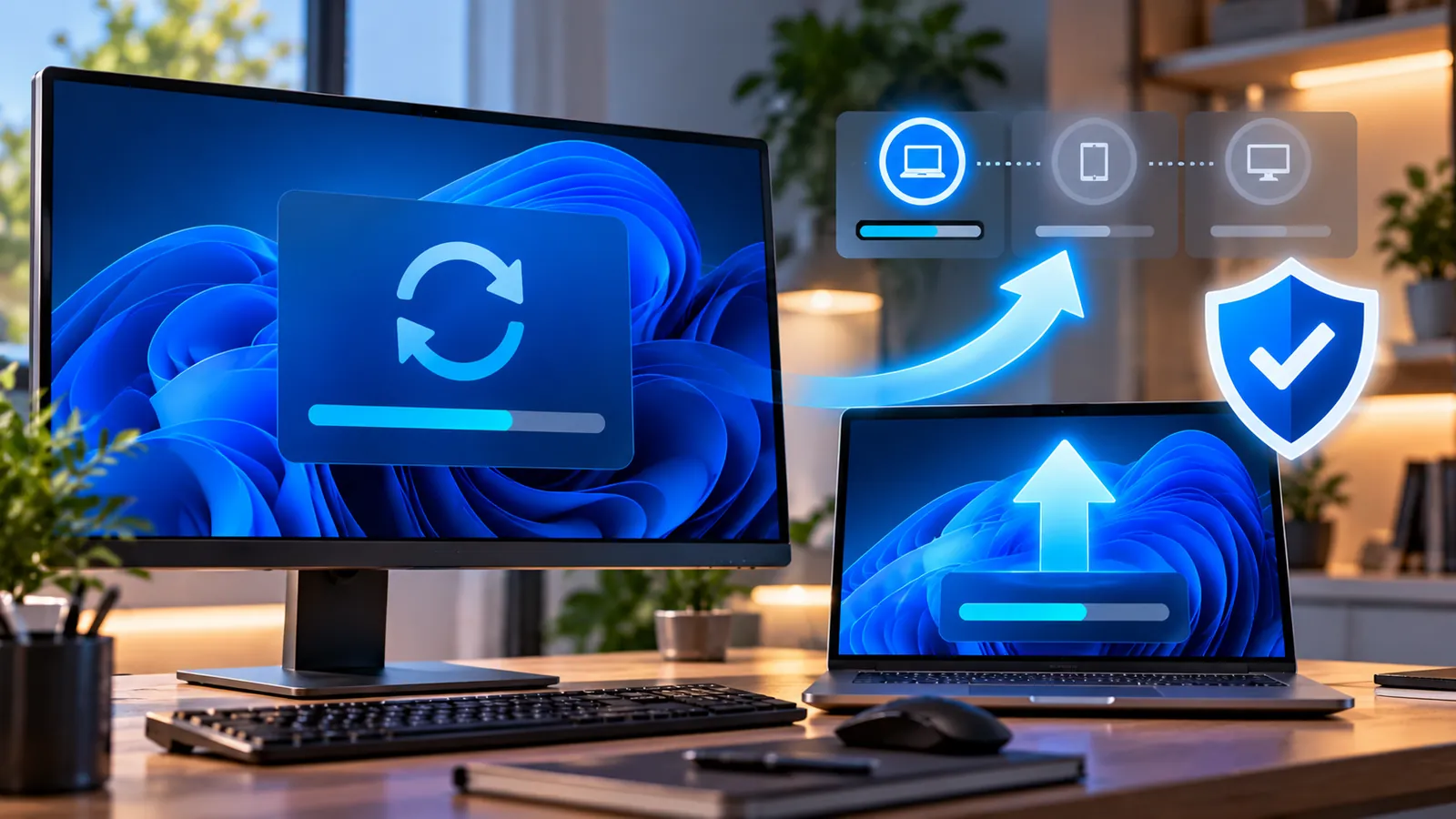
Last reviewed: October 10, 2026. Windows 11 version 26H2 is now generally available, but Microsoft is not pushing it to every eligible PC at once. The rollout is phased, and that makes the obvious question surprisingly important: should you upgrade as soon as it appears, or wait?
For many users, the answer depends on which version of Windows 11 they are running now. If you are still on 24H2 Home or Pro, there is much more urgency because that version reaches the end of updates on October 13, 2026. If you are already on 25H2, waiting a little is a perfectly reasonable choice if stability matters more than getting the newest release immediately.
Microsoft says Windows 11 24H2, 25H2 and 26H2 share the same core operating-system foundation. On eligible 24H2 and 25H2 devices, 26H2 is delivered as a small enablement package, which means the upgrade can be much quicker than a traditional full feature update and normally requires only one restart.
Is Windows 11 26H2 officially released?
Yes. Microsoft announced general availability for Windows 11 version 26H2 on September 29, 2026.
However, general availability does not mean every PC sees it immediately. Microsoft is using a phased rollout that will expand over the following months.
Eligible Windows 11 24H2 and 25H2 devices can be among the first to receive the update when the setting Get the latest updates as soon as they’re available is enabled in Windows Update.
Why the 26H2 upgrade is smaller than you might expect
Windows 11 24H2, 25H2 and 26H2 share a common core and largely the same system files.
Microsoft explains that many 26H2 features are already present in the latest monthly updates for 24H2 and 25H2 but remain inactive. The 26H2 enablement package acts like a small switch that activates those features and changes the version.
That means a compatible system can move to 26H2 with much less downtime than an older-style Windows feature upgrade.
Microsoft says the enablement package requires a single restart.
Who can upgrade to Windows 11 26H2?
Microsoft currently offers 26H2 to eligible devices running Windows 11 version 24H2 or 25H2.
For the enablement-package path, Microsoft lists a prerequisite: the PC must have the September 22, 2026 preview update KB5124010 or a later cumulative update installed.
In practice, that means keeping Windows Update current is the first step. If 26H2 does not appear, install the normal cumulative updates already offered to your PC before assuming there is a problem.
How to check your current Windows 11 version
- Press Windows + R.
- Type winver.
- Press Enter.
- Look for the Version line.
You can also open Settings > System > About and check Windows specifications.
If you see 24H2 Home or Pro, the end-of-support deadline is very close. If you see 25H2, your decision is less urgent.
Should Windows 11 24H2 Home or Pro users upgrade now?
Yes, if 26H2 is offered and your device is not blocked by a compatibility hold.
Windows 11 24H2 Home and Pro stop receiving normal monthly security and quality updates on October 13, 2026. Remaining on that release beyond the deadline is not a good long-term plan for a personal PC.
If Windows Update offers 26H2 directly, installing it is a sensible path because it moves you to a supported release.
If 26H2 is not yet offered but 25H2 is available, moving to 25H2 is still preferable to staying on an unsupported 24H2 release.
For the deadline details, see our guide Windows 11 24H2 Support Ends October 13 — What Home and Pro Users Need to Do.
Should Windows 11 25H2 users upgrade immediately?
Not necessarily.
Windows 11 25H2 is already a current supported release, so there is no need to rush purely because 26H2 exists.
If you like receiving new Windows features early, your hardware is mainstream, you keep good backups and Windows Update offers 26H2 naturally, upgrading is reasonable.
If this PC is critical for work, audio production, gaming, older specialist software or unusual peripherals, waiting a few weeks can also be sensible while Microsoft gathers more real-world compatibility data.
The staged rollout is designed partly for this reason: Microsoft can slow or block the update on hardware where a compatibility issue is detected.
How to get Windows 11 26H2
- Open Settings > Windows Update.
- Install any pending cumulative updates first.
- Turn on Get the latest updates as soon as they’re available if you want earlier access.
- Select Check for updates.
- If Windows 11 version 26H2 appears, select Download & install.
- Save your work and restart when prompted.
Microsoft says that when 26H2 is ready for an eligible device in the rollout, it can download and install automatically, with one restart completing the transition.
What if 26H2 does not appear?
The most important advice is: do not panic and do not immediately force-install it.
A missing offer can mean several things:
- Your device has not reached its turn in the phased rollout yet.
- A prerequisite cumulative update is missing.
- Microsoft has applied a safeguard hold because of a known compatibility issue.
- Your organization controls Windows Update through IT policy.
- A driver or application on the device may not yet be considered ready.
Install all normal updates, restart, and check again later. If the PC is business-managed, let your IT department control the upgrade.
Should you bypass a safeguard hold?
Usually no.
Safeguard holds exist because Microsoft has detected a known issue on a specific combination of hardware, drivers or applications.
Forcing the upgrade can turn a harmless delay into a real compatibility problem. Unless you are testing deliberately and have a full recovery plan, letting Windows Update decide when your PC is ready is the safer approach.
Known issues you should understand before upgrading
As of October 10, Microsoft lists several issues on the Windows 11 26H2 release-health page.
AC-3 apps may close unexpectedly
Some applications that rely on Windows’ built-in AC-3/Dolby Digital decoding can fail to launch or close unexpectedly after KB5124010 and later updates.
Microsoft says this can affect some games, media players and productivity apps, although many modern applications use their own decoders and are not affected.
We cover that bug separately in Windows 11 Apps or Games Crashing After KB5124010?
Some USB audio devices may fail
Microsoft has documented an issue involving some USB Audio Class 1.0 devices. Symptoms can include Code 10 in Device Manager, no audio output, stuck volume controls or unavailable Sound settings.
Microsoft currently marks that issue as mitigated, but users with older USB audio hardware should still check the release-health page before upgrading.
Domain trust issues on some managed PCs
Some Credential Guard-protected domain-joined machines can lose the secure trust relationship with an on-premises Active Directory domain.
This mainly matters to business environments, not typical home PCs.
Black screen or desktop loading issues
Microsoft has also documented black-screen or desktop-loading problems mainly observed in Azure Virtual Desktop environments using FSLogix.
Again, this is primarily an enterprise/virtual-desktop scenario rather than a normal home PC problem.
Should gamers upgrade to 26H2 now?
For a mainstream gaming PC, there is no universal reason to avoid 26H2 if Windows Update offers it and your games, GPU driver and anti-cheat software are current.
But gamers who depend on a specific older title, audio stack, VR setup or niche controller may prefer to wait a little because the confirmed AC-3 issue can affect some games that rely on Windows’ decoder.
Before upgrading:
- Update your GPU driver.
- Update major game launchers and anti-cheat components.
- Make sure your most important game saves are backed up or cloud-synced.
- Check whether your audio hardware has a known Windows 11 issue.
- Create a restore point or image backup if the PC is important to you.
Should creators and audio users upgrade now?
If you use DAWs, USB audio interfaces, legacy media software or Dolby Digital workflows, caution is more justified.
The confirmed AC-3 application crash and the USB Audio Class 1.0 issue are both directly relevant to audio-focused systems.
If your current 25H2 setup is stable and supported, waiting until Microsoft resolves or further clarifies those issues may be the better decision.
If you are on 24H2 Home or Pro, the security deadline still matters, so moving to 25H2 first can be a safer compromise if 26H2 is not yet suitable for your setup.
Should business users upgrade?
Business and domain-managed PCs should follow organizational policy rather than consumer advice.
The domain trust issue documented by Microsoft is a strong reason not to bypass staged deployment in an enterprise environment.
IT administrators should use the Windows release-health information, their management tools and test rings before broad deployment.
Do you need to back up before 26H2?
Yes, even though the enablement package is designed to be quick and low-disruption.
Before any operating-system upgrade, make sure irreplaceable files exist in another location.
If the PC is used for work, also record or back up:
- BitLocker recovery information.
- Important application license details.
- Browser and password-manager recovery information.
- Virtual machines and local databases.
- Custom driver or device configurations.
A fast update is still an update, and backups are cheap insurance.
Will 26H2 delete your apps or files?
A normal in-place feature update through Windows Update is designed to keep your apps, settings and personal files.
However, no upgrade process is completely risk-free, which is why backing up important files is still recommended.
If Windows Update is offering 26H2 through the enablement package, this is the least disruptive upgrade path for supported 24H2/25H2 systems.
How long does the 26H2 upgrade take?
There is no single guaranteed time because hardware speed and pending updates vary.
However, the enablement-package model is specifically designed to reduce download size and installation downtime. Microsoft says eligible 24H2 and 25H2 systems can complete the transition with a single restart.
A fast SSD and fully updated system should normally experience much less disruption than a full operating-system reinstall.
Can you roll back after upgrading?
Windows normally provides rollback options for a limited period after a feature update, but the exact availability can depend on the upgrade method and whether cleanup has removed previous-version files.
Do not rely on rollback as your only recovery strategy. Make a proper backup first.
After you confirm that 26H2 is stable on your PC, you can clean old update files later through Windows Storage settings if you need the space.
A simple decision guide
- You are on 24H2 Home/Pro: upgrade to a supported release as soon as Windows Update offers one; 26H2 is a good choice if it is offered normally.
- You are on 25H2 and use a normal home PC: upgrading now is reasonable if Windows Update offers it.
- You are on 25H2 and need maximum stability: waiting a few weeks is reasonable.
- You use older AC-3 media software or niche audio hardware: check known issues first and consider waiting.
- Your PC is managed by work or school: follow IT policy.
- Windows Update is withholding 26H2: do not force it without understanding why.
Frequently asked questions
Is Windows 11 26H2 available now?
Yes. Microsoft says 26H2 reached general availability on September 29, 2026, but the rollout is phased and will expand over several months.
Is 26H2 a full reinstall?
For eligible 24H2 and 25H2 systems, Microsoft uses an enablement package because the releases share a common core. That makes the upgrade smaller and faster than a traditional full feature update.
Do I need KB5124010 before installing 26H2?
Microsoft lists the September 22, 2026 KB5124010 preview update or a later cumulative update as a prerequisite for the 26H2 enablement package.
Should I upgrade from 24H2 to 26H2?
If Windows Update offers 26H2 and there is no safeguard hold, yes. This is especially important for Home and Pro users because 24H2 reaches the end of updates on October 13, 2026.
Should I upgrade from 25H2 immediately?
You can, but there is no urgent support deadline forcing you to. Waiting a few weeks for additional compatibility data is reasonable if your current 25H2 setup is important and stable.
Why is 26H2 not showing on my PC?
The rollout is phased. Your device may not be in the current wave, may need prerequisite updates, or may have a compatibility safeguard hold.
Is 26H2 safe for gaming?
There is no general gaming block, but Microsoft has confirmed an AC-3 decoding issue that can make some games or apps close unexpectedly. Check your most important software before upgrading.
Does 26H2 fix the KB5124010 AC-3 bug?
Not automatically. Microsoft lists the AC-3 issue as affecting 24H2, 25H2 and 26H2, so upgrading version alone does not guarantee a fix.
The bottom line
Windows 11 26H2 is a relatively lightweight feature upgrade for eligible 24H2 and 25H2 PCs because Microsoft is using an enablement package rather than a full OS replacement.
For Windows 11 24H2 Home and Pro users, upgrading to a supported release should be a priority because support ends on October 13. If Windows Update offers 26H2 normally, installing it is reasonable.
For 25H2 users, there is more freedom. Upgrade now if you want the latest release and your hardware/software is straightforward; wait a few weeks if your PC is mission-critical or depends on older audio, business or specialist software.
Most importantly, let Windows Update and Microsoft’s safeguard system guide the rollout. If 26H2 is not being offered to your PC yet, there is usually no benefit in forcing it simply to get the newest version number.
Sources
Microsoft Windows Blog — How to get the Windows 11 2026 Update.
Microsoft Support — KB5121794 Windows 11 26H2 enablement package.
Microsoft Learn — Windows 11 26H2 known issues and notifications.
Microsoft Support — KB5124010 September 2026 preview update.
You may also like
 Technology & How-To
 Google Find Hub Trackers Get NFC Support — How to Identify Lost Tags and Set Left-Behind Reminders
Google Play services v26.39 adds NFC support for compatible Find Hub tracker tags and a new setup flow…
 Technology & How-To
 Android 17 Advanced Protection Adds 6 Powerful Security Features — Should You Turn It On?
Android 17 expands Advanced Protection with encrypted intrusion logs, USB protection, accessibility restrictions, WebGPU blocking and stronger authentication…
 Technology & How-To
 Google Pixel October 2026 Update Fixes 3 Bugs and Critical Security Flaws — Should You Install It?
Google’s October 2026 Pixel update fixes a missing keyboard, VoIP audio distortion and Pixel 11 photo rotation while…