
UK Driving Licence Check Code Expired? How to Generate a New One and Fix Rejected Codes
DVLA check code expired or already used? Get a fresh code in Great Britain or Northern Ireland, fix postcode and licence-number errors, and avoid car-hire delays.
Contents
- At a glance: which service should you use?
- What expires after 21 days — the check code or the driving licence?
- Generate a new DVLA check code in England, Scotland or Wales
- How the employer or car-hire company uses your code
- Northern Ireland: generate a new DVA code instead
- The 21-day, one-use rule: a worked booking example
- Diagnose a rejected check code before creating repeated replacements
- The postcode mismatch trap
- You have lost your National Insurance number
- Your licence card is missing, not just the code
- Car hire abroad: avoid a code expiring before pickup
- Employers and fleet managers: a safer verification workflow
- What if the DVLA service is unavailable or you cannot create a new code?
- Protect your check code and driver information
- A repeatable three-scenario check for readers
- Common mistakes that make an ordinary expired code seem more serious
- Official references and editorial verification
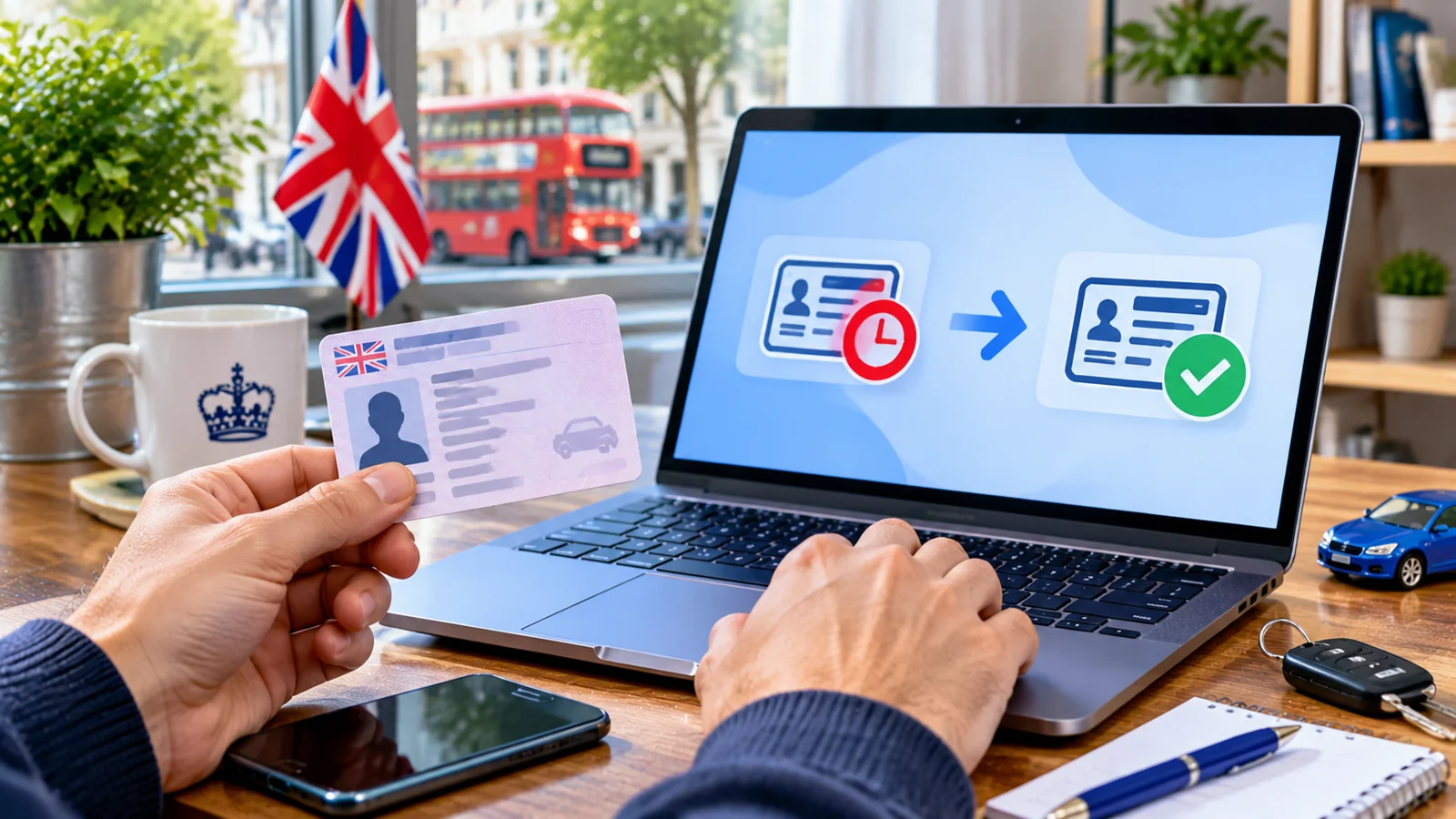
If your UK driving licence check code has expired, you cannot extend or reactivate that code. Generate a fresh code using the government service appropriate to the issuing authority of your licence. For a licence issued in England, Scotland or Wales, use GOV.UK's View or share your driving licence information service. For a Northern Ireland licence, use nidirect's DVA licence-sharing service. A check code is valid for 21 days and can be used for one check only. You do not have to renew your actual driving licence merely because its sharing code has expired.
The critical distinction is between three situations: the code expired, somebody already redeemed it, or you cannot get into the service to generate a replacement. They can produce similar error messages, but the remedy is not identical. This guide uses current official guidance from DVLA, DVA and GOV.UK, checked on 23 October 2026. Screens and wording may change.
At a glance: which service should you use?
| Your situation | Best starting point | What you should expect |
|---|---|---|
| Great Britain licence; code more than 21 days old | GOV.UK — View or share your driving licence | Generate a new code; do not re-send the expired one |
| Great Britain licence; employer or rental desk already used code | GOV.UK — View or share your driving licence | Generate a different code for the next check |
| Northern Ireland DVA licence | nidirect — View or share your NI driving licence | Sign in to verified nidirect account and create a DVA code |
| Someone sent you a code and you need to verify their record | GOV.UK — Check someone's driving licence | Use the code once, with the last eight characters of their licence number |
| You cannot retrieve the National Insurance number needed for the GB route | GOV.UK — Find your National Insurance number | Recover the correct number before trying the check-code service |
| The photocard or driving entitlement itself is out of date | Separate DVLA/DVA renewal guidance | Check licence renewal rules; a fresh check code is not a renewal |
Official links: GB: generate a check code · GB: check someone else's licence · NI: generate a check code.
What expires after 21 days — the check code or the driving licence?
A driving licence check code is a temporary credential allowing another person or organisation to access selected driving record information with your permission. It is not the photocard driving licence, your driving entitlement, a booking reference, an identity verification code, or a right-to-work share code. GOV.UK says the code lasts 21 days; the recipient can redeem it only once. This is a privacy safeguard because a fresh check should need a fresh decision to share.
The distinction matters at an airport car-hire counter. A driver may hold a valid photocard and a valid entitlement but present a code created for an earlier booking. The code's expiry does not invalidate the licence itself. Likewise, getting a new code does not extend an expired photocard or restore an entitlement suspended for legal or medical reasons. These must be dealt with under the relevant licence rules.
The commonly repeated 72-hour limit is historical. DVLA changed its code validity from 72 hours to 21 days on 10 July 2015. Some screenshots, employer manuals and older PDFs still show 72 hours, including documents reproducing the original 2015 interface. Follow the current GOV.UK service, not the obsolete interval. See DVLA's dated announcement.
Generate a new DVLA check code in England, Scotland or Wales
This route applies to licences issued by the Driver and Vehicle Licensing Agency (DVLA) in Great Britain. You normally need the driving licence number, National Insurance number and postcode shown on the driving licence. Have the physical licence available. Do not enter these details into Horus Valley or a third-party form; enter them only in the official service.
- Type gov.uk/view-driving-licence directly into your browser, or navigate there from GOV.UK. Avoid paid lookalike search results.
- Choose Start now and follow the current identity/record access prompts. Provide the driving licence number, National Insurance number and licence postcode if requested.
- Review the driving record shown on screen. This is the moment to check entitlement categories, endorsements and disqualifications; creating a code does not correct any inaccurate record.
- Look for the sharing function, commonly labelled Share your licence information, then the option to create or generate a check code. Interface labels may differ, especially in the newer driver and vehicles account.
- Record the newly generated code accurately and send it privately to the specific employer or hire company asking for it. Share the last eight characters of the driving licence number with that organisation so it can perform the online check.
- Ask the recipient to check promptly. If they already redeemed the code and another organisation needs to check, make a separate new one.
You can also create a code through DVLA's driver and vehicles account. The account offers record viewing and other vehicle services; you do not need to pay an intermediary to generate the code. If a page offers only a PDF or driving-record printout, do not assume it replaces the live one-time check. Confirm what evidence the recipient will accept.
How the employer or car-hire company uses your code
The recipient uses GOV.UK — Check someone's driving licence information, not the page used by the driver to create a code. The official verification form needs the check code and the final eight characters of the driving licence number. The recipient must have the driver's permission. After a successful check, that code cannot be used again, even if 21 days have not passed.
You should not send your full National Insurance number or account password to the organisation just because it wants to check the DVLA driving record. Those are not listed as fields for the recipient's online licence check. If a company asks for more documents for a separate employment or insurance process, establish the purpose and a secure way to provide them.
Northern Ireland: generate a new DVA code instead
Northern Ireland licences are administered by the Driver & Vehicle Agency (DVA). The Great Britain DVLA licence-sharing form is not the correct entry point for a licence issued by DVA. Use the nidirect licence-sharing service, which also states 21-day validity and one-time redemption.
- Open the official nidirect page and start the View or share your NI driving licence information service.
- Sign in to a nidirect account with the required identity verification. If you have not linked your licence, follow the official linking your driving licence guide.
- Select your linked licence, choose the view/share option, and then create a new code. The DVA user guide includes actual government interface screenshots.
- Confirm the new code status. DVA guidance distinguishes active, expired, viewed and cancelled codes; a viewed code has already been used.
- Share the new code and required licence-number characters with the legitimate party who requested it. The checker uses nidirect's NI licence check service.
Do not treat an NI problem as a DVLA password failure. Identity-assurance and licence-linking issues go through nidirect and DVA support. If you cannot complete the online process, the nidirect pages explain the appropriate contact route.
The 21-day, one-use rule: a worked booking example
Consider a hypothetical driver who generates a GB licence check code on 1 November for a car hire collection on 28 November. The hire company cannot use that same code at pickup because the published 21-day validity period has elapsed. The sensible approach is to generate a replacement closer to collection, following the company's requirements rather than using a code created at booking. This is a planning illustration, not a test of a live DVLA account.
Now suppose the driver creates a new code on 27 November, and a fleet administrator checks it that afternoon. A different rental agent trying the same code at the collection desk may find it unusable even though only one day has passed: the first check consumed the code. Another fresh code is necessary. One use and 21 days are two independent restrictions.
| Illustration | Age of code | Prior check made? | Likely appropriate action |
|---|---|---|---|
| Code from 1 November, offered 28 November | 27 days | No | Generate a fresh code: original is outside 21 days |
| Code from yesterday, already used by HR | 1 day | Yes | Generate a separate code for the rental company |
| Code from yesterday, not redeemed | 1 day | No | Recipient may use it if the record matches; verify with service |
| GB code presented for a DVA-issued NI licence | Any | Any | Use the Northern Ireland service; not a timing issue |
| New code rejected with wrong licence characters | Under 21 days | No | Check final eight characters; do not guess |
The dates above are examples chosen to show the principle, not an interpretation of the service's exact expiry hour. For a deadline-sensitive transaction, generate the code shortly beforehand rather than trying to calculate the last minute of validity.
Diagnose a rejected check code before creating repeated replacements
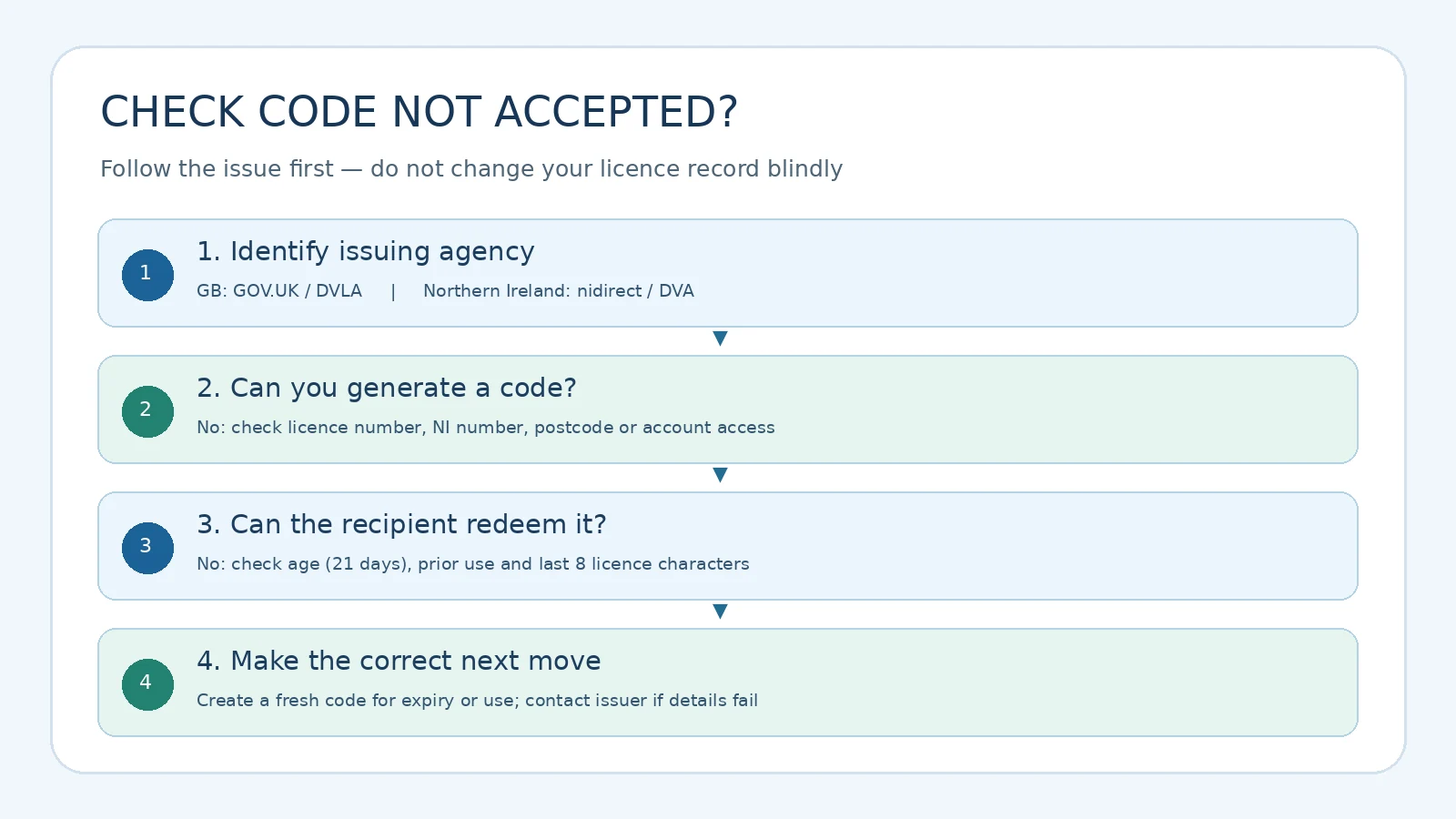
If a code fails, do not immediately assume a GOV.UK outage or a bad licence record. Separate generation issues (the driver cannot obtain a code) from redemption issues (an authorised company cannot use a code). The latter may simply be an already-used code or incorrect licence characters.
| What you see | Plausible explanation | Safe first step | When to escalate |
|---|---|---|---|
| “Code expired” or age over 21 days | Sharing credential timed out | Generate and give a new code | If every newly generated code fails |
| “Invalid” even though code is new | Mistyped code; wrong last eight licence characters; previously redeemed | Re-copy characters, confirm no ambiguity, ask if recipient used it already | If correct new code repeatedly rejected |
| Driver cannot pass GOV.UK record lookup | Mismatch in licence number, NI number or postcode | Check entries against actual documents; use official NI finder | If correct official records cannot be matched |
| NI licence fails in GB form | Wrong issuing authority/service | Switch to nidirect DVA service | If NI account or licence linkage fails |
| Driver can view record but company cannot check | Recipient may be on wrong page or using full number instead of last eight | Send official checker link; verify correct fields | DVLA service help with driver's permission |
| Rental desk will not accept screenshot | Supplier may require live redemption | Ask company about accepted evidence before arrival | Company policy or DVLA support as appropriate |
| Code valid but licence information is wrong | Underlying record needs correction | Check record through issuer and follow official correction guidance | DVLA/DVA record team |
| Car hire booking abroad | Company-specific requirements not met | Ask hire firm in advance about code, physical licence and extra documents | Rental company's support |
The postcode mismatch trap
For the GB generation service, GOV.UK explicitly asks for the postcode on your driving licence. Someone who recently moved may type their current postcode even though DVLA has an older address recorded, or the opposite may be true if the licence was updated. Compare the licence and the request rather than repeatedly entering guessed addresses. If your recorded address is outdated, see the official change of address service, which says a straightforward address change is free. This is separate from generating a check code.
Changing your licence address is a record-maintenance process; it is not a guaranteed instant fix for a check-code system error. Do not falsify your address to get past validation. If the genuine details fail, contact DVLA through an official contact path.
You have lost your National Insurance number
Check payslips or P60s and the HMRC app or Personal Tax Account. The official National Insurance recovery guidance explains the routes available. Horus Valley also has a focused guide, How to Find Your Lost National Insurance Number Online in the UK, covering account access and postal alternatives. Never enter a made-up NI number to get into the licence service.
Your licence card is missing, not just the code
A missing photocard and an expired check code are distinct matters. The GOV.UK replacement service covers lost, stolen or damaged GB licences, with its own eligibility and fees. A code may help an authorised party see your driving record but is not automatically a replacement for the identity document or physical licence a rental company requires. Ask the hire firm what it will accept.
Car hire abroad: avoid a code expiring before pickup
DVLA advises checking with the hire company before travel because documentary requirements vary between companies and countries. A reservation confirmation alone does not tell you that a DVLA check is needed, nor does it guarantee that a printout is sufficient. When a company requests a live code, prepare the code close enough to collection that it will still be valid.
A practical departure checklist is to confirm: the licence issuing jurisdiction; the collection date; whether a DVLA/DVA check code is required; whether the physical photocard is mandatory; whether the renter must carry an International Driving Permit where relevant; and whether the company will check the code before pickup. You should not assume that bringing a screenshot of a code allows multiple employees to redeem it. If staff already used the code to verify eligibility, ask whether they need another live check at collection.
The current DVLA car-hire guidance describes the single-use rule and the option to print a record. It also warns that requirements differ. A printed record is a snapshot from the time it was generated, not a permanently live verification credential.
Employers and fleet managers: a safer verification workflow
An employer should request a code only with the driver's knowledge and consent and use the official online checking service. The online result may include which categories the driver can operate and relevant endorsements. A new code is needed for each subsequent check because the earlier one has already been redeemed.
Practical fleet workflow: ask the driver for a new code when the check is scheduled; confirm the issuing agency; use the last eight characters of the licence number; access the official checker; retain only the records needed under your organisation's retention policy; and request a new code for a later reassessment. Avoid storing a driver's NI number unless it is legitimately required for a different process. The service warns that obtaining someone's driving record without permission is a criminal offence.
| Role | Creates code? | Uses code? | Needs NI number for DVLA check? | Correct entry point |
|---|---|---|---|---|
| Driver with GB licence | Yes | Shares it with authorised party | Yes for usual driver sign-in process | GOV.UK View or share |
| Hire company / employer checking GB licence | No | Yes, once | No — checker asks for code and last eight licence characters | GOV.UK Check someone's driving information |
| Driver with NI licence | Yes through DVA | Shares with authorised party | Follows verified nidirect account requirements | nidirect View or share NI licence |
| Company checking NI licence | No | Yes, once | Not listed as checker field | nidirect Check someone's NI licence |
The role distinction matters because sending a person to the wrong GOV.UK page can look like the licence or code is broken when the wrong service is simply being used.
What if the DVLA service is unavailable or you cannot create a new code?
First check that you are on the official website and using the appropriate issuer's service. Try reloading the page once, use an up-to-date browser and avoid repeated submissions if the service reports that your details do not match. A different browser may help with a session problem, but it cannot correct an invalid record. Do not share full identity details with a third-party “code generator”.
Official GOV.UK guidance gives 0300 083 0013 for help using the online checking service. DVLA's published car-hire advice also describes a phone route when a driver cannot obtain a code online, subject to identity questions. Hours and routing can change, so confirm them on the current government checking page. For a business requesting a licence record by post, the official D888/1 request form is a distinct, signed permission-based process with a published fee; it is not an instant substitute for a live code.
For Northern Ireland, use the support paths from nidirect. Do not call a DVLA number assuming staff can reset a DVA nidirect account.
Protect your check code and driver information
A driving-licence check code is sensitive because it allows a legitimate third party with the necessary licence information to view part of your driving record. It is not a password for all government services, but it should not be posted publicly. Only share it with a verified organisation, and use a fresh code for a new check. Beware of third-party pages that demand a “renewal fee” for an expired code: the official online code-generation process does not require such a payment.
If you receive an unsolicited message claiming your driving licence check code or penalty points will expire tonight, navigate to GOV.UK yourself rather than clicking the message. The service is for sharing existing records, not for paying a penalty, cancelling a disqualification, or renewing a photocard. Keep full licence photographs and NI numbers out of public support forums.
A repeatable three-scenario check for readers
This is a reader procedure, not a claimed experiment on a live DVLA account. It helps you identify which failure to address without exposing private data:
- Scenario A: old code. Write down the creation date in a private note. If the date is more than 21 days ago, generate a new code using the issuer's service. Do not try to alter the code or submit a guess.
- Scenario B: recent but refused code. Ask the intended recipient whether the code was already used, and confirm they entered exactly the final eight licence-number characters. Create a fresh code only if another check is needed.
- Scenario C: cannot sign in. Identify whether the document is GB or NI, then verify the appropriate sign-in requirements and the source of each input. If an underlying address or account problem exists, follow its separate official correction path.
To keep the process auditable, record only non-sensitive information: the date a code was created, which issuing service was used, whether the recipient reported “expired”, “already used”, or “details do not match”, and whether a new check succeeded. Do not store the whole licence number, NI number, or code in a public note or support ticket. This approach is particularly useful for people coordinating a rental booking and an employer verification in the same week.
Common mistakes that make an ordinary expired code seem more serious
Some drivers create the code at the moment of reserving a car, weeks before it is collected. Others take a photo of a successful check from a past employer and expect a new employer to reuse the same code. Some misread an NI-issued licence as a DVLA-issued licence. Others confuse the 21-day sharing code with the photocard expiry date, which has separate renewal rules. These are all different issues.
There is also a distinct UKVI eVisa share code, which is used for immigration-related status checks and follows its own eligibility and validity framework; it is not the DVLA driving record code. If your problem is actually with immigration status sharing, see Horus Valley's UK eVisa Share Code Not Working guide instead. Knowing which government service issued a code is often the quickest troubleshooting step.
Official references and editorial verification
This guide was checked against the currently published GB licence-sharing service, GB employer/hire checker, DVLA's dated 21-day rule notice, DVLA hire-car guidance, DVLA driver and vehicles account, NI licence-sharing service, and NI code-generation user guide. Recovery details are cross-checked with GOV.UK NI-number recovery and DVLA address updates.
The current government services give a clear answer: a check code expires after 21 days or becomes unusable after one successful redemption, whichever prevents its reuse first. Get a fresh code from DVLA for Great Britain or DVA for Northern Ireland, and give it only to the party authorised to inspect your record. If generation fails, establish whether it is an identity-data, issuing-authority, account or technical problem before changing anything. Do not interpret an expired check code as a change to your legal driving entitlement.
You may also like
 Technology & How-To
 Android Auto Keeps Disconnecting? How to Fix USB and Wireless Dropouts
Android Auto keeps disconnecting? Separate USB, wireless and app failures, check Galaxy USB mode, compare connection methods and…
 Technology & How-To
 Netflix Says Your TV Isn’t Part of the Household? How to Fix It
Fix a Netflix household warning by separating home verification, permanent household updates and temporary travel access, with genuine…
 Technology & How-To
 Google Photos Stopped Backing Up from Your PC? What Changed and How to Fix It
Google Photos stopped backing up your computer folders? Understand the Drive for desktop change, configure browser folder backup…