
Apple HomeView: Price, Features, Release Date, Specifications and What Siri AI Can Really Do
An in-depth guide to Apple’s newly announced HomeView smart display, covering confirmed hardware specifications, regional launch dates, Siri AI and privacy, smart-home compatibility and full purchasing costs.
Contents
- What is Apple HomeView, and why is Apple making it?
- Apple HomeView release date, preorders and countries
- HomeView price: tabletop, wall-mounted and actual cost
- Apple HomeView official specifications
- Design: countertop model versus wall-mounted model
- Siri AI: what has actually changed?
- How HomeView knows who is standing in front of it
- Privacy architecture: Secure Exclaves and Private Cloud Compute
- HomeKit, Matter and controlling your smart home
- Home security cameras, recognition and iCloud+
- FaceTime, messaging, Find My and a shared family calendar
- Recipes, music and entertainment: is it useful in the kitchen?
- How to plan HomeView setup before it arrives
- HomeView versus iPad, HomePod and Echo Show: who needs what?
- Seven real buying scenarios to consider
- 1. A family sharing a kitchen display
- 2. A security-first home with multiple cameras
- 3. A wall dashboard for lights and climate
- 4. A FaceTime-centric extended family
- 5. A household mostly using Android phones
- 6. A bedroom nightstand
- 7. A buyer outside an initial launch market
- What remains unverified until independent reviews appear?
- Is Apple HomeView worth $299?
- Official sources and further reading
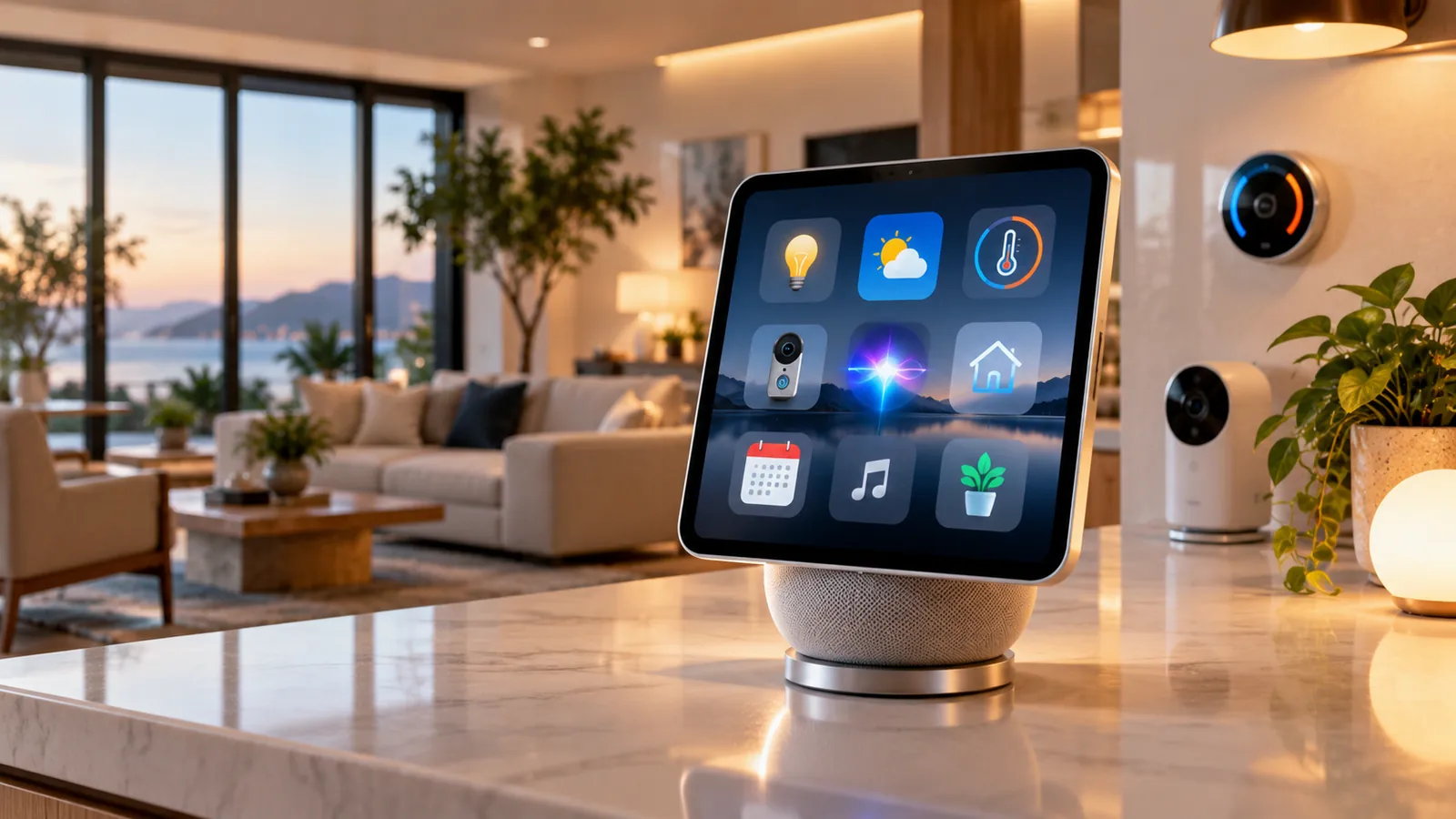
Apple has announced HomeView, a dedicated seven-inch smart-home display designed to live on a kitchen counter, bedside table or wall. Announced on October 13, 2026, the new product brings FaceTime, Apple Home controls, entertainment, household personalization and a more conversational Siri AI into a shared device. The starting US price is $299, and Apple has scheduled retail availability for November 13 in its initial launch markets. Those facts are official. How well it performs against established rivals, especially under the noise and interruptions of real household life, requires independent testing after launch.
At a glance: HomeView has a 7-inch 1088×1088 Liquid Retina touchscreen, an A18 chip, a 12MP Center Stage camera, wired power, a choice of tabletop or wall-mounted configurations and face-based personalization for up to six people. Both versions start at $299 in the United States, but the wall model needs separately purchased power and mounting hardware. Siri AI offers broad conversational abilities on the device; advanced personal-context actions additionally require a compatible Apple Intelligence-enabled iPhone or iPad. The currently announced Siri AI experience is English-focused, and Apple does not yet offer the product for sale in the EU.
Updated October 15, 2026. This is a fact-checked launch guide, not a hands-on review. Product availability, software limits and third-party compatibility should be verified again at purchase.
What is Apple HomeView, and why is Apple making it?
HomeView is a shared home hub with a permanent screen. Instead of repeatedly unlocking a phone for a doorbell feed, family calendar or music control, a household can put a dedicated interface in a central place. It combines tasks that an iPad, HomePod and smart-home control tablet might otherwise perform separately: showing camera feeds, managing compatible devices, placing FaceTime calls, displaying reminders and asking Siri for information.
The product is not a replacement for every iPad use case. Apple positions it for fixed locations and continuous wired power, not as a battery-powered portable tablet. Nor is it a universal controller for any device labeled “smart.” Compatibility depends on the product’s Apple Home or Matter support, local network configuration, supported features and sometimes subscriptions. Owners with existing devices should check exact model compatibility before buying.
Apple is entering a market already familiar with Amazon Echo Show and Google’s smart-display products. Its distinctive approach is not merely adding another touchscreen: it is linking the device to recognized household members and, where supported, to their personal context across Apple services. That also creates important questions about privacy, permissions and how useful the new Siri AI is in real-life tasks.
Apple HomeView release date, preorders and countries
Apple announced HomeView on October 13, 2026. The company says preorders opened that day in the United States, United Kingdom, Australia, Canada, India and New Zealand. Singapore preorders open October 15 at 9 a.m. Singapore time. Availability begins Friday, November 13, 2026, in those launch markets; Apple has also announced South African availability through authorized resellers beginning November 13.
The European Union is an important exception. Apple explicitly states that HomeView is not available for sale there because the related Siri AI offering is not yet available on iOS in the EU; Apple has not given a confirmed EU launch date. This is not equivalent to saying European residents can never use the hardware, but it is a real official-sales and regional-support restriction.
Siri AI on HomeView is initially offered in English in the US, UK, Australia, Canada, India, New Zealand, Singapore and South Africa. Apple has announced Canadian French support for a later free update. It has not confirmed that an Arabic-language Siri AI experience is included at launch. Readers elsewhere should verify local Apple Store eligibility rather than relying on marketplace sellers or converted US prices.
HomeView price: tabletop, wall-mounted and actual cost
Both the standard countertop Apple HomeView and the separate Apple HomeView (Wall Mounted) have an announced US starting price of $299. Some local prices are different because of currency, taxes and regional pricing; Apple’s UK launch price is £299. That does not mean the two packages include the same accessories.
The standard tabletop model includes a matching 1.5-meter USB-C cable and a 30W power adapter. According to Apple’s official specifications, the wall-mounted unit does not include a power cable, power adapter or compatible wall mount. The accessories are sold separately, and installation may require professional assistance depending on the wall and electrical connection.
Apple lists US prices for Schneider Home mounting options: $59.95 for Power Mount USB-C Wall Connector and $79.95 for Power Mount AC Wired, available for preorder, while a wired PoE option is planned for early 2027 at $129.95. These are mounts and power solutions with different installation requirements, not alternate HomeView screen sizes. A realistic budget for a wall-mounted unit must include the $299 device, a supported mount, a suitable USB-C power solution and any installation charges.
Video recognition and HomeKit Secure Video integrations may require a compatible iCloud+ plan and supported cameras. Personal-context Siri features depend on owning a compatible Apple Intelligence-enabled iPhone or iPad, so someone without such a device should not assume the $299 hardware will deliver every personalized function. Apple’s own launch notes also flag future paid expanded access for some server-based Apple Intelligence features. The base purchase price is therefore only the beginning of a complete budget calculation.
Apple HomeView official specifications
Apple’s product specification page confirms the following hardware and basic system requirements.
- Display: 7-inch diagonal Liquid Retina IPS Multi-Touch display, 1088 × 1088 pixels at 220 ppi, with True Tone and an oleophobic coating.
- Brightness: up to 500 nits and down to approximately 0.3 nits, with an adaptive presentation that changes as a person moves closer or farther away.
- Processor: Apple A18 chip.
- Camera: 12-megapixel Center Stage camera, f/2.4 aperture, supporting FaceTime video.
- Audio and microphones: microphones around the device; custom speaker system, with a more substantial speaker base on the tabletop model.
- Connection and power: Wi-Fi internet connectivity and continuous wired power through a compatible USB-C setup; there is no claimed battery-powered tablet mode.
- Required setup device: an iPhone running iOS 27.2 or later or an iPad running iPadOS 27.2 or later, with the current HomeView software.
- Operating range: ambient temperature 0–35°C (32–95°F) and noncondensing humidity of 5–90 percent, according to Apple.
The screen is physically square rather than the familiar widescreen tablet shape. Its resolution is appropriate for widgets, quick camera views, calls and small interface panels, but readers should not assume it is intended to replace a large media screen. Apple has not yet supplied independent measurements of battery life, because both devices are designed for wired power.
Design: countertop model versus wall-mounted model
The tabletop HomeView uses an aluminum body, a domed speaker base and a stainless-steel hinge that allows the screen angle to tilt. Its approximate listed weight is 952 grams (2.1 pounds). Apple offers this model in silver, starlight, rose pink and space gray. It is meant to work well on a kitchen counter, bedside table, desk or living-room shelf, with the physical screen angle adjusted to the viewer.
The separate wall-mounted variant is slimmer, weighs approximately 286 grams (0.63 pound) and comes in silver or space gray. It is designed for locations such as hallways and entryways, where a glanceable dashboard or quick doorbell feed is useful. It is not simply the countertop version with a detachable base; these are distinct designs and packages. The wall model is about 0.39 inch thick, according to Apple’s technical page.
Before ordering the wall model, measure sightlines, decide whether the primary users can comfortably reach the display, plan an accessible and code-compliant power source, and check the material behind the proposed mount. A screen near the front door may be convenient for scenes and cameras but less private for calendars and messages. Kitchens add another concern: avoid locating electronics next to direct steam, grease or high heat. Follow Apple’s operating and cleaning guidance rather than assuming the home-focused label implies water resistance.
Siri AI: what has actually changed?
Apple markets Siri AI as a substantially more conversational assistant built on Apple Intelligence. Instead of responding to isolated voice commands only, it is intended to handle ongoing questions, broad knowledge requests, music discovery, context from what appears on screen and supported actions across apps. Apple says conversations can continue through its Siri app across the user’s compatible devices with privately synchronized history.
There are two tiers of experience that consumers must distinguish. General Siri AI features work directly with HomeView, including asking about topics, basic conversation and improved music discovery, even for someone who does not own an Apple Intelligence-enabled iPhone. Personal-context features, such as drawing on a person’s Messages, Calendar or supported app content and taking cross-app actions, require a paired compatible Apple Intelligence-enabled iPhone or iPad using a supported language and current software.
For example, asking “Explain what a solar eclipse is” is different from asking “What time did my friend say we would meet?” The first is a general knowledge request. The second requires permission to access personal communications and correct recognition of the requesting household member. Apple says Siri AI can make personalized assistance feel natural, but outcomes will depend on app support, permissions, beta software and the accuracy of the assistant’s interpretation.
Apple’s launch notes specifically call Siri AI beta in HomeView software 27.2. Beta status matters: announced capabilities are not proof that every complex, multi-step command will work consistently in noisy kitchens or mixed households. Readers should evaluate real-world demonstrations and independent reviews once devices ship instead of accepting a blanket claim that Siri now surpasses every competing AI assistant.
How HomeView knows who is standing in front of it
Apple says HomeView can recognize up to six household members by their faces and show a personalized Home Screen, apps and widgets for each. Shared photo albums and music can remain accessible for communal use. The design is intended to make a fixed household display useful without exposing one person’s reminders, messages or calendar items to everyone nearby.
Apple also says sensitive personal content appears only when the enrolled user has been recognized and their paired iPhone or iPad is present and has been unlocked recently. This is more specific than promising that face recognition alone unlocks all private information. The company describes protected processing environments for camera and microphone data, known as Secure Exclaves, with further isolation from ordinary software components.
Practical precautions still matter. Decide which family members may enroll, review which shared photos can be displayed in common areas, consider guest access, and place the device where casual visitors cannot easily view private dashboards. Facial recognition systems can have accuracy limitations in lighting or with changing appearances, and HomeView’s real-world identification performance needs independent testing after launch.
Privacy architecture: Secure Exclaves and Private Cloud Compute
Apple says HomeView’s A18-based security architecture compartmentalizes camera and microphone processing through protected Secure Exclaves. It also describes processing some Siri requests on-device and certain more complex operations using Private Cloud Compute. Apple states that data processed through Private Cloud Compute is not stored or made accessible to Apple.
These are published vendor claims about technical protections. They offer more substance than a vague promise of “private AI,” but prospective buyers should still review privacy documentation, app permissions, cloud account protections and updates. Smart home hubs can involve additional data sources: connected cameras, motion events, door locks, microphones and integrations with third-party manufacturers. Their policies may differ from Apple’s own device privacy protections.
HomeView should not be described as offering unlimited free access to every future AI service. Apple’s release notes say some features relying on server-side models have daily usage limits and that expanded access will be paid in the future. Buyers should follow the official support documentation as those terms evolve.
HomeKit, Matter and controlling your smart home
HomeView is designed as an Apple Home dashboard. Users can use touch or Siri to operate compatible lights, thermostats, locks and blinds, or view doorbell and camera feeds. A customizable Home Modular face provides direct shortcuts for selected accessories; a Home Camera face can show up to nine live camera streams simultaneously when compatible equipment is available.
Apple also introduced Apple Home Collection, developed with LG Electronics and Schneider Electric, including cameras, thermostats and a lock. HomeView works with supported Apple Home products, Matter devices and the newly announced accessory lineup. Crucially, the presence of the Matter logo alone does not establish that every manufacturer-specific feature is available in Apple Home. Advanced settings, firmware and hubs may still affect compatibility.
Before purchasing, write down your existing device brands and exact models. Check each manufacturer’s official Apple Home or Matter documentation, confirm whether an additional bridge is necessary, and identify features you rely on—such as continuous recording, local control, remote unlock, two-way doorbell audio or temperature schedules. Then decide whether HomeView supports those actions instead of assuming all connected accessories work identically.
Home security cameras, recognition and iCloud+
Apple says supported HomeKit Secure Video cameras can provide encrypted recognition and notices involving people, familiar faces, pets, packages and vehicles with an eligible iCloud+ subscription. HomeView also supports video descriptions for recorded events, which can help a person understand a clip without watching it in full. Sound recognition can trigger notices when the device detects smoke or carbon-monoxide alarm sounds.
These features come with caveats. They depend on compatible accessories, network conditions, subscriptions and regional feature support. A display offering nine simultaneous live streams is not a promise that any nine cameras from any brands will appear automatically, or that storing footage is free. Likewise, sound alerts supplement—not replace—properly installed, tested and maintained alarms. Door-lock actions should always be subject to the system’s security permissions and household settings.
For homes that prioritize video evidence, verify camera retention periods, encryption, local versus cloud processing and notification reliability. You may also want to consider the consequences of a power or internet outage, because HomeView requires wired power and supported online connections for many functions.
FaceTime, messaging, Find My and a shared family calendar
The 12MP camera supports Center Stage in FaceTime video calls, designed to adjust the framing when participants move. HomeView can also handle supported FaceTime audio calls and reading or answering messages using voice or an onscreen keyboard. This suits a kitchen or family room better than a device that must be held by one person during each call.
Apple’s Intercom feature lets compatible devices send messages between rooms or to household members’ personal devices. Find My integrations can help locate a misplaced iPhone, AirPods case or AirTag-equipped item, and family location sharing depends on each person’s consent and settings. Live Activities can display useful short updates such as timers or what is playing.
A real-world scenario is a busy household preparing for a school morning: someone checks a personal calendar, sets breakfast timers, communicates with another room and checks whether a set of keys tagged with an AirTag is nearby. HomeView is designed to consolidate these tasks, but individual services may require signed-in accounts, a compatible iPhone or iPad and active network access.
Recipes, music and entertainment: is it useful in the kitchen?
Apple emphasizes hands-free recipe guidance, timers, ingredient tracking and a viewing experience that adapts as a person approaches the display. On a counter, that can be more practical than constantly touching a phone with messy hands. How useful it becomes depends on the accuracy of the recipe interpretation and whether supported apps provide the necessary information.
For entertainment, the tabletop design has two full-range drivers, a down-firing woofer and passive radiators, with computation intended to manage sound balance. Apple says the wall model uses two custom drivers and its own tuning; its thinner body is unlikely to produce exactly the same acoustics, so performance should be tested rather than assumed. Apple Music, Podcasts, Apple TV and compatible third-party applications are part of the announced experience, alongside Handoff and multiroom playback with compatible AirPlay speakers.
Before buying to watch a specific subscription service, check that application’s official support. “Compatible third-party audio and video apps” does not mean that every iPad streaming app, every video platform or every video codec is supported natively on HomeView. The seven-inch square screen is also optimized for short interactions, not cinematic movie playback.
How to plan HomeView setup before it arrives
As of October 15, 2026, HomeView has not yet reached its announced November 13 retail release, so a definitive hands-on setup walkthrough would be premature. Apple’s published requirements nevertheless let buyers prepare responsibly:
- Choose the model and placement. Decide between the countertop unit and a purpose-built wall version; plan reliable wired power and safe access.
- Check your setup device. Apple lists iOS 27.2 or later on a compatible iPhone, or iPadOS 27.2 or later on a compatible iPad, along with current HomeView software.
- Verify Wi-Fi and home accessories. Confirm that your home network reaches the intended location and that your cameras, locks, lights or thermostat support Apple Home or Matter where required.
- Plan household identities and privacy. Identify which members should enroll in face-based personalization and what shared images or controls guests may see.
- Review Siri AI prerequisites. To use personalized cross-app context, ensure each eligible user has the requisite Apple Intelligence-enabled device and supported language.
- Budget for subscriptions and installation. Confirm iCloud+ camera requirements and the full cost of mounting, adapters and any professional electrical work.
- After the device ships, follow Apple’s on-screen onboarding. Do not trust fabricated screenshots or unofficial setup videos circulating before release; the final interface can change.
HomeView’s power requirements are not a minor detail. The tabletop package includes a cable and adapter, while the wall unit does not. If you order the wall version without a mount or compatible power solution, you may not be able to install it when it arrives.
HomeView versus iPad, HomePod and Echo Show: who needs what?
A supported iPad can already show many apps and smart-home controls, but it is a portable tablet rather than a product designed from the ground up as a shared, face-personalized, always-powered room dashboard. A HomePod emphasizes speakers and voice without a permanent interactive touchscreen. HomeView occupies the middle ground by combining an installed display and Apple’s home services. That does not automatically make it worth buying if you already use a well-placed iPad and HomePod effectively.
Amazon Echo Show provides an alternative family of smart displays using Alexa and related services. Actual value depends on the exact Echo Show model, local price and your existing ecosystem, not a generic claim that one company has better AI. For a specific comparison of platform choices, see our Apple HomeView vs Amazon Echo Show guide.
The central buying question is where your family already keeps its photos, messages, calendars, music and smart-home controls. A household with compatible iPhones and Apple Home devices may gain enough integration to justify HomeView. An Android- or Alexa-focused home may have to compromise on supported services or keep multiple ecosystems running.
Seven real buying scenarios to consider
1. A family sharing a kitchen display
The combination of timers, calendars, recipes, quick messages and face-personalized widgets fits a communal room. Make sure members understand what information is shared publicly versus privately and what the recognition prerequisites are.
2. A security-first home with multiple cameras
The up-to-nine-stream interface is promising, but inspect camera support, camera brands, recording plans, notification retention and network reliability first. The full surveillance setup can cost far more than the screen.
3. A wall dashboard for lights and climate
The thin wall model has aesthetic appeal but requires the right mount and separately sold power hardware. The cost, serviceability and safe installation of that setup deserve as much thought as the display itself.
4. A FaceTime-centric extended family
Center Stage and a fixed-position video screen may make hands-free family calls convenient. Make sure all desired participants use compatible FaceTime-capable devices and networks.
5. A household mostly using Android phones
HomeView may still serve general Siri AI and Apple Home controls, but the setup requirements and personal-context features clearly favor Apple devices. Confirm precisely which tasks would work before investing.
6. A bedroom nightstand
Apple’s very low minimum screen brightness is intended to help nighttime comfort, but users should still evaluate microphones, privacy indicators, alarm expectations, power placement and personal notifications in a private space.
7. A buyer outside an initial launch market
International resale pricing, customs, support coverage, language restrictions and warranty policies can change the purchase decision. Do not assume official release in Egypt, the EU or every other region merely because a US retailer accepts an order.
What remains unverified until independent reviews appear?
HomeView was announced on October 13 and ships beginning November 13, 2026. As of this article’s date, journalists’ previews and manufacturer demonstrations are not substitutes for long-term evaluation. Key unanswered questions include how reliably Siri AI handles multi-stage requests, how quickly faces are recognized in real homes, whether speakers perform well in noisy rooms, how fast the camera dashboard opens and how often third-party device integrations fail.
It is also too early to judge repairability, software longevity, accessibility in daily use and any future changes to optional AI service fees. The A18 chip, a bright screen and Apple’s software claims make the specification sheet interesting, but buyers should separate the published data from measured performance.
Is Apple HomeView worth $299?
HomeView looks most compelling for households already invested in Apple devices, Apple Home, FaceTime and Apple Intelligence, especially those that want a central screen for several people. The square display, face-based profiles and cross-device Siri integration are meaningful differences from a generic smart speaker. However, $299 is only the base price; wall hardware, iCloud+ services and companion-device requirements may affect total value.
If your home runs happily on Alexa or Google and needs only basic timers, a large display or quick lighting controls, a lower-cost existing device may be sufficient. If your priority is a sophisticated new Siri, consider observing post-launch testing before paying. And if you live outside Apple’s listed markets, regional availability and language support are decisive—not footnotes.
Official sources and further reading
- Apple Newsroom — Meet Apple HomeView, official announcement, October 13, 2026.
- Apple — Apple HomeView and HomeView (Wall Mounted) technical specifications.
- Apple Newsroom UK — HomeView regional availability and feature details.
- Apple Newsroom — TV and Home archive.
- Reuters — Apple unveils new smart-home products and Siri AI, October 13, 2026.
- Horus Valley — Apple HomeView vs Amazon Echo Show: Which Smart Display Should You Buy?.
You may also like
 Technology & How-To
 NHS App Prescription Not Showing? Check GP Approval, Pharmacy Status and Tracking
Find out why a prescription or medicine is missing from the NHS App in England. Separate repeat requests,…
 Technology & How-To
 Google Wallet Not Working After Switching Phones? Fix Card Setup and Tap to Pay
Google Wallet transferred but tap to pay fails? Separate card verification, bank approval, NFC, screen lock and device…
 Technology & How-To
 iCloud Family Sharing Not Working? Why You Still See 5GB and How to Fix It
Still seeing 5GB after joining an iCloud family plan? Check the account, invitation, sharing settings, personal plan and…