
How to Transfer Google Drive File Ownership to Another Account
Transfer Google Drive file ownership, accept pending requests, check folder contents and fix missing options for personal and work accounts.
Contents
- Check which account combination you are using
- 1. Share the file with the intended recipient
- 2. Choose Transfer ownership
- 3. Have the recipient accept if this is a personal-account transfer
- 4. Verify the file—not just its containing folder
- If Transfer ownership is missing
- What if you need an alternative to direct transfer?
- Questions before you finish
- Can I cancel a pending request?
- Does the file still count toward my storage?
- Do collaborators automatically lose access?
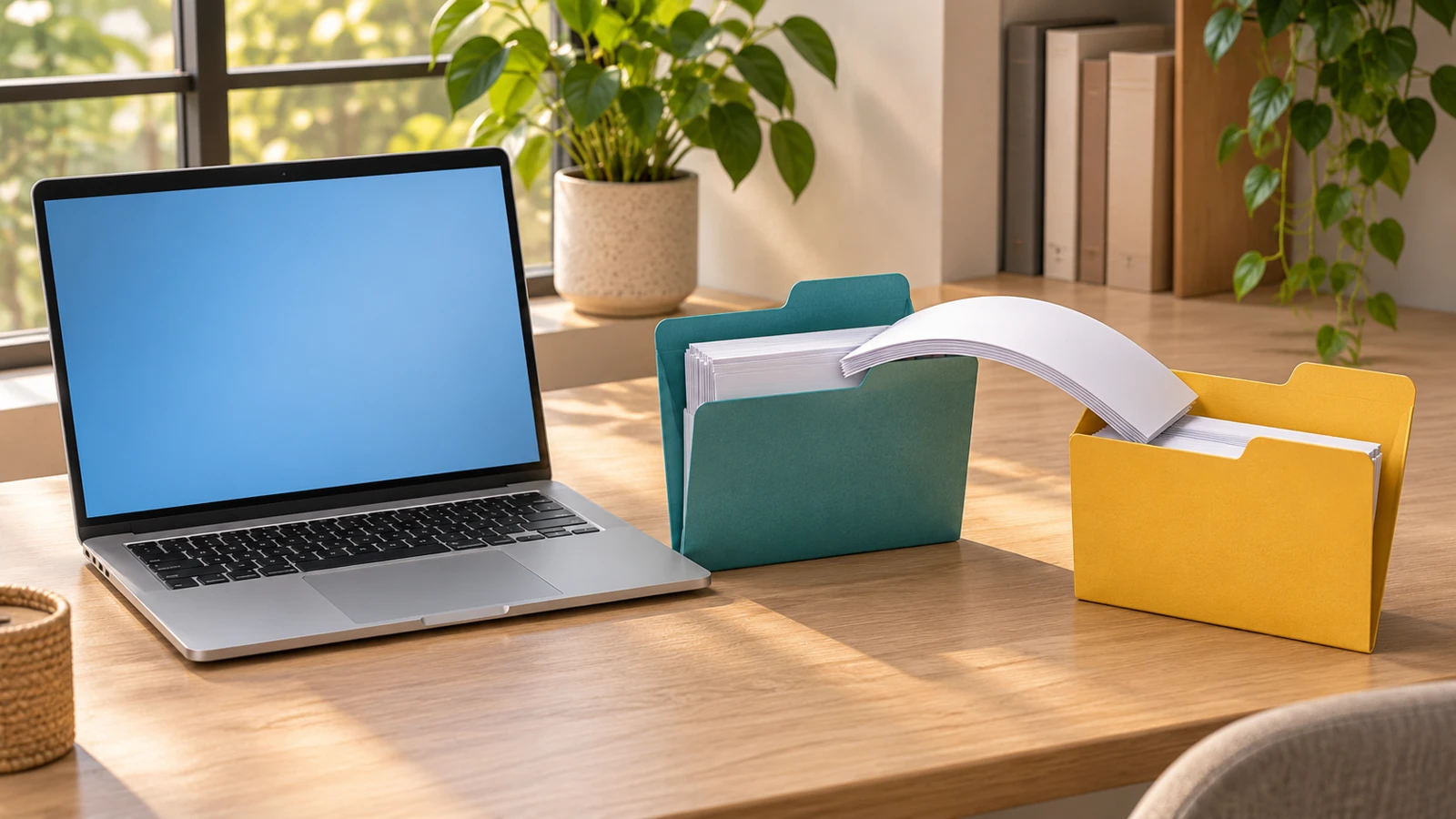
On a computer, open the file's Share dialog, open the recipient's role menu and choose Transfer ownership. Share the file with that person first. For transfers between personal Google Accounts, the recipient must accept before ownership changes.
Before you start, check whether you need a new owner or simply another editor. A colleague who needs to update a spreadsheet may only need sharing access; handing over ownership is a separate decision.
Check which account combination you are using
Google's ownership-transfer documentation distinguishes consumer accounts, organization-managed accounts and shared drives. Start here rather than repeatedly looking for a missing menu item.
| Your situation | Supported direct route | What to check first |
|---|---|---|
| Personal account to another personal account | Request followed by recipient consent | Confirm the complete destination email |
| Work or school account to someone in the same organization | Eligible My Drive items can change owner | Check organizational rules and intended recipient |
| Personal account to a work or school account | Not supported through the ordinary personal-file transfer option | Discuss an approved alternative with the organization |
| Work or school account to an external account | Not supported as a direct user ownership transfer | Ask the administrator about approved options |
| File in a shared drive | The organization owns it | Review shared-drive access, not a personal owner switch |
For managed accounts, Google's administrator guide confirms that internal recipients must have an active account, Drive enabled and adequate storage. Its direct-transfer restrictions do not mean every organizational migration is impossible; administrators have additional, policy-dependent options.
1. Share the file with the intended recipient
- Sign in at drive.google.com using the account that owns the item.
- Right-click the file and open Share > Share.
- If the intended person is missing, add their exact email address and complete the sharing step.
- Reopen Share and check the account listed under People with access.
Google's sharing guide explains the Viewer, Commenter and Editor roles. Giving Editor access lets someone work on an item; it does not make that person its owner.
If your browser has several signed-in accounts, check the profile before proceeding. Two accounts belonging to you are still separate accounts; an open document or a familiar display name does not establish which account owns it.
2. Choose Transfer ownership
In the same Share dialog, open the menu beside the recipient and select Transfer ownership, then confirm the request. Google's computer instructions also cover doing this from the Share button inside Docs, Sheets, Slides or Vids.
Start with one representative file before handling a larger project. Read the title and destination address again at confirmation. This small check is especially useful if the project has documents named “Final,” “Final copy” and “Final revised.”
3. Have the recipient accept if this is a personal-account transfer
The recipient can use the invitation email or search Drive for pendingowner:me. Open the pending item's Share options and choose Accept ownership?, then Accept or Decline.
Until acceptance, the sender remains owner. Once completed, the former owner becomes an Editor and the new owner can remove that access. Google's developer documentation confirms the consent stage for consumer-account transfers; same-organization Workspace transfers follow different rules.
Example: Alex gives Jamie editing access to a report and sends an ownership request. Jamie can edit before accepting, so “I can open it” is not a reliable completion check. Reopen the original report and inspect the owner shown in Share.
4. Verify the file—not just its containing folder
Google warns that changing a folder's owner leaves ownership of its contents unchanged. Inspect the individual files that matter before describing the project as handed over.
For a modest project, use a short private checklist: file name, original link, current owner, intended owner and unresolved issue. Mark an item complete only after checking its displayed owner. This is a practical record, not a special Drive feature.
Suppose a folder contains a document you own and a spreadsheet owned by a collaborator. Changing the folder owner does not establish a new owner for either document. Your collaborator's spreadsheet also needs a decision from its actual owner; your ability to edit it does not authorize you to transfer it.
If Transfer ownership is missing
Work through these checks in order:
- Inspect the owner: if another account owns the item, ask that owner to make the change.
- Check existing access: add the intended person through Share before looking for the ownership option.
- Check the account boundary: compare the full addresses and whether each account is personal or organization-managed.
- Check the storage location: a shared drive follows organization ownership rather than the consumer-account process.
- Ask IT about managed accounts: have the exact file link and recipient address ready, rather than requesting a general relaxation of sharing rules.
Changing “General access” to anyone with the link is not an ownership transfer and does not solve an unsupported account combination. It can broaden access unnecessarily.
What if you need an alternative to direct transfer?
The administrator guide describes making a copy for some external-file cases. A copy has a different URL and may need resharing. It also describes shared-drive migration routes that depend on permissions and organizational policy. Use the route your administrator approves rather than assuming a copy is interchangeable with the original.
For an archive, Google Takeout lets you download selected Google data. An export is a backup or migration input; it does not complete the ownership handover of the original live files. Check the archive before relying on it, particularly if collaborators still use the original links.
For an employee departure or many files, coordinate with the Workspace administrator. Do not delete the source account simply because a destination folder looks populated.
Questions before you finish
Can I cancel a pending request?
Yes. Open Share, use the pending recipient's role menu and choose Cancel ownership transfer. Once accepted, the pending request cannot be cancelled; a further change requires cooperation from the current owner and an eligible destination.
Does the file still count toward my storage?
Google says ownership transfer shifts the file's storage usage to the new owner. A pending invitation is not a completed transfer. If your broader issue is a quota that remains full, see our separate guide to Google storage still full after deleting files.
Do collaborators automatically lose access?
Google's administrator guidance says an ownership transfer does not itself change who can access the files. Review sharing separately if your handover also requires removing old collaborators. Avoid promising that ownership transfer alone makes a document private.
Guidance checked on 12 November 2026, using Google's official documentation. Account policies and interface wording can affect the controls you see.
You may also like
 Technology & How-To
How to Turn Lecture Recordings Into Study Notes With NotebookLM
Turn lecture audio into study notes with free Gemini Notebook (NotebookLM). Follow the upload steps, check transcript citations,…
 Technology & How-To
How to Use Google Lens to Find Products and Compare Prices
Find an item from a photo with Google Lens, check exact product matches and compare real checkout costs…
 Technology & How-To
Podcast Microphone Guide: USB vs XLR and Setup Tips
Choose a podcast microphone by room noise, connection type and recording style. Compare USB and XLR, see verified…