
Why Your Smart Meter Shows Electricity Usage When Everything Is Off
Smart meter showing watts or rising electricity costs when everything looks off? Learn the difference between standby loads, UK standing charges, display glitches and a faulty meter.
Contents
- Quick answer: what an unexpected smart meter reading actually means
- Step 1: Check whether you are reading the meter or the small display
- Read the unit next to the number
- Step 2: Understand why a UK display can show spending with almost no consumption
- A worked example: money appearing while the house is quiet
- Step 3: Find hidden loads that keep using electricity
- Equipment you may have forgotten is still running
- How much could a continuous load cost?
- Step 4: Run a safe 20-minute baseline test at home
- A simple meter-register cross-check
- Step 5: Check your appliance-level consumption
- Why your smart meter display might be wrong when the meter is not
- A delayed IHD, weak connection or stale graph
- Incorrect tariff information, dual-rate bills or time-of-use pricing
- Gas costs added to an electricity figure
- Smart mode or communication failures
- Is the meter recording usage even when everything is genuinely disconnected?
- Signs that warrant a supplier investigation
- UK: how to request a smart electricity meter check or dispute a bill
- United States and Europe: similar symptoms, different billing rules
- United States
- European Union and other European countries
- What about solar panels, batteries and EV charging?
- Troubleshooting chart: match the symptom to the next action
- Ways to cut genuine background consumption without compromising safety
- A reproducible household log to give your supplier
- Common mistakes that waste time or create risks
- Final verdict: when is a nonzero smart meter reading normal?
- Official sources and further reading
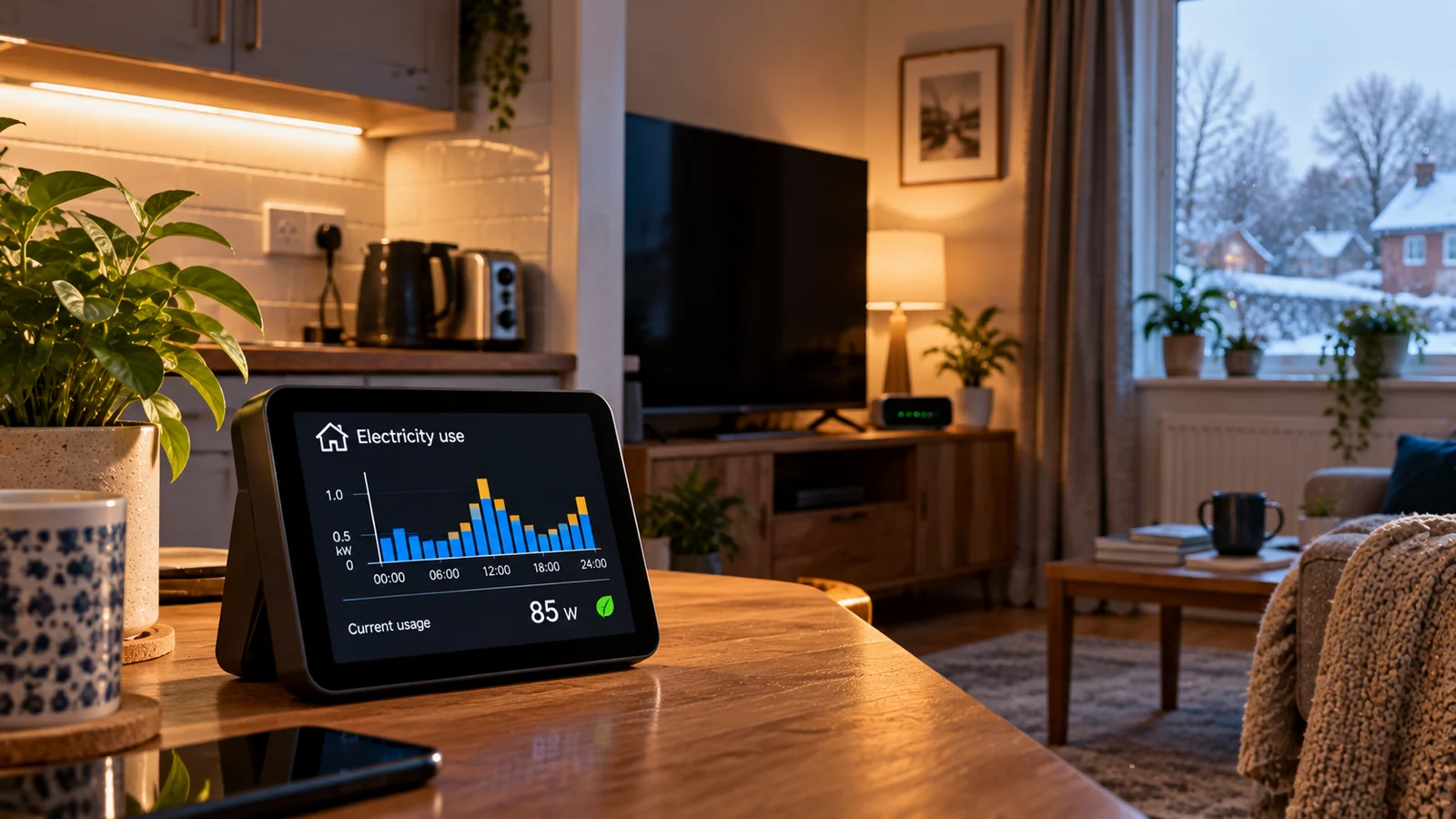
You switch off every light, shut down the television, and leave the kitchen apparently silent. Yet your smart meter display still shows 60 watts, a rising daily cost, or electricity usage on its graph. Is power being wasted? Is someone else using your electricity? Or is the meter giving you a false reading? The answer depends first on which number is increasing.
A modern home can consume electricity when nothing appears to be running. Fridge compressors cycle automatically, broadband equipment runs continuously, heating controls stay energised, and many electronics draw standby power. In the UK, an in-home display can also add a daily standing charge to its money total even while the live energy demand is near zero. A communication or tariff display error is another possibility, but it is not the same as a faulty electricity meter.
This guide provides an orderly, safety-conscious way to diagnose the issue. It covers British in-home displays, European smart-meter portals, and US utility smart meters. Tariffs, meter menus, solar arrangements and complaint procedures differ across countries, so use the steps that apply to your equipment and utility.
Quick answer: what an unexpected smart meter reading actually means
| What you see | Common explanation | Best first check |
|---|---|---|
| A positive live reading in W or kW | Equipment is still drawing power, or a display is delayed | Check continuous loads and record the reading for several minutes |
| A money total increases just after midnight (UK) | The supplier’s daily standing charge may be added | Compare the display with your tariff and check kWh separately |
| Yesterday’s kWh total remains visible | A cumulative reading is not reset when you switch devices off | Look at the live power screen or compare time-stamped meter registers |
| A rise on a recent-usage graph | Graph may show an earlier interval, not the current second | Check its time period, units and refresh rate |
| Live usage stays high even after normal devices are isolated | A hidden load, incorrect wiring or meter issue needs investigation | Contact the supplier or qualified electrician after safe checks |
| Costs look wrong but the kWh reading looks reasonable | Wrong unit price, tariff or standing charge in the display | Check supplier tariff, meter data and billed readings |
Three different quantities, three different questions: watts (W) describe power being used now; kilowatt-hours (kWh) describe energy used over time; pounds, euros or dollars describe the cost shown or estimated by a tariff. They should not be treated as interchangeable.
Step 1: Check whether you are reading the meter or the small display
In Great Britain, a smart meter is the fixed, sealed device normally mounted in a meter cabinet, utility cupboard or external meter box. The portable in-home display (IHD) is the small screen on a shelf or worktop. The IHD is a monitor, not the meter that measures your energy for billing. Citizens Advice explains the distinction and provides guidance for navigating the screen.
A supplier’s smartphone app is a third thing. It can present delayed or half-hourly usage, projections, and account costs. An increasing number in an app may represent data from an earlier period or an estimated bill. Do not assume that an app graph, IHD money figure and electricity meter register all update in real time.
Read the unit next to the number
- W (watts): near-instantaneous power demand; 80 W is modest continuous draw, not 80 kWh.
- kW (kilowatts): 1 kW equals 1,000 W; a heating element may create a sudden jump.
- kWh (kilowatt-hours): accumulated energy used over a period. Total kWh registers normally keep increasing for legitimate use.
- £, € or $: financial display or estimate based on tariffs; it can include fixed charges and may not match a live reading.
- Day / week / month / history: an interval summary, not necessarily what the house is drawing right now.
If the question is whether actual electricity is being measured while you believe everything is off, take the reading from the fixed electricity meter, following the manufacturer’s menu and supplier guidance. Citizens Advice recommends using the meter itself rather than the IHD for billing readings.
Step 2: Understand why a UK display can show spending with almost no consumption
Many British electricity tariffs have two components: a price per kWh consumed and a standing charge due for every day the electricity account remains connected under the tariff. The standing charge is not an energy measurement and is not switched off by turning off a television or kettle.
On some UK in-home displays, a standing charge is added to the money spent today figure around the start of the day. This explains the familiar complaint: “It says I have already spent money before I used anything.” It does not necessarily mean the meter registered that amount as electrical energy. The Citizens Advice IHD guide explicitly notes that the daily standing charge is usually added after midnight.
A worked example: money appearing while the house is quiet
Suppose, purely for illustration, your daily electricity standing charge is £0.50. If the display includes it in its running cost, a figure around £0.50 might appear at the beginning of the day even if the live electricity demand was negligible. If you also have a gas smart meter, an IHD with a combined total may reflect a separate gas standing charge. These are illustrative values, not current UK tariff quotes.
Open your supplier’s actual tariff details and check the unit rate, the standing charge, whether a night rate or time-of-use tariff applies, and whether the display is showing electricity alone or combined electricity and gas. A displayed pound amount is a useful guide, but your contract and corrected supplier bill determine what you owe.
Step 3: Find hidden loads that keep using electricity
The US Department of Energy describes standby power as electricity used when an appliance is plugged in but in its lowest-power mode or no longer doing its main job. The amount depends on the appliance and how it is configured. Not every plugged-in device draws a meaningful load, so measure rather than guess: US Department of Energy guidance on measuring standby power.
Equipment you may have forgotten is still running
- Broadband routers, mesh Wi-Fi points and network equipment: often run 24 hours a day, even when nobody is online.
- Fridge-freezers: compressors start and stop automatically; some models also run defrost heaters.
- Heat pumps and heating controls: pumps, valves, controllers, frost-protection systems and hot-water schedules can draw power unexpectedly.
- TVs, game consoles and streaming boxes: standby modes, instant-on features and overnight updates can use electricity.
- Desktop PCs, NAS storage and security cameras: may remain active for syncing, recording or remote access.
- Chargers and smart devices: chargers, speakers, smart bulbs and hubs can use small amounts even when apparently idle.
- Electric water heating, towel rails and underfloor heating: timers or thermostats can activate them out of sight.
- EV chargers and home batteries: some systems have small background loads; timed charging can cause much larger peaks.
A genuine background draw does not mean the homeowner is careless. Some loads maintain food safety, security, heating protection or communications. The goal is to separate necessary electricity consumption from avoidable standby losses and genuine faults.
How much could a continuous load cost?
Use energy (kWh) = power (W) ÷ 1,000 × hours. A steady 50 W load running all day consumes 1.2 kWh in 24 hours, or 36 kWh over 30 days. The table below assumes electricity priced at a purely hypothetical £0.25 per kWh, with no standing charges, taxes, tiering or time-of-use differences included.
| Constant load | kWh per 24 hours | kWh per 30 days | Energy-only cost over 30 days at £0.25/kWh |
|---|---|---|---|
| 10 W | 0.24 | 7.2 | £1.80 |
| 25 W | 0.60 | 18.0 | £4.50 |
| 50 W | 1.20 | 36.0 | £9.00 |
| 100 W | 2.40 | 72.0 | £18.00 |
| 250 W | 6.00 | 180.0 | £45.00 |
These are illustrative constant loads; a fridge or heat pump does not necessarily draw its running wattage every minute. To estimate a cycling appliance, measure the kWh consumed across a suitably long interval rather than multiplying its momentary power by 24 hours. The same arithmetic works for dollars or euros when you substitute your true energy rate.
Step 4: Run a safe 20-minute baseline test at home
You can often identify the main cause without dismantling anything. First, choose a quiet period when major devices are not needed. The aim is to see whether the live reading or the meter’s kWh register changes when you remove ordinary, accessible loads one at a time. You do not need to touch the sealed electricity meter, remove covers or tamper with wiring.
- Record your starting point: photograph or write down the fixed electricity meter’s kWh import reading, the time and any live watts shown by the IHD. Make sure you are looking at electricity, not gas or a money total.
- Leave essential equipment running: do not interrupt life-support equipment, medical devices, safety systems, essential refrigeration or systems needed for freeze protection.
- Switch off normal loads: lights, TV, office equipment and non-essential plugs using their ordinary controls. Wait for the display to refresh.
- Watch the pattern: note whether power falls in steps, stays roughly constant or spikes intermittently. A refrigerator may start during the test; that is normal.
- Unplug selected non-essential devices where safe: test a TV/console cluster, unused chargers or desk electronics. Observe the difference for a few minutes after each change.
- Test one known device: turn on a kettle or lamp only if safe and appropriate; confirm the display responds. Turn it back off and note whether usage returns toward the baseline.
- Compare meter registers over time: record the fixed meter’s kWh reading again after a meaningful interval, especially if the IHD is behaving strangely.
- Restore anything you switched off: reconnect normal appliances and check timers or smart devices still work.
Do not open the meter box’s sealed sections, remove the meter, undo any terminals or touch exposed conductors. Avoid resetting or switching the main isolator or circuit breakers merely to diagnose consumption if you are unsure how the installation works, share a supply, rely on powered medical equipment, have solar/battery equipment, or notice damaged electrical hardware. Whole-circuit isolation or wiring tests belong with a qualified electrician or the responsible utility.
A simple meter-register cross-check
Imagine the fixed import register rises from 12,345.200 kWh to 12,345.225 kWh over 15 minutes. That is 0.025 kWh in 0.25 hours, equivalent to an average draw of 100 W during the interval. It says nothing about the exact devices; it does show that energy was recorded in that period. Readings shown only in whole kWh may require a longer observation window to be informative.
If the kWh register is stable but the IHD still shows an increasing cost, focus on standing charges, tariff settings, the combined gas/electricity cost, or stale display data before alleging faulty metering.
Step 5: Check your appliance-level consumption
When the baseline test points to one plug-in device, a suitably rated plug-in energy monitor can show its power and energy over time. Make sure it is compatible with your local voltage, plug type, load and safety standards. Do not use cheap adapters or plug-in meters for high-current equipment unless their rating and design explicitly permit that use.
Check energy consumed overnight by an entertainment setup, home office or charger bank, then change one setting and repeat. Disabling a console’s “instant on” mode, using its manufacturer’s true-off setting, or switching a non-essential power strip off at the wall can eliminate some unnecessary standby demand. The US Department of Energy’s energy-saving guidance recommends unplugging or safely switching off idle electronics to reduce vampire loads.
Avoid cutting power to devices that require uninterrupted operation, software updates, medical support, refrigeration or monitored security. Some heat pumps also require power for freeze protection or safe system control; do not isolate them casually.
Why your smart meter display might be wrong when the meter is not
A delayed IHD, weak connection or stale graph
The IHD is a communications device. If it has moved far from the meter or lost connection, it may not refresh in the way you expect. In the UK, the small display generally communicates over the home-area network, not normal household Wi-Fi. Try moving it closer to the meter, checking that it has power and allowing time to reconnect. Citizens Advice provides model-specific steps through its IHD troubleshooting guide.
If the portable screen has no current figures, compare the actual meter and supplier account. Do not reset the fixed meter or break seals to “make the display pair again”. A connection failure can affect visibility of data without creating electrical usage.
Incorrect tariff information, dual-rate bills or time-of-use pricing
An IHD can show a cost estimate based on tariff data that is missing or outdated, especially after a tariff change or supplier switch. If your unit price, standing charge, rate period or VAT treatment shown in the display differs from your contract, the currency estimate may be wrong even when the energy meter’s recorded kWh is correct.
For a two-rate or dynamic tariff, comparing one short period to a flat average price is misleading. Check the supplier’s published rates and your billing breakdown. In a time-of-use setup, the same number of kWh can cost different amounts at different hours.
Gas costs added to an electricity figure
UK dual-fuel IHDs may offer “electricity”, “gas”, or “combined” cost screens. A combined total can move when gas heating or hot water is used, even after most electrical appliances are switched off. Identify the fuel label before investigating an apparent electricity problem.
Smart mode or communication failures
A smart meter that has stopped communicating with its supplier may still accurately measure your energy. However, the supplier may issue estimated bills or require manual readings while the connection is repaired. That distinction is explained by Ofgem’s smart meter performance guidance. If your bill contains “estimated” readings or your app history has long gaps, contact the supplier for a communication check.
Is the meter recording usage even when everything is genuinely disconnected?
If you have ruled out obvious loads and a time-stamped reading from the actual meter continues to rise much faster than expected, further investigation is sensible. But do not jump straight to “the meter is stealing electricity”. A permanent hardwired circuit, immersion heater, electric heater, communal connection, wiring error or other hidden load may still be active.
First, confirm that you have identified the meter for your home using the meter serial number on the bill and meter enclosure, especially in a multi-unit building. Do not touch another household’s equipment. If the installation appears unsafe, or you suspect crossed supplies or unauthorised wiring, ask the supplier and a licensed/qualified electrician to investigate.
Signs that warrant a supplier investigation
- The fixed import meter register rises during a carefully documented period when the supplier or electrician has confirmed the connected load should be zero.
- Meter readings on bills do not match correctly recorded readings, even after allowing for rate registers and the billing period.
- The meter displays repeated faults, missing readings, unexpected reboots or error codes.
- A sudden unexplained bill follows meter replacement, account migration or tariff changes, and cannot be reconciled with measured usage.
- You notice damaged meter seals, burnt wiring, unusual heat or other indications of tampering or an electrical hazard.
If you find scorch marks, exposed wires, a burning smell or damaged meter housing, do not touch, open or investigate the equipment yourself. Keep clear and contact the responsible energy supplier or network operator using their emergency process. See Ofgem’s safety guidance on suspected meter tampering.
UK: how to request a smart electricity meter check or dispute a bill
In Great Britain, start with your energy supplier, not the IHD manufacturer. Send a concise explanation, your account or meter reference, the meter serial number, screenshots or photos, and a dated log of what you observed. Separate the live power issue from any tariff or billing issue, because the two require different fixes.
- Step 1: Compare the fixed meter readings with the bill. Look for estimated readings, wrong opening or closing values, an incorrect rate register, or a wrong tariff.
- Step 2: Ask whether the in-home display has the correct electricity unit rate and standing charge, and whether its communication is working.
- Step 3: If you suspect a metering fault, ask the supplier how it will investigate, whether it will arrange a check meter or accuracy test, and whether any test or replacement costs apply if the meter is accurate.
- Step 4: Keep a record of the complaint and the supplier’s responses; request a written explanation or corrected bill where appropriate.
- Step 5: If unresolved, use the supplier’s formal complaints procedure and the relevant external dispute route, according to current Ofgem rules.
Citizens Advice states that genuine meter faults are relatively uncommon and recommends checking other causes of high bills first. It also explains that an accuracy test can lead to a charge if the meter proves correct, so ask about fees before authorising testing. Read its meter-fault and testing guidance and smart-meter troubleshooting guide.
For billing disputes and complaint routes, use Ofgem’s supplier complaint guidance. Exact compensation amounts, standards and eligibility can change, so avoid relying on an old article or treating them as automatic payments. For Northern Ireland, consult local energy regulation and supplier guidance rather than assuming Great Britain’s Ofgem rules apply.
United States and Europe: similar symptoms, different billing rules
United States
US utilities commonly provide smart-meter or advanced-metering usage through a web portal or mobile app rather than a British-style portable IHD. A dashboard may show yesterday’s hourly use or other delayed data. Check the interval label and whether you are viewing demand (kW), energy (kWh), account charges, or an estimate. Monthly customer charges, minimum charges, tiered rates and time-of-use rates vary by utility and state.
If your meter register, bill and portal disagree, request an interval-usage review, check the meter identification and ask the utility about its formal meter-accuracy test policy. If the matter remains unresolved, your state public utility commission or relevant local utility regulator may be able to guide you. Never remove a utility-owned meter or defeat its seals.
European Union and other European countries
European smart-meter designs and consumer portals vary considerably by country, distribution network operator and supplier. Some show near-real-time usage; others upload readings in delayed intervals. Tariffs may include a fixed subscription or network charge in addition to metered kWh, so the UK standing-charge explanation should not be imported unchanged into every European contract.
The diagnostic principle remains the same: identify the physical import register, understand the time period of the data, compare actual energy with the utility bill, and ask the operator or supplier for an investigation if the figures cannot be reconciled. Refer to your national energy regulator for local rules, meter-check fees and complaint deadlines.
What about solar panels, batteries and EV charging?
Households with rooftop solar, battery storage or vehicle-to-home systems need an additional check. Some meters record imported electricity in one register and exported electricity in another. A home energy app may display household consumption, grid import, solar generation or net energy as separate quantities. They are not interchangeable.
For example, a battery system can consume a small amount for its electronics when idle, a timed EV charge can begin after midnight, and an inverter can show the house using power while grid import is close to zero because solar or a battery is supplying the load. Do not assume an arrow symbol or negative reading has the same meaning across all meter models.
Use the supplier’s approved instructions for identifying import and export registers, and ask the installer or utility to check unexpectedly high overnight demand, meter configuration or import/export mapping. Never disconnect inverter cables, solar DC isolators or battery wiring as part of a DIY consumption test.
Troubleshooting chart: match the symptom to the next action
| Symptom | Likely area to investigate | Practical response |
|---|---|---|
| Daily spending appears before breakfast (UK) | Standing charge; possibly combined gas/electricity | Switch to kWh/live W and check the tariff |
| 20–150 W overnight while all lights are off | Router, refrigeration, controls and standby equipment | Measure an overnight baseline and test non-essential loads |
| Sudden 1–3 kW bursts | Water heating, oven, space heating, EV charging or appliance cycle | Identify the running schedule, not simply the last switch touched |
| IHD wattage seems stuck at one value | Stale screen or connection issue | Compare the physical meter; troubleshoot the IHD |
| App usage jumps hours after a device ran | Delayed interval-data upload | Check timestamps and data granularity |
| Pounds/dollars/euros rise faster than kWh suggests | Tariff data, standing fees, tiered rates or other charges | Compare bill details with kWh and rate periods |
| Fixed meter and billed readings disagree | Estimated bill, incorrect register or data mismatch | Record meter serial and reading; contact supplier |
| Unexpected import/export figures after solar installation | Meter configuration, timing or app interpretation | Ask solar installer and utility to reconcile registers |
| Rising kWh with supposedly all circuits off | Hidden wiring/load or possible metering problem | Stop DIY diagnosis and get supplier/electrician assessment |
Ways to cut genuine background consumption without compromising safety
- Measure the biggest continuous load first. A 30–100 W always-on load can cost more over a month than many tiny chargers. Avoid chasing single-digit watt readings without checking larger loads.
- Use efficient standby settings. Disable “quick start” on entertainment devices when you do not need it; check whether updates or remote access require power.
- Switch non-essential clusters off safely. A properly rated switched power strip can reduce standby draw from entertainment and desk equipment.
- Review heating and hot-water schedules. Check user controls and timers rather than cutting power to heat pumps, frost-protection equipment or hot-water systems.
- Track a full day or week. Intermittent cycles can hide in a five-minute test; interval data or a plug-in energy monitor provides a fairer picture.
- Keep network and safety systems powered where required. Smart locks, alarms, internet-dependent monitoring, freezers and medical equipment may have essential functions.
- Compare actual energy, not just estimated cash. Measure kWh before deciding whether an appliance or a bill is truly abnormal.
The point is to reduce avoidable consumption. Using a smart monitor effectively means distinguishing normal home operation from genuine waste, rather than aiming for a universal “zero watts” reading.
A reproducible household log to give your supplier
A simple log often makes a complaint more productive than a screenshot of a high cost figure alone. Record enough detail for a supplier or electrician to reproduce the situation.
| Time and date | Fixed import kWh reading | IHD live W | Loads / observations |
|---|---|---|---|
| 08:00, example | 12,345.200 | 110 W | Fridge, router and heating controls on |
| 08:05, example | 12,345.209 | 65 W | TV/console power strip switched off |
| 08:20, example | 12,345.226 | 90 W | Fridge compressor briefly restarted |
| Next day, example | Record actual reading | Record actual figure | Note overnight schedule and any meter errors |
The numbers above are illustrative example entries, not field data. A useful real log includes the meter serial number, tariff name and rate register if applicable, any solar or battery system, photos showing the correct time and date, and details of devices you safely switched off.
Common mistakes that waste time or create risks
- Confusing money with energy: a daily charge in pounds is not proof that electricity was used.
- Trusting an app graph as instant: some energy portals upload information after the relevant interval.
- Ignoring refrigerators and automatic heating: many loads start on their own without a visible “on” button.
- Comparing unrelated meter registers: import, export and day/night tariffs may have different readings.
- Assuming any nonzero reading means a faulty meter: verify the load and data period before escalating.
- Turning off essential services to reach zero: food safety, medical equipment, security and freeze protection come first.
- Opening a sealed meter or removing breakers: risk of electric shock, service loss and potential legal consequences.
- Paying for a formal accuracy test without asking about charges: fees may apply if the meter passes, depending on local rules.
Final verdict: when is a nonzero smart meter reading normal?
A small, fluctuating electricity load when the home looks inactive is often normal. A money total that rises with no apparent electricity use can be normal too, especially if a British in-home display adds the daily standing charge. A historical graph can legitimately show consumption from an earlier interval, and smart-meter communication problems can make the display behave oddly without changing the underlying meter measurement.
What is not something to ignore is a sustained unexplained high draw, evidence of damaged wiring, an electricity bill that cannot be matched to meter readings and tariffs, or a verified fixed meter register that rises despite confirmed isolation of the correct supply. In those cases, preserve evidence and ask the energy supplier or a qualified electrician for an appropriate investigation. Start with the quantity, then the cause, then the repair—not the other way around.
Official sources and further reading
- Citizens Advice — Using Your Smart Meter’s In-Home Display — units, standing charges and display behaviour (Great Britain).
- Citizens Advice — How to Read Your Smart Electricity Meter — obtaining the physical meter’s kWh reading.
- Citizens Advice — Fixing Problems with Your In-Home Display — reconnection and wrong-tariff guidance.
- Citizens Advice — Check if Your Energy Meter Is Faulty — investigation and meter accuracy tests.
- Citizens Advice — If You’re Having Problems with Your Smart Meter — missing automated readings and smart-mode issues.
- Ofgem — Smart Meter Performance — difference between communication failure and metering.
- Ofgem — Complaints About Energy Suppliers — bill disputes and escalation.
- US Department of Energy — Measuring Standby Power — standby terminology and measurements.
- US Department of Energy — Low Standby Power Products — efficiency and low-power electronics.
- Ofgem — What to Do if You Suspect Meter Tampering — electrical safety and reporting.
You may also like
 Technology & How-To
 USB Drive Empty but Space Used? Find the Missing Data Safely
Find why an accessible USB looks empty while space remains occupied, using visibility checks, Trash review and device-versus-volume…
 Technology & How-To
 Windows 11 Clipboard History Not Working? Find What Failed
Separate Windows clipboard history failures from ordinary paste, app restrictions, cloud sync and Remote Desktop with a two-item…
 Technology & How-To
 Chrome Keeps Reloading Tabs? Stop the Right Kind of Refresh
Find why Chrome tabs reload with targeted Memory Saver settings, controlled comparisons, extension checks and diagnostics that protect…