
How to Renew a U.S. Passport Online: Eligibility, Fees, Tracking and Delays
Check if you can renew your U.S. passport online, compare official book and card fees, upload an acceptable photo, track status and solve delays before travel.
Contents
- Start here: choose the correct renewal route before paying
- The online eligibility checklist: each rule matters
- Passport book, card or both: the online combinations that surprise applicants
- How much does online passport renewal cost in October 2026?
- What to prepare before opening the official form
- Step-by-step: renew your U.S. passport online
- 1. Open the authorized State Department portal
- 2. Confirm your details match the eligibility conditions
- 3. Enter your identifying information and passport details
- 4. Upload a new, unedited digital passport photo
- 5. Select the correct document and review the fee
- 6. Submit your own application and retain confirmation
- Digital passport photo: the detailed rejection-prevention checklist
- How long does online passport renewal take? Separate eligibility from delivery estimates
- Track your U.S. passport renewal: the official site and what to enter
- Troubleshooting by symptom: fix the right problem, not a random browser setting
- Application status “Not Available”: a practical diagnosis
- Additional Information Needed: how to respond without losing the application
- When your travel plans change: urgent service and expediting
- A worked travel-planning example: nominal fees versus real urgency
- Security: the only authorized online renewal portal, and how to recognize a scam
- What happens to your old passport after an online renewal?
- What if your mailing address changes or the new passport never arrives?
- Eligibility, payment and delivery: a compact pre-submit checklist
- Official sources and verification notes
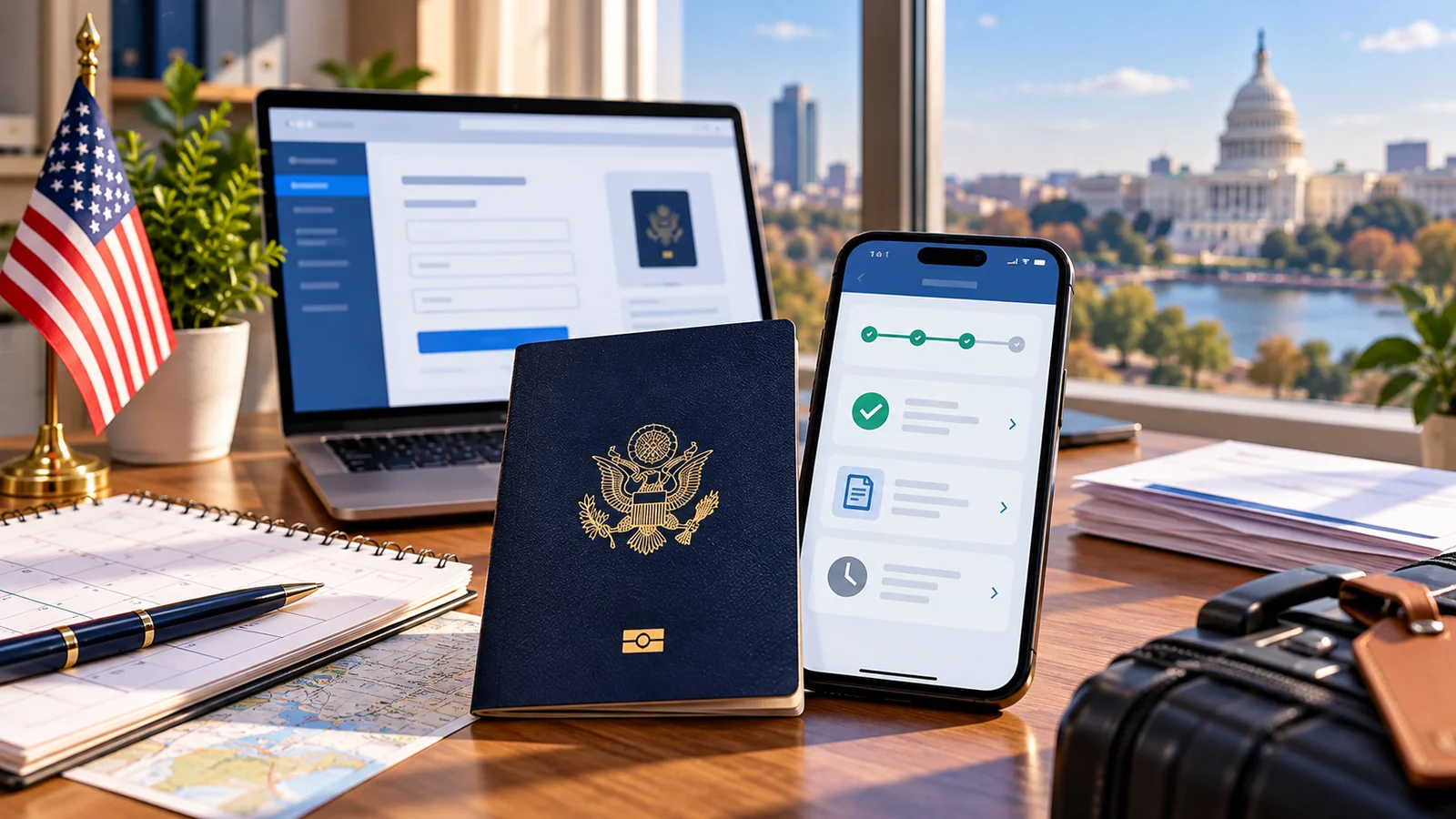
Can you renew your U.S. passport online in 2026? Yes, if you are an eligible U.S. citizen seeking routine service: you are at least 25; your most recent passport had a 10-year validity, is undamaged and in your possession; it expires within the next year or expired less than five years ago; you are not changing your personal information; you are physically in a U.S. state or territory when applying; and you will not travel internationally for at least six weeks. The official government application is opr.travel.state.gov. Do not use it for an urgent trip: online renewal cannot be expedited. These conditions come from the U.S. Department of State’s online-renewal instructions, updated 30 September 2026.
If you qualify, prepare your current passport, a compliant original digital photo, Social Security number, emergency-contact details and a payment card. Current application fees are $130 for a passport book, $30 for a passport card, or $160 for both, with optional faster return delivery for a book. After submitting, do not travel on your old passport: the department invalidates it, even though you keep it. Track the renewal through the official application-status website rather than a third-party “passport tracker.” This guide goes further than a basic instruction sheet: it gives an eligibility routing table, tricky passport book/card examples, transparent timing scenarios and specific fixes for status, photo, payment and additional-document problems.
Information checked 20 October 2026. This is a consumer service guide, not a government website or individualized legal advice. Official processing time, price, eligibility and interface details can change; the government links embedded below take precedence. Examples explicitly marked illustrative are calculations, not accounts of real applicants or evidence of test submissions.
Start here: choose the correct renewal route before paying
There are three different processes that are easy to confuse. Online renewal is for a narrow group of routine adult renewals from inside the United States. Mail renewal using Form DS-82 is for eligible adults who satisfy the mailing rules and may choose expedited service. Applying in person using DS-11 is for first-time or ineligible applicants, including many people with passports issued while they were children, long-expired passports, and lost or damaged documents. The government’s USAGov routing guide and renew-by-mail page explain the distinction.
| Your situation | Best starting point | Reason / limitation |
|---|---|---|
| Age 29; undamaged 10-year passport; expires in 7 months; U.S. resident; no trip in next 6 weeks | Online renewal | May qualify if every other online rule also holds |
| Age 24, even with an adult passport | Mail renewal eligibility check | Online rule is at least 25; mail has separate criteria |
| Passport was issued at age 15 | New adult application in person (DS-11) | Not a prior 10-year adult passport |
| Passport expired more than 5 years ago / issued over 15 years ago | New application in person | Outside the ordinary renewal eligibility window |
| Passport is lost, stolen or badly damaged | Report loss when applicable; follow in-person replacement guidance | Online renewal requires the undamaged passport in your possession |
| Need to change name or other personal information now | Check mail renewal or correction route | Online renewal requires no personal-information changes |
| Physically outside the United States when ready to submit | Contact U.S. embassy/consulate | Online program is domestic-only |
| International flight in 20 days | Expedited/urgent travel pathway | Do not submit a routine online renewal |
| Already submitted online but travel date unexpectedly moves up | Contact passport information center | Existing application needs case-specific assistance; do not file duplicates |
A subtle but important distinction: expired does not automatically mean ineligible. A passport that expired recently may still qualify for renewal, while a passport that expired too long ago requires a new in-person application. Conversely, having a passport in hand does not prove eligibility for online renewal if it was only valid for five years or if you are younger than 25. Read the issue date and expiration date on the document instead of deciding from the word “expired” alone.
The online eligibility checklist: each rule matters
- You are at least 25 years old on the application date. This is an online-program requirement, not the universal minimum age for passport renewal by other methods.
- Your current or most recent passport was valid for 10 years. A five-year child passport does not become renewable online just because the holder is now an adult.
- Its expiration is within one year or it expired less than five years ago. Both the expiration date and the original validity should be checked.
- Your identity details are not changing. If you need a name or personal-data change, use the applicable correction or mail route instead.
- You are in the United States or a U.S. territory when you apply. An American abroad should use consular guidance.
- You have the physical, undamaged passport(s) you are renewing and have not reported them lost or stolen.
- You have no international travel for at least six weeks after the planned submission date; online renewal is routine only.
- You can complete and sign your own application. Another company or person cannot submit it for you.
The Department of State lists these as cumulative requirements, not alternatives. Failing only one online item may still leave a mail or in-person pathway. For instance, a 23-year-old with a normal ten-year passport might qualify to renew by mail, but cannot use the online portal until they meet the age rule. Before paying, verify the current government conditions at Renew Your Passport Online.
Passport book, card or both: the online combinations that surprise applicants
Your current document type determines which replacements the online system permits. In a particularly easy-to-miss exception, a person who has only a passport card cannot renew online into a book alone; the department directs that person to renew by mail. The same is true when a person has only a book and wants a card alone. However, someone who has a book or a card can renew online into the book-and-card combination, if otherwise eligible. These are the current official combinations, not a prediction about every future checkout screen.
| Current document | Document wanted | Online allowed? |
|---|---|---|
| Book | Book | Yes |
| Card | Card | Yes |
| Book and card | Book and card | Yes |
| Book | Book and card | Yes |
| Card | Book and card | Yes |
| Card | Book only | No — use mail renewal |
| Book | Card only | No — use mail renewal |
The passport card is not valid for international air travel. It serves different travel purposes than the book, such as certain land and sea crossings. Someone planning an overseas flight should not choose “card only” to save $100 and assume it will work like a book. See the State Department’s passport book versus card comparison before choosing and paying.
How much does online passport renewal cost in October 2026?
| Selection | Government application fee | Illustrative optional 1–3-day book return delivery | Illustrative total |
|---|---|---|---|
| Passport book | $130 | $26.87 | $156.87 |
| Passport card | $30 | Not available for card-only First Class Mail | $30 |
| Passport book and card | $160 | $26.87 for the book | $186.87 |
The totals above use simple arithmetic: $130 + $26.87 = $156.87 and $160 + $26.87 = $186.87. The fee for optional faster return delivery is about shipping after production, not expedited passport processing. You cannot buy the separate $60 expedited-processing service with a standard online renewal. The official renewal page currently lists $26.87 for the optional one-to-three-day book delivery; check checkout in case that rate changes.
If you see a much larger price on a site advertising “online passport renewal,” confirm whether you are looking at a private preparer that adds charges. The U.S. government explicitly states that only opr.travel.state.gov may accept online applications; third-party sites are not authorized to complete and submit them for you. You do not need to pay a company merely to access the State Department online form.
What to prepare before opening the official form
- Most recent passport(s). Check the passport number, issue date, expiration date and which card or book you actually have. Do not mail the old passport as part of an online renewal.
- Original digital photo. Save a compliant JPG/JPEG, PNG, HEIC or HEIF file on the device you will use; see the detailed photo checklist below.
- Personal information. Have your Social Security number and an emergency contact available; enter them only into the secure government form.
- Debit or credit card. Review the published government fee and any optional book-delivery cost before making payment.
- Reliable device and connection. Make sure you can finish the session; an unfinished session may expire, in which case you may need to begin again.
- Realistic travel plan. Confirm that your departure is more than six weeks away, and check destination entry rules rather than relying on passport expiration alone.
Because passport and Social Security details are sensitive, avoid preparing an application on a shared public computer or sending photos of your passport to an unsolicited “passport agent.” If the site address is unfamiliar, type the official URL yourself instead of trusting a search advertisement or a text message. The government confirms that your own signature and submission are required.
Step-by-step: renew your U.S. passport online
1. Open the authorized State Department portal
Visit the official eligibility page and follow its Apply Now link to opr.travel.state.gov. Confirm the browser address really ends in .gov. The Department of State warns that a website calling itself an “online renewal service” cannot submit an application on your behalf, even if it looks official. Do not upload a passport photo or enter payment information into a lookalike site.
2. Confirm your details match the eligibility conditions
Use the checklist above with your actual document dates and present location. Be particularly careful with the difference between passport issue date and expiration date. A document issued on 12 March 2011, for example, is outside the 15-year lookback by 20 October 2026, even if it has sat safely in a drawer. That is a fictional illustration using calendar dates, not a real applicant. If you discover a disqualifying condition, stop and use the correct non-online method instead.
3. Enter your identifying information and passport details
Provide the information requested in the secure portal, exactly as supported by your current passport and the form instructions. Keep any on-screen confirmation for your private records. Do not assume that a passport renewal is also the proper process for changing a legal name, gender marker, birth date or other data: the online pathway specifically excludes changing personal information. An eligibility screen is a gate; it is not a promise of approval.
4. Upload a new, unedited digital passport photo
Select the original recent photo stored on your phone or computer, or drag it into the upload area if offered. The online tool checks basic rules and may let you reposition or crop the photo within the official application. A passport specialist also reviews it later. A photo that uploads without an error is not automatically finally approved. The separate official digital-photo guide sets out acceptable file types, size and appearance.
5. Select the correct document and review the fee
Select a book, card or both only if that combination is permitted by your existing document type. Verify the total, including any optional shipping, against the government fees. A U.S. passport book is the document used for international air travel. If the portal does not offer the exact combination you want, do not misdescribe the passport you hold to unlock it; consult the mail pathway instead.
6. Submit your own application and retain confirmation
Review spelling, date of birth, delivery address, photo and contact email before submission. Complete the final steps personally and save any receipt or reference in a private folder. Your previous passport is invalidated after submission: do not attempt to use it for international travel. The State Department tells online applicants to keep, not mail, the previous document. Once applied, monitor the official status system and email for requests for more information.
Digital passport photo: the detailed rejection-prevention checklist
The Department of State says unacceptable photos are a major reason passport applications are placed on hold. A valid online digital photo should be a color image taken within the previous six months, directly facing the camera with both eyes visible, using an untextured white or off-white background. File types accepted include JPG, JPEG, PNG, HEIC and HEIF; file size is 54 KB to 10 MB. The department asks for the original unedited photo: do not use AI generation, filters, retouching or background-replacement tools to create a passport photo. See photo examples directly from the State Department.
| Photo issue | Why it fails | Safer corrective action |
|---|---|---|
| Photo smaller than 54 KB or larger than 10 MB | Outside upload-size limits | Take/save a new original photo at an appropriate quality; check actual file size |
| HEIC image refused by a device or browser despite accepted file type | Browser/app handling may differ | Try another up-to-date browser or a new original photo saved in an accepted format without appearance editing |
| Visible brick, wallpaper or shadows | Background is not plain and evenly lit | Move several feet in front of a plain white/off-white wall and use diffuse light |
| Glasses, hair over eyes or tilted head | Face or eyes cannot be evaluated clearly | Retake with glasses removed, direct gaze and unobscured eyes |
| AI-edited skin, artificial background or beauty filter | Unacceptable altered appearance | Retake the original photo; do not digitally change your face |
| Photograph of a printed passport photo | May have poor quality or printing dots | Take a new genuine digital portrait rather than scanning a print |
| Upload passes but later photo letter arrives | Automated check is not final adjudication | Follow the letter or email exactly and respond on time |
For an easier photo setup, stand away from the wall so your shadow is less obvious; place the camera at eye height; ask another person to take a picture; use daylight or even front lighting; show head and shoulders; keep your mouth closed and eyes open. The system may crop or reposition your submitted original within the authorized application. Do not confuse that government upload function with external editing apps: an altered likeness can lead to rejection even if an app labels its output “passport compliant.”
How long does online passport renewal take? Separate eligibility from delivery estimates
As checked in October 2026, the U.S. Department of State lists 4–6 weeks for routine passport processing. That is the agency review period, not an end-to-end promise that the book will be delivered in exactly four weeks. For mail renewals it may take up to two additional weeks for the application to reach a processing center and up to two weeks for the finished passport to reach the applicant. The online route removes the applicant’s outgoing paper-mail step, but the current State Department service-standard figure does not guarantee a precise delivery date for online applicants. See the live processing-time page.
Worked timing example, not a delivery guarantee: someone who submits an eligible routine online application on 20 October 2026 with an international departure planned for 1 December 2026 has exactly 42 days (six weeks) between submission and departure. That meets the stated minimum six-week online travel restriction if all other rules are met, but it leaves little room for processing at the upper end of the stated 4–6-week range, return delivery, a photo problem or an additional-information request. The sensible practical decision may be to assess an expedited or other route if the passport is needed reliably by a fixed date.
Here is the distinction many summary pages miss: “Am I eligible to apply online?” and “Is online renewal prudent for my flight?” are two separate questions. A person might qualify on day 42 yet reasonably decide not to risk a booking based on the best-case turnaround. Conversely, a trip several months away allows more time for document and shipping issues. Do not book nonrefundable travel solely on an estimated passport turnaround; check the destination’s separate passport validity rule, which in some places requires months beyond the stay.
| Example trip relative to online submission | Meets six-week online travel rule? | Practical next action |
|---|---|---|
| Flight 20 days later | No | Check expedited/urgent options, not online renewal |
| Flight 42 days later | At threshold | Technically may meet minimum but has limited delivery margin; compare alternatives |
| Flight 70 days later | Yes, on timing alone | Online may be reasonable if all other conditions pass; no guaranteed delivery |
| No upcoming travel | Yes, on timing alone | Routine online renewal may be the straightforward choice |
| Unexpected urgent trip after online submission | Already applied | Call NPIC about the existing case rather than duplicating an application |
Track your U.S. passport renewal: the official site and what to enter
Open passportstatus.state.gov or use the government application-status guidance. To look up a record manually you will generally need your last name, date of birth in MM/DD/YYYY format, and the last four digits of your Social Security number. Status updates can also arrive by email if you supplied an email address. The government says that an application may take up to two weeks to appear as “In Process,” so “Not Available” soon after submission does not automatically mean a rejection or missing payment.
| Status you see | What it normally means | What you should do |
|---|---|---|
| Not Available / no status | Status not yet loaded, name mismatch, or technical issue | Check spelling and symbols; allow the stated initial window; troubleshoot only official site |
| In Process | Agency or center is reviewing the application | Monitor; compare against current processing times rather than assuming approval |
| Approved | Review completed and passport printing is being prepared | Watch for the mailed update; do not travel on old cancelled passport |
| Passport Mailed | Passport sent to address on application | Use book tracking information when provided; verify delivery details |
| Supporting Documents Mailed | Separate return of original submitted papers | Relevant mainly to routes requiring documents; shipment can be separate |
| Additional Information Needed | The government requested a correction or documents | Read the actual letter/email and respond within 90 days |
| Information Received, In Process Again | Requested information arrived and review resumed | Allow for extra time added by previous hold |
| Approved, then In Process again | Final review uncovered an issue being resolved | Do not interpret the earlier Approved message as final physical delivery |
For name-entry errors, the government suggests trying a hyphenated or apostrophe-containing surname with and without punctuation, and including suffixes such as Jr. or III. For example, O’Brien, OBrien and O Brien are reasonable formatting attempts when the record cannot be found; do not enter someone else’s information. If you still cannot locate a record after the initial waiting period and your payment was processed, contact the National Passport Information Center at 877-487-2778.
Troubleshooting by symptom: fix the right problem, not a random browser setting
| Symptom | First diagnostic check | Next safe step |
|---|---|---|
| Portal says you are ineligible | Age, issue/expiry dates, travel timing, location, lost/damaged passport, changing name | Check mail or DS-11 route; do not enter false details |
| Digital photo rejected | File type, size, lighting, photo age and editing | Retake original photo using official guidelines |
| Page timed out before submission | Was a receipt/confirmation actually issued? | Log in via official entry point; contact NPIC if unsure before paying again |
| Payment seems to have failed | Bank authorization, visible government receipt, application status | Avoid making duplicate payments while status is uncertain; contact official help |
| Status says Not Available | Name format, birth date, SSN digits, elapsed time | Try spelling variants or browser/network, then NPIC if unresolved |
| Approved then In Process | Final quality review may have found an issue | Check official messages; do not assume the passport was mailed |
| Received a photo or document letter | What exactly is asked, channel and due date | Follow the letter and respond within 90 days |
| Passport mailed but not delivered | Book tracking vs card First Class Mail | Check mailed notice and contact NPIC when appropriate |
| Moving home during application | Which address was provided and whether mailing began | Call NPIC for address change; do not assume edits propagate |
| Trip becomes urgent after applying online | Date of travel and application locator | Call NPIC to assess available assistance |
Application status “Not Available”: a practical diagnosis
Begin by separating three causes. Timing: State says it may take up to two weeks from the day of application for the status to read In Process. Identity matching: suffixes, hyphens, apostrophes and spelling can prevent a lookup. Technical availability: site maintenance or a local connection error can temporarily interrupt a lookup. The remedies are different: wait in the early processing window, adjust name formatting to match the application, or try a different browser/network for a connection problem. The official status page discusses all three.
If more than two weeks have passed and you still see no update, the next action depends on the submission route and payment evidence. For a mailed package, there may be a postal transit issue; for a confirmed online payment, contact the passport information center with your application information. Do not assume a search tool on a third-party website can find records the official portal cannot. Never share your full Social Security number, passport scan or one-time authentication code with strangers who offer to “unlock” your status.
Additional Information Needed: how to respond without losing the application
A request for more information means the application is on hold pending a response; it is not necessarily a final denial. The government says you generally must respond within 90 days from the date on the letter or email, using the requested method. Read the actual message for the documents, return address and any application number; some cases permit an email response while others require paper documentation. The State Department’s response guide includes examples of letter fields and the correct handling of official requests.
- Identify the exact defect: photo, missing personal details, supporting documentation, name mismatch or another clearly stated reason.
- Check the deadline from the dated letter: 90 days is a response window, not a guarantee of approval or a new six-week processing promise.
- Follow the requested channel: if the letter asks for documents by post, use the specified address; do not improvise an upload or send documents to an unrelated inbox.
- Keep copies and tracking where applicable: store only in a secure location and note when the response was submitted.
- Check status later: a transition to “Information Received, In Process Again” indicates review has resumed, not that a new passport has been printed.
If the issue is an unacceptable photograph, do not run an old rejected photo through a beauty filter or generative editing service. Take a fresh original photo matching the official camera, clothing, lighting and background requirements. If a letter indicates possible eligibility or identity concerns, contact NPIC rather than guessing which document to send. A second unsolicited full application can complicate the case.
When your travel plans change: urgent service and expediting
The department lists routine service at 4–6 weeks and expedited service for eligible non-online routes at 2–3 weeks plus a $60 fee, exclusive of mailing times. For international travel within 14 days, or a foreign visa needed within 28 days, official passport agencies and centers accept eligible urgent-travel appointments, subject to availability and proof. Appointments themselves are free; beware third parties trying to sell slots. The government appointment information gives the official requirements and booking process.
If you already renewed online and your plans become unexpectedly urgent, the State Department specifically instructs you to call 877-487-2778 to ask about assistance, expedited processing or shipping of an existing application. A call does not guarantee expedited treatment. The safest sequence is to tell the representative that an online renewal is already pending and provide the appropriate locator information, rather than submitting a separate DS-82 or DS-11 without direction.
A worked travel-planning example: nominal fees versus real urgency
Assume two fictional travelers each need a standard passport book and satisfy the identity conditions for renewing. Traveler A has no international flight for four months; Traveler B flies in 25 days. Both compare a $130 online book fee. For Traveler A, routine online renewal could be an appropriate low-complexity route. For Traveler B, the online route fails the six-week travel eligibility rule, despite the identical price. If eligible, B should compare expedited mail or urgent agency options, including the additional $60 fee where applicable. This is not a prediction about how quickly a specific case will be approved.
If Traveler A adds the optional published book return delivery fee, the illustrative payment becomes $156.87. This fee does not convert the routine review into expedited service. If Traveler B instead qualifies for the $60 expedited-processing option in an allowed channel, the base application and expedite amounts would be $190 before any other applicable fees. The point is the service type, not just the invoice: paying for faster shipping alone cannot repair an ineligible online application or a missing supporting document.
Security: the only authorized online renewal portal, and how to recognize a scam
The Department of State’s rule is unusually explicit: the only authorized online submission portal is opr.travel.state.gov. A search-result advertisement, private .com with “gov” in the brand, or a web form that charges for a “faster online passport” is not equivalent. Do not assume the government can refund charges paid to an unaffiliated operator. If you already shared payment or identifying data on a suspicious site, contact the appropriate bank or card provider, secure any affected accounts and consult the Federal Trade Commission’s fraud reporting site or IdentityTheft.gov where appropriate.
| Signal | Official procedure | Risk indicator |
|---|---|---|
| Website address | Ends in government .gov and accessed from travel.state.gov / opr.travel.state.gov | A .com or .org website claims it can submit your online application |
| Who completes the form | Applicant personally completes and submits application | Service asks to sign and submit in the applicant’s place |
| Fee disclosure | Uses current government application costs, any shipping option itemized | Unexpected “activation,” “priority verification” or vague processing charges |
| Where identity data goes | Only the secure authorized portal or official follow-up process | Passport scans and SSN requested by unsolicited text or social account |
| Claims about speed | Online is routine, not expedited | “Guaranteed same-day passport renewal online” |
What happens to your old passport after an online renewal?
With an online renewal, the State Department tells applicants not to mail the old passport. Instead, retain it, but understand that it is invalidated after the new application is submitted and cannot serve for international travel. This is different from the mail renewal process, which ordinarily requires mailing the most recent passport. Mixing the two instructions is a common source of confusion. Your kept, canceled passport may still serve as evidence of U.S. citizenship under government guidance; that does not make it a travel document.
If you have a currently valid visa in a previous passport or another complex travel-document situation, obtain destination-specific advice before relying on it. Renewal of a U.S. passport does not itself renew foreign visas or grant entry rights abroad. Review the destination’s official rules and airline document requirements; this article addresses the U.S. passport application procedure only.
What if your mailing address changes or the new passport never arrives?
If your mailing address changes while the application is processing, call NPIC rather than assuming a profile edit automatically reroutes the passport. The State Department advises 877-487-2778, and notes an alternative number of 888-874-7793 for callers who are deaf or hard of hearing. Passport books are normally delivered with trackable shipping; passport cards are sent by First Class Mail and do not have the same tracking updates. Look at your official status and shipping messages before reporting an undelivered item.
For mail submissions, original supporting documents may return separately from the finished passport, with the department indicating they can arrive up to four weeks later. This distinction is important if a family member expects their old documents in the passport envelope. Online applicants are instructed to keep the previous passport, so do not expect the government to return a passport you never mailed. Read the official delivery and document-return rules for your application channel.
Eligibility, payment and delivery: a compact pre-submit checklist
- I am a U.S. citizen who is at least 25 years old, located in a U.S. state or territory, and eligible for a routine adult renewal.
- My existing passport was issued with ten-year validity, is not lost or damaged, and is within the permitted expiration window.
- I will not travel internationally for at least six weeks from submission, and my trip leaves room for actual processing and delivery.
- I am not trying to change personal details through the online route.
- I have checked that the book/card selection I want is a supported online combination.
- I have an original, unedited recent digital photo in an accepted file format and size.
- I can pay through the official portal and understand the difference between processing and return delivery.
- I will keep the old passport but not use it for travel after submitting.
- I know how to check the official status and where to seek help if additional information is needed.
Official sources and verification notes
- U.S. Department of State — Renew Your Passport Online (updated 30 September 2026)
- U.S. Department of State — Upload a Digital Photo
- U.S. Department of State — Passport Fees
- U.S. Department of State — Get Your Processing Time
- U.S. Department of State — Check Your Application Status
- U.S. Department of State — Respond to a Letter or Email
- U.S. Department of State — Make an Appointment at a Passport Agency
- U.S. Department of State — Compare a Passport Book and Card
- USAGov — Renew an Adult Passport
Editorial review date: 20 October 2026. We checked the above public instructions and linked them directly. This guide does not claim to have completed a government application or tested a private traveler’s login. The timing and fee examples use published figures and transparent arithmetic, not invented application outcomes. Because the eligibility and fulfillment rules can be revised, confirm the latest status on the official government pages at the time of applying.
You may also like
 How-To Guides
 Microsoft Authenticator Backup Not Restoring on a New Phone? Fix Missing Accounts and Codes
Microsoft Authenticator missing accounts after changing phones? Fix Android and iPhone backup recovery, work account re-registration, wrong codes,…
 How-To Guides
 iOS 27.2 Stuck on Verifying Update? Safe Fixes Without Erasing Your iPhone
Stuck on Verifying Update after iOS 27.2? Follow Apple-based Wi-Fi, storage, re-download and Mac/Windows steps—and learn when Restore…
 How-To Guides
 Windows Secure Boot Certificates Expired in 2026: How to Check and Fix Your PC
Microsoft Secure Boot certificates expired in June and October 2026. Learn how to check 2023 certificate updates, read…