
How to Protect Your Smart Home From AI-Powered Malware: A Practical IoT Security Guide
New AI worm research raises concerns about connected devices. Learn how to secure smart TVs, cameras, routers and other IoT gadgets with a practical step-by-step checklist.
Contents
- What changed in October 2026?
- AI-powered malware versus conventional IoT malware
- Which smart-home devices are most exposed?
- Your first 15 minutes: a practical security checklist
- Step 1: secure the router before individual gadgets
- Step 2: isolate smart devices where practical
- Step 3: update and audit every device
- Step 4: defend the accounts that control your home
- Warning signs that deserve investigation
- What to do if you suspect a compromised smart device
- Smart TV and Android TV box protection
- Camera and doorbell protection
- Smart speakers, plugs and home automation hubs
- A risk comparison that helps prioritize spending
- What the research does—and does not—tell us
- A monthly smart-home security routine
- What to check before buying another smart device
- Bottom line
- Sources and further reading
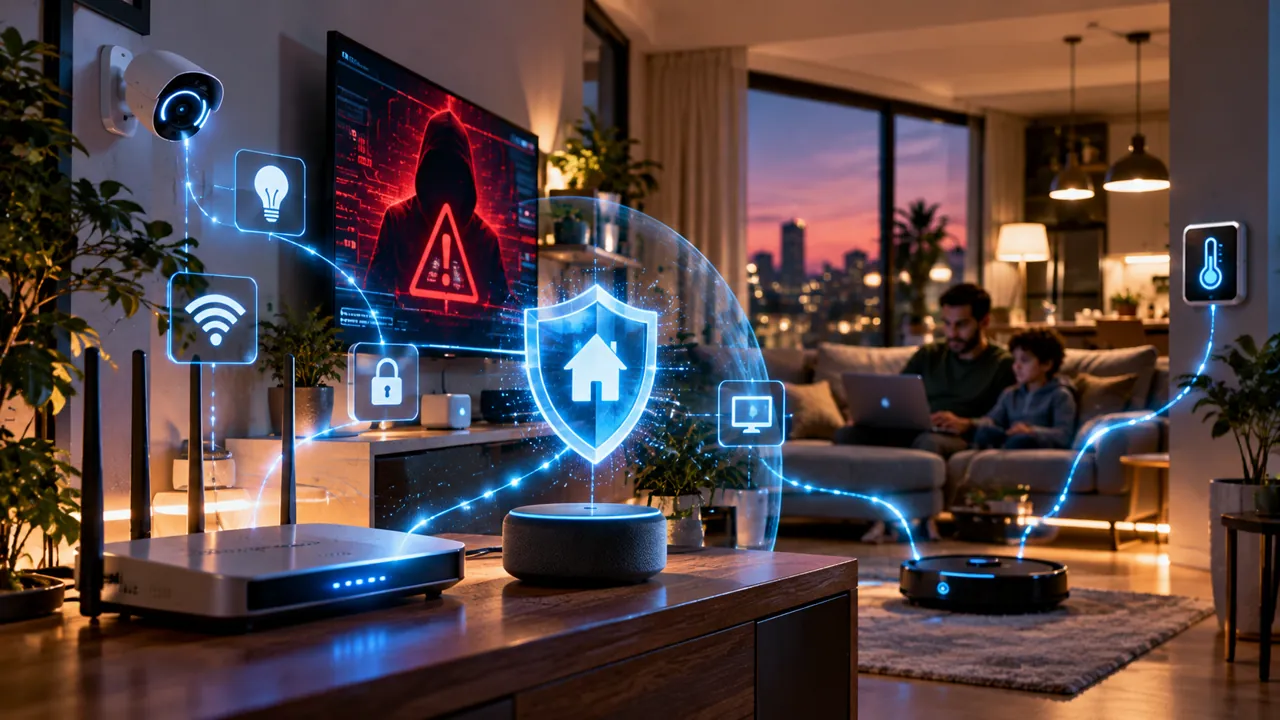
Your smart TV, security camera, Wi-Fi router and robot vacuum are all computers. That convenience brings a security trade-off: a poorly protected device may become a foothold for attackers. New research published in October 2026 raises a more specific possibility—malicious software that uses smaller AI models to adapt to unfamiliar connected devices and potentially replicate. This guide separates demonstrated laboratory capabilities from hypothetical attacks, then explains how to protect a real household without needing specialist tools.
What changed in October 2026?
On October 12, 2026, Anthropic researchers described experiments suggesting that small AI models could eventually become capable of self-replication across commercial Internet of Things (IoT) hardware. Their work explored whether models could set up inference on unfamiliar devices, move between systems in controlled conditions and run using limited hardware resources. It is a research warning, not proof that an autonomous AI worm is currently spreading through ordinary homes. Read the primary research announcement rather than treating dramatic headlines as evidence of an active outbreak.
The researchers reported getting inference working on eight of nine tested hardware types for one model and demonstrated distributed inference using inexpensive Android TV boxes. These findings matter because resource constraints have historically limited where capable models can run. But making inference run is not the same as reliably compromising arbitrary devices, defeating security controls or propagating across the public internet. A model may complete isolated steps in a test and still fail when asked to chain them together.
AI-powered malware versus conventional IoT malware
Traditional malware often follows predefined instructions: look for a vulnerable service, attempt a known exploit, download a payload and connect to a command-and-control system. A hypothetical AI-assisted worm could instead interpret unfamiliar interfaces, choose among actions, recover from some errors and adjust its approach. None of that makes it magical: access still depends on vulnerabilities, exposed services, stolen credentials, weak configurations or other security failures.
- IoT malware: malicious software targeting connected devices such as routers, cameras, smart TVs or network storage.
- Botnet: many compromised devices controlled or coordinated for malicious activity, such as distributed denial-of-service attacks.
- Worm: malware designed to spread from one system to another, potentially without repeated user action.
- AI-assisted attack: a human attacker uses AI to accelerate research, social engineering or automation.
- Autonomous AI replicator: an experimental or hypothetical system that can make decisions and reproduce itself across computing environments.
Which smart-home devices are most exposed?
Risk is not determined by whether a device has a voice assistant or an AI label. More important factors are how long the manufacturer supplies security updates, whether remote access is enabled, whether the product uses default credentials and whether the device is reachable from the internet or other devices on your home network.
- Routers and Wi-Fi extenders: central networking devices that can affect many connected products if compromised.
- IP cameras and video doorbells: sensitive because of video, audio, account access and remote viewing features.
- Cheap Android TV boxes and streaming devices: especially products with unclear update policies or software from untrusted sources.
- Smart plugs, bulbs, thermostats and appliances: often overlooked after setup, with limited interfaces for security maintenance.
- Network-attached storage and smart-home hubs: may store personal data or provide broad control over household automations.
Your first 15 minutes: a practical security checklist
- Open your router’s administration app or settings page and install the latest available firmware.
- Change the router administrator password if it is still the default or reused elsewhere.
- Confirm Wi-Fi uses WPA3-Personal or WPA2-AES where supported; avoid WEP and obsolete security modes.
- Review the router’s connected-device list and identify devices you do not recognize.
- Enable automatic updates on smart TVs, cameras, hubs and phones when available.
- Turn on multifactor authentication for device-vendor accounts, especially cameras and home-control services.
- Disable remote administration on the router unless you have a specific need for it.
- Move lower-trust smart devices to a guest or dedicated IoT network if your router supports isolation.
These steps align with the US Federal Trade Commission’s consumer guidance. Exact menu names differ by router brand and firmware version. Do not disable features you rely on until you understand the consequences.
Step 1: secure the router before individual gadgets
The router is the gateway connecting most devices to the internet. Log in using the vendor’s official app or the local management address printed in its documentation; avoid entering router credentials into a link from a message. Look for Firmware Update, System or Administration. Install a verified update and allow the router to reboot. Keep a record of your network name and password before making changes.
Next, use a unique administrator password different from the Wi-Fi password. Check for options such as remote web administration, UPnP and port forwarding. Remote administration should generally be off for a typical household. UPnP and manual port forwards can expose services; review whether any are necessary for gaming, cameras or other applications before changing them. The NIST consumer router security profile explains why router design and maintenance matter.
Step 2: isolate smart devices where practical
A separate guest or IoT network can reduce the ability of an infected device to contact your laptop, phone or personal storage. However, not every guest network provides true client isolation, and some smart-home products require local discovery or communication with a hub. Test essential functions after moving devices. Keep banking, work and primary computers on your trusted network; place less-trusted cameras, TVs and appliances on a restricted network if the hardware allows it.
Step 3: update and audit every device
Open the official app for each product and find its firmware or software version. If the device is unsupported, evaluate replacement—particularly for routers and cameras. Check account access history where offered, remove unused household members or shared links, and revoke integrations you no longer use. For smart speakers and cameras, review microphone, recording, cloud storage and remote viewing settings separately from cybersecurity updates.
Step 4: defend the accounts that control your home
A strong router cannot prevent someone from logging into a cloud account using a stolen password. Use a password manager to create unique credentials, enable phishing-resistant multifactor authentication when supported, and verify unexpected sign-in alerts directly through the official app. Beware of fake “camera security update” emails and texts. A convincing AI-generated message is still untrusted if it asks you to reveal a code, download an attachment or follow an unfamiliar link.
Warning signs that deserve investigation
- An unknown device appears in the router’s client list, especially after you change Wi-Fi credentials.
- A camera, hub or smart plug repeatedly restarts or changes settings without an obvious cause.
- Unexpected outbound data usage persists after normal streaming, backups and updates are ruled out.
- A vendor account reports unfamiliar sign-ins, new shared users or changed recovery details.
- The device’s official app shows disabled security features or a firmware version you did not install.
None of these symptoms proves AI-powered malware. High traffic can result from video streaming, local discovery, backups or firmware updates. A sluggish TV may simply have low storage. Investigate patterns and account alerts instead of assuming an attack from one unusual observation.
What to do if you suspect a compromised smart device
- Contain: disconnect the suspicious device from Wi-Fi or unplug its network connection; for critical medical or safety equipment, follow manufacturer guidance first.
- Secure accounts: from a trusted phone or computer, change the associated vendor password and revoke unknown sessions.
- Check the router: update firmware, remove unauthorized port forwards and review connected clients.
- Recover: follow the manufacturer’s documented reset and re-pairing process, then install verified firmware before reconnecting.
- Replace if needed: retire products that cannot be updated or whose integrity cannot be restored.
- Escalate: if financial data or personal accounts may have been exposed, notify the relevant provider and monitor account activity.
A factory reset is not a universal cure: persistent router compromises, compromised cloud accounts or unsupported firmware can require additional action. If a network appears broadly affected, use a trusted device to contact your internet provider or the hardware manufacturer.
Smart TV and Android TV box protection
Install apps only from trusted stores and avoid sideloading unknown APK files. Remove apps you do not recognize, keep the operating system and streaming apps updated, and do not grant accessibility or device-administrator privileges casually. For low-cost TV boxes with no credible manufacturer update channel, consider replacing the box rather than relying on a security app to compensate for outdated firmware.
Camera and doorbell protection
Protect the cloud account with MFA, review shared users, update firmware and restrict unnecessary remote access. If the camera supports local recording, understand how that changes privacy and backup requirements. Avoid posting screenshots of QR pairing codes or device serial numbers. A camera’s privacy shutter is useful for controlling recording in a room, but it is not a substitute for account security.
Smart speakers, plugs and home automation hubs
Audit linked services and automations every few months. Delete routines you no longer need, especially those that unlock doors or activate other physical controls. Prefer limited permissions for integrations, and keep a manual fallback for essential lighting or heating. If a vendor offers local-only operation, weigh its privacy benefits against features that require cloud access.
A risk comparison that helps prioritize spending
Highest priority: outdated router with remote administration exposed, internet-accessible cameras using weak credentials, or devices with no security updates. Medium priority: supported smart TVs and hubs with many connected services or unnecessary integrations. Lower priority: updated devices with unique credentials, limited permissions and network separation. These are practical categories, not numerical security scores; your actual risk depends on the device and configuration.
What the research does—and does not—tell us
The Anthropic findings indicate that smaller models are improving at technical tasks that could support future autonomous replication. They do not establish that consumer smart homes are currently facing a widespread self-directed AI worm. The most actionable lesson is not to panic about every connected appliance: reduce the familiar opportunities for compromise before attackers can exploit them with or without AI. Contemporary reporting from Ars Technica also emphasizes the practical limitations of the experiments.
A monthly smart-home security routine
- Review firmware updates for router, hubs, cameras and TVs.
- Check router client lists and investigate unfamiliar names.
- Remove unused device accounts, old household shares and stale integrations.
- Review cloud recordings, data retention and camera permissions.
- Check whether any important device has reached its end-of-support date.
- Test your guest-network isolation and essential automations after major router changes.
What to check before buying another smart device
Look for a published security update policy, a credible manufacturer support site, unique default credentials or secure onboarding, MFA for the cloud account, and a clear process for reporting vulnerabilities. Consider whether the device still works when its cloud service is unavailable. The CISA IoT security resource discusses procurement and lifecycle considerations, while NIST’s guidance provides a framework for consumer router protection.
Bottom line
AI may make future malware more adaptive, but the best household defenses remain concrete and achievable: maintain your router, update connected devices, protect vendor accounts, isolate less-trusted gadgets and replace abandoned hardware. Treat sensational claims about self-replicating AI worms as a reason to improve basic security—not as evidence that your smart home has already been infected.
Sources and further reading
- Anthropic Frontier Red Team — AI models may be capable of self-replicating without access to a datacenter (October 12, 2026)
- US Federal Trade Commission — Securing Your Internet-Connected Devices at Home
- NIST IR 8425A — Recommended Cybersecurity Requirements for Consumer-Grade Router Products
- CISA — Internet of Things (IoT) Security
- Ars Technica — Analysis of Anthropic’s IoT replication research
You may also like
 Technology & How-To
 NHS App Prescription Not Showing? Check GP Approval, Pharmacy Status and Tracking
Find out why a prescription or medicine is missing from the NHS App in England. Separate repeat requests,…
 Technology & How-To
 Google Wallet Not Working After Switching Phones? Fix Card Setup and Tap to Pay
Google Wallet transferred but tap to pay fails? Separate card verification, bank approval, NFC, screen lock and device…
 Technology & How-To
 iCloud Family Sharing Not Working? Why You Still See 5GB and How to Fix It
Still seeing 5GB after joining an iCloud family plan? Check the account, invitation, sharing settings, personal plan and…