
Is the NWS Radar Down? How to Check Official Outage Updates
Check whether NWS radar is down, read local station status and outage notices, troubleshoot blank maps, and find official weather-warning channels.
Contents
- What did NWS confirm about the November 13 reports?
- How to check whether your local radar is down
- What does a blank or frozen map actually tell you?
- Radar data, the website and weather warnings are different
- How to keep receiving warnings if your radar app fails
- Before sharing an outage claim
- Image credits
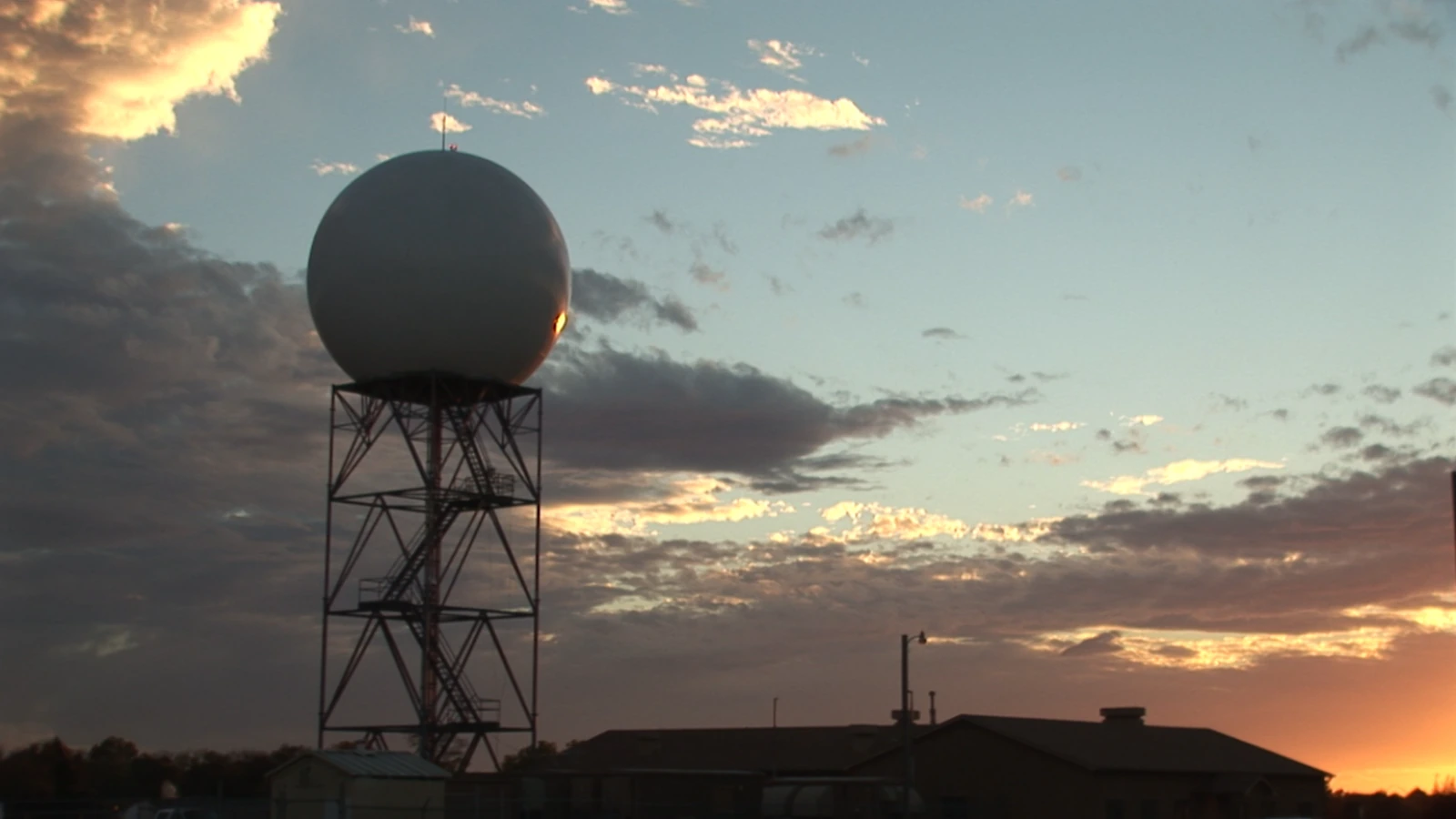
NWS denied a nationwide radar outage on November 13, 2026. Its Central Operations message, issued at 23:01 UTC that day, said radar data systems and network communications were operating normally, with no widespread NWS IT or network outages.
That statement does not mean every individual radar is always available. If your map is blank or frozen, check the affected station, the data timestamp and official service notices before concluding that the national network has failed.
What did NWS confirm about the November 13 reports?
The official NWS Central Operations message log contains the dated clarification. Separately, the agency’s November 13 public statement explained that outdated content from isolated webpages had circulated and that radar.weather.gov was operational.
This guide was reviewed on November 14, 2026. The statement above describes that incident; it is not a permanent, live guarantee of service. For a later disruption, read the newest official notice rather than reusing the November 13 conclusion.
How to check whether your local radar is down
Use these checks in order. They separate a station problem from a display problem without assuming that one blank screen represents the entire country.
- Open radar.weather.gov directly, rather than an old screenshot or a third-party app.
- Compare the local radar view with the National radar mosaic. The NWS radar FAQ recommends this comparison when a local image is missing.
- Check the station icon. In the interface described by the FAQ, red indicates a radar is down; blue indicates it is functioning.
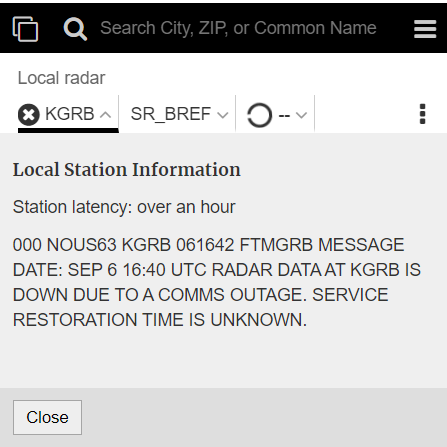
- Select the affected radar and look beneath its identifier in the radar selection/customization menu for outage information.
- Open the Level III Radar System Site Status page. Read its page timestamp, station identifier and last receipt time together. The legend distinguishes data latency from operator notes.
For example, a receipt time of 14:20 UTC on a status page dated 14:40 UTC means the listed data are 20 minutes old. This is a hypothetical reading example, not a universal threshold for declaring equipment broken. A delayed receipt and a confirmed hardware failure are different findings.
What does a blank or frozen map actually tell you?
A blank image alone does not identify the cause. Match the symptom to the evidence before choosing a remedy.
| What you observe | What to check next | What you should not assume |
|---|---|---|
| One station has no image | Station status and operator notes | Every U.S. radar is offline. |
| The radar application does not display | Reload the page; consult the FAQ’s browser-cache guidance | The radar antenna has failed. |
| The same old image remains visible | Image time, station receipt time and current notices | The image shows conditions now. |
| A social post announces a national outage | Original notice, issue date and latest NWS update | A newly shared post contains newly issued information. |
The FAQ links missing local images to maintenance or repairs and suggests browser-cache troubleshooting for display failures. Clearing browser data cannot repair an offline radar.
Radar data, the website and weather warnings are different
NOAA’s NEXRAD overview explains that the radar system detects precipitation and wind, with data processed into products showing precipitation patterns and movement. The public map is a way to view those products; it is not the physical radar itself.
Weather warnings have their own distribution arrangements. The NWS warning dissemination guide describes channels including Wireless Emergency Alerts, NOAA Weather Radio and the Emergency Alert System.
A map failing to load therefore does not, by itself, establish that warnings have stopped. Conversely, a working radar page does not certify that your phone or radio is configured to receive alerts. Check each service separately.
How to keep receiving warnings if your radar app fails
Start with weather.gov and the local forecast office for your location. Read the text of any warning, including the affected area, valid times and instructions, rather than waiting for an animation to resume.
Wireless Emergency Alerts can reach compatible mobile devices without downloading an app or subscribing to a service. Review your device and carrier’s emergency-alert settings; do not treat a third-party radar app’s notification settings as the same system.
NOAA Weather Radio provides another warning channel. If a receiver appears silent, check the official transmitter outage list and notices for your transmitter. A radio-transmitter outage and a Doppler radar outage concern different equipment.
For interpreting a different NOAA product, our guide to the Climate Prediction Center heavy-snow outlook explains why a regional planning map is not the same as a local warning.
Before sharing an outage claim
Record four details: the source, issue time, affected service and geographic scope. A useful description is “station X has an outage notice issued at this time,” rather than “all weather radar is down.” If a claim lacks a date or original link, find those before repeating it.
Image credits
Featured photograph: NOAA NEXRAD weather radar, by an unidentified NOAA photographer, via Wikimedia Commons. Public domain as an official NOAA work; cropped, resized and converted to WebP. It illustrates radar equipment and does not depict an outage.
Inline example: NWS radar FAQ documentation image, reproduced from weather.gov. It shows where an outage note appears in the menu. The September 2023 message shown is a historical example, not current station status. Conversion to WebP preserves the text and interface.
You may also like
 Technology & How-To
How to Turn Lecture Recordings Into Study Notes With NotebookLM
Turn lecture audio into study notes with free Gemini Notebook (NotebookLM). Follow the upload steps, check transcript citations,…
 Technology & How-To
How to Use Google Lens to Find Products and Compare Prices
Find an item from a photo with Google Lens, check exact product matches and compare real checkout costs…
 Technology & How-To
Podcast Microphone Guide: USB vs XLR and Setup Tips
Choose a podcast microphone by room noise, connection type and recording style. Compare USB and XLR, see verified…