
Hug Your Younger Self AI Trend: How to Make the Photo With Gemini or ChatGPT
Learn how to create the hug-your-younger-self AI photo with two reference pictures, copy-ready prompts, and practical fixes for face and hand errors.
Contents
- What is the hug-your-younger-self AI trend?
- What you need before you start
- Method 1: Make the photo with Google Gemini
- Copy-and-paste Gemini prompt
- Method 2: Create it in ChatGPT Images
- Three creative styles to try
- Vintage Polaroid
- Golden-hour park
- Cozy family photo
- How to keep the faces looking like you
- Troubleshooting: common AI photo problems
- The child looks like a different person
- Extra arms or distorted fingers
- Both faces look blended
- The app will not accept the photos
- The result looks good but is not recognizable
- Can you make it with only one childhood photo?
- Privacy and responsible sharing
- How to post your finished image
- Official references
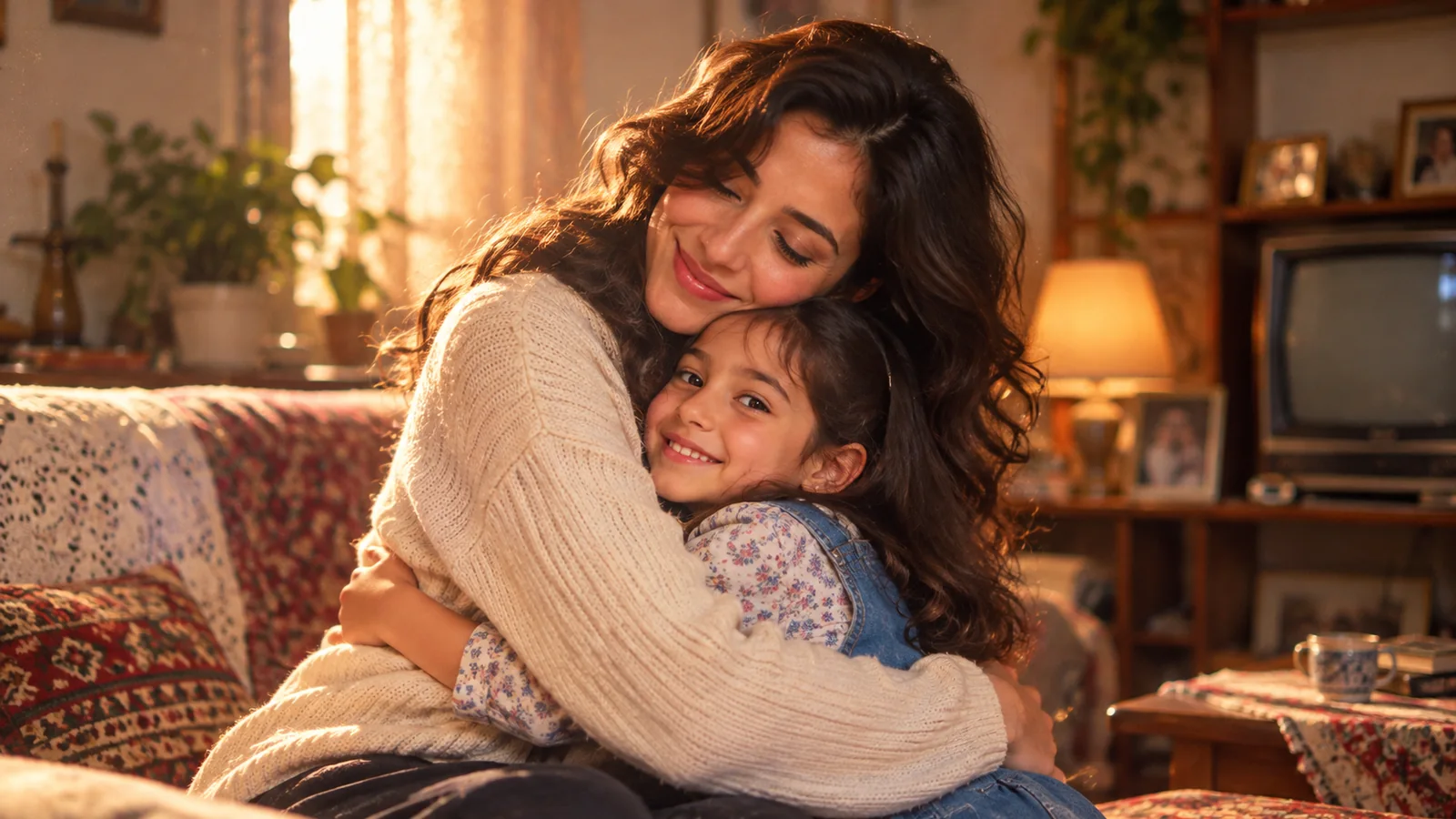
The “hug your younger self” AI photo trend imagines a tender moment between your current self and your childhood self. The result is a generated composite—not a genuine photograph of a past event. This step-by-step guide explains how to prepare your images, write a prompt, preserve recognizable facial details, and troubleshoot common problems.
What is the hug-your-younger-self AI trend?
You provide a recent portrait and a childhood photo, then ask an image-generation tool to place the two versions of you in one scene. A warm embrace, nostalgic indoor lighting, and a Polaroid-like finish are common stylistic choices. The key challenge is identity consistency: a model can make an attractive picture that does not actually look like either reference.
What you need before you start
- A clear recent photo with your face visible and minimal filters.
- A childhood photo that shows your face, ideally without heavy blur or obstruction.
- Permission to use both images, especially when a child or another person appears in the photo.
- Access to an image-generation or editing feature that supports uploaded reference images.
For best results, avoid very small crops and strong beauty filters. A slightly faded original is often usable, but missing details cannot be reliably reconstructed.
Method 1: Make the photo with Google Gemini
Google’s official Gemini image guide describes uploading and editing multiple images. Availability, age restrictions, and usage limits can vary by account and location.
- Open Gemini and sign in.
- Upload your current portrait and childhood photo in the same prompt if multi-image editing is available.
- Paste the ready-to-use prompt below.
- Review faces, hands, ages, and clothing before saving.
- Ask for a targeted correction rather than regenerating everything if only one detail is wrong.
Copy-and-paste Gemini prompt
Use the two attached photos as separate identity references for the same person at different ages. Create a photorealistic image of the adult from photo one gently hugging the child from photo two in a warm, nostalgic living room. Preserve the distinctive facial features of both references as faithfully as possible. Do not merge the two faces into a third person. Keep their original ages. Natural body proportions, realistic hands, soft window light, subtle film grain, horizontal 16:9 framing. No text, no logos, no additional people. This is a fictional AI composite, not a real historical photograph.
Method 2: Create it in ChatGPT Images
The official ChatGPT Images guide explains how to upload images and request edits. The interface and available controls can differ by device and plan.
- Start a conversation that supports image creation.
- Attach the adult and childhood reference images.
- Specify which reference is the adult and which is the child.
- Paste the prompt above and request a single image.
- Inspect the result and request local corrections where necessary.
Three creative styles to try
Vintage Polaroid
Append: instant-film photography, faded warm colors, gentle flash, nostalgic home interior, subtle film grain. Ask for a white instant-film border if you want one, although adding a frame manually may look cleaner.
Golden-hour park
Append: sunlit park at golden hour, candid embrace, shallow depth of field, natural skin tones, documentary photography. A less busy background helps keep attention on both faces.
Cozy family photo
Append: casual home snapshot, neutral clothing, eye-level camera, soft window light, realistic living room. This style often fits ordinary reference photos better than a highly stylized poster.
How to keep the faces looking like you
- Start with sharp, front-facing images and avoid heavy filters.
- Explicitly identify the adult and child as the same person at different ages.
- Ask the model to prioritize recognizable facial traits over cinematic styling.
- Use a simple background on the first attempt, then refine the aesthetic.
- Expect some variation: image models cannot guarantee exact identity preservation.
Troubleshooting: common AI photo problems
The child looks like a different person
Use a clearer childhood reference and ask: Preserve the child’s eye shape, nose, mouth, and face proportions from photo two. If the source is extremely blurry, the model will fill in missing detail creatively rather than recover it as fact.
Extra arms or distorted fingers
Ask for a targeted hand correction while keeping the rest of the image unchanged. Simple poses, visible arms, and less overlapping clothing can reduce anatomy errors.
Both faces look blended
Restate that these are two distinct age versions of the same person, not twins or a face morph. Specify adult features from photo one and child features from photo two.
The app will not accept the photos
Check account eligibility, regional availability, image-upload limits, and whether the images comply with the platform’s safety and privacy rules. Do not attempt to bypass restrictions.
The result looks good but is not recognizable
Try a plain portrait style first. Remove elaborate lighting and outfit changes, then request a second pass that modifies only the atmosphere.
Can you make it with only one childhood photo?
You can ask an AI tool to imagine an adult version of the child, but that is speculation—not a reliable prediction of how the person looks today. Using both real reference photos gives the model a better basis for the composition.
Privacy and responsible sharing
Only upload photos you have the right to use. Be especially cautious with images of children and avoid uploading documents, location information, or other sensitive details visible in the background. Read the image service’s privacy settings and terms before sharing personal photos. Label the result as AI-generated when viewers could mistake it for a genuine family photograph.
How to post your finished image
Choose an aspect ratio that suits your social platform and check that neither face gets cropped. A short caption about what you would tell your younger self can add meaning. For editorial or documentary contexts, clearly disclose that the image is a fictional AI-generated composite.
Official references
You may also like
 Technology & How-To
 Android Auto Keeps Disconnecting? How to Fix USB and Wireless Dropouts
Android Auto keeps disconnecting? Separate USB, wireless and app failures, check Galaxy USB mode, compare connection methods and…
 Technology & How-To
 Netflix Says Your TV Isn’t Part of the Household? How to Fix It
Fix a Netflix household warning by separating home verification, permanent household updates and temporary travel access, with genuine…
 Technology & How-To
 Google Photos Stopped Backing Up from Your PC? What Changed and How to Fix It
Google Photos stopped backing up your computer folders? Understand the Drive for desktop change, configure browser folder backup…