
How to Recognize a Fake Delivery Text Before Opening Its Link
A practical US and UK guide to fake USPS, Royal Mail and courier delivery texts: verify packages safely, spot phishing links, and recover after clicking.
Contents
- The 60-second check: verify the delivery without using the text
- Seven signs that a parcel text deserves extra scrutiny
- Example messages: what they are trying to make you do
- US versus UK: what the official agencies actually say
- How to inspect a suspicious link without opening it
- Why the message can arrive exactly when you expect a parcel
- What to do if you already interacted: a response decision table
- If you clicked but did not type anything
- If you entered card details or paid a small fee
- If you entered a password or a verification code
- If you installed a delivery-tracking app
- Three realistic scenarios, with safer alternatives
- Scenario 1: You ordered a phone case yesterday
- Scenario 2: A small fee appears after a missed delivery
- Scenario 3: The sender name matches an existing conversation
- A simple, repeatable verification log
- How to report a fake delivery text
- Common mistakes that make these scams harder to detect
- Official links for verification and reporting
- The bottom line
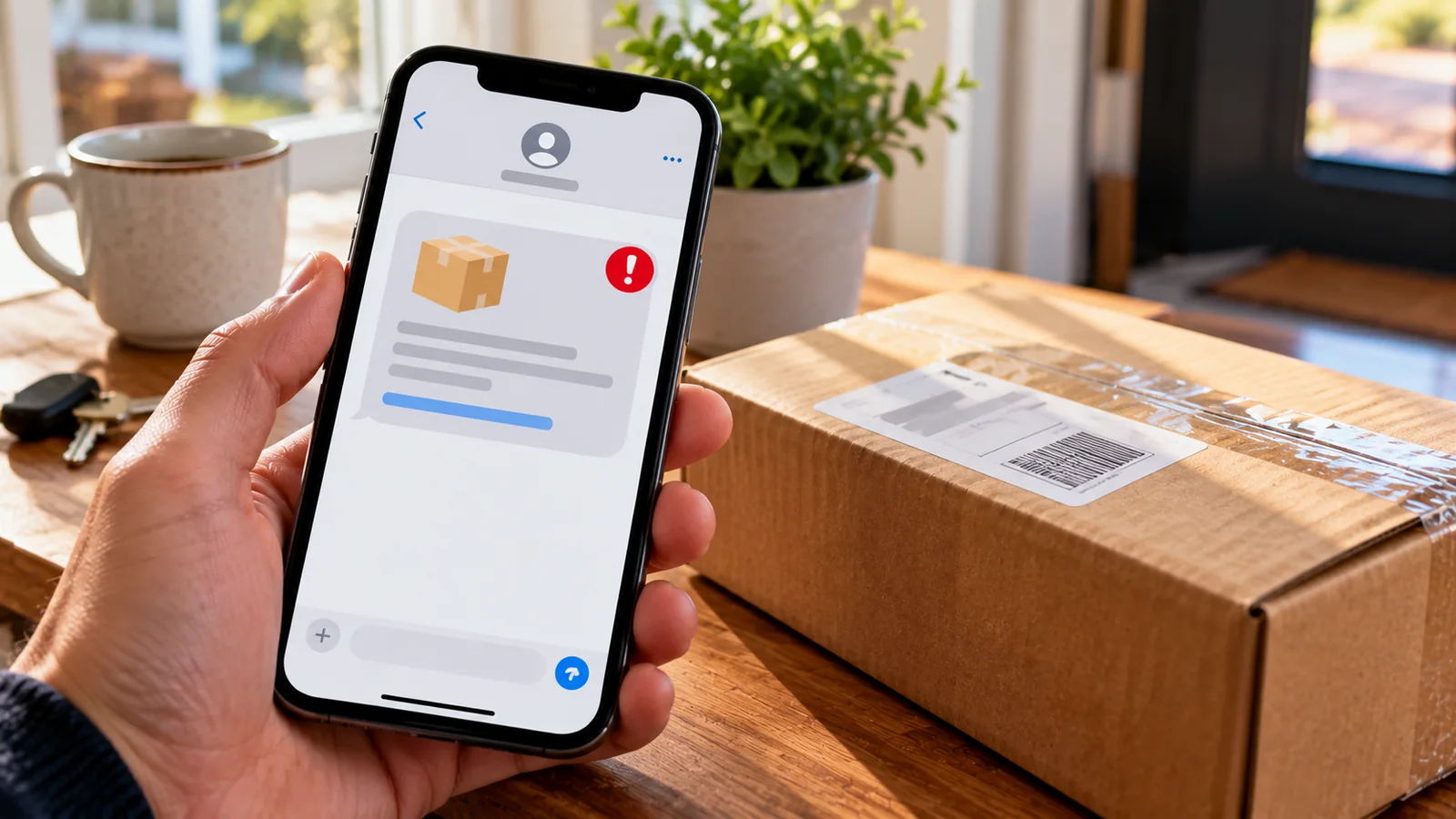
A text says your parcel cannot be delivered until you confirm an address or pay a small fee. You may even be waiting for a genuine package. Do not open the link to check. Instead, find the order in your retailer account, copy the tracking number if one exists, and enter it yourself in the courier’s official website or app. If the text cannot be independently matched to a real shipment, treat it as suspicious.
This guide covers fake USPS, Royal Mail, Evri, DPD, UPS and FedEx delivery messages in the United States and United Kingdom. It goes beyond a list of spelling mistakes: you will learn a repeatable verification workflow, the difference between an authentic notification and a fraudulent payment page, and what to do based on exactly how far you interacted with the message.
The 60-second check: verify the delivery without using the text
- Stop: do not tap the message link, reply, call the number in it or scan a QR code supplied by the sender.
- Find the order: open the retailer’s app or type the shop’s known address yourself. Check whether an order is due.
- Find the courier: use the tracking number displayed inside your order account, not one invented by the text.
- Track independently: open the courier’s official app or website from your own bookmark or typed address.
- Compare the claimed problem: does the official tracking page actually show an address issue, attempted delivery or fee? If not, do not act on the text.
- Escalate safely: if there is a real delivery issue, contact the retailer or courier through the official account and follow its verified instructions.
The FTC specifically recommends checking delivery information through the retailer or courier independently. The UK NCSC likewise advises using an official tracking website or app rather than a link in an unexpected message. See FTC guidance and NCSC parcel-text guidance.
Seven signs that a parcel text deserves extra scrutiny
- A surprise redelivery fee: the message asks for a tiny payment to release a parcel, even though no charge appears in your official order.
- An address emergency: it says your package will be returned in hours unless you correct a ZIP code or postcode.
- An unrelated web address: a lookalike domain, extra words after a familiar brand or a shortened URL replaces the courier’s real site.
- Payment-card details requested: the page asks for card number, expiry and security code to solve an ordinary tracking problem.
- An app-install prompt: it wants you to install a delivery-tracking APK or another application from outside the official app store.
- Unsolicited tracking claim: it gives no credible order context, or arrives when you are not expecting anything.
- Pressure and secrecy: countdowns, repeated alerts or requests for passwords and one-time codes are designed to rush you.
No single warning sign proves fraud, and a professionally written message can still be malicious. A legitimate sender name can be spoofed or visually imitated; a lock icon only means the connection is encrypted, not that the business is authentic. Treat independent confirmation as the deciding test.
Example messages: what they are trying to make you do
The following are illustrative examples written for this guide, not screenshots of actual intercepted messages. The placeholder domains are intentionally nonfunctional; do not test suspicious URLs in your browser.
| Example text (illustrative) | Likely lure | Independent check |
|---|---|---|
| “Delivery held. Verify your address today at parcel-check.example.” | Urgent address correction | Look up the shipment in the retailer account |
| “USPS: Pay $0.42 redelivery at usps-help.example.” | Small card-payment request | Track directly at usps.com; USPS says it does not charge for redelivery |
| “Royal Mail: customs fee outstanding. Open the link.” | Import or customs charge | Check the real tracking status and official Royal Mail instructions |
| “Evri driver missed you. Install the tracker app here.” | Malware installation | Use an official app store and the carrier’s official website |
| “We have your parcel. Reply with the six-digit code.” | Account takeover or verification-code theft | Never share login or one-time verification codes |
US versus UK: what the official agencies actually say
| Question | United States | United Kingdom |
|---|---|---|
| Where should I verify a package? | Retailer account, then official courier tracking | Retailer account, then official courier tracking |
| How do I report a suspicious text? | Forward to 7726 where supported; report fraud to the FTC | Forward to 7726, free on participating networks |
| If it impersonates the postal operator? | USPS-related smishing: spam@uspis.gov | Royal Mail: use its published scam guidance and reporting channels |
| Where to report fraud? | ReportFraud.ftc.gov; IC3 where appropriate | Report Fraud service for England, Wales or Northern Ireland; Police Scotland in Scotland |
| Can a delivery text ever be genuine? | Yes, including notifications you opted into | Yes, but verify any request independently |
The US Postal Inspection Service says USPS does not send unsolicited texts with links to customers who have not requested tracking. USPS has an opt-in text-tracking service, so the correct lesson is not “every USPS text is fake”; it is to check whether you requested the service and whether the message asks you to follow an unexpected link. USPS explains its text-tracking options here.
The UK NCSC explains how to forward suspicious texts to 7726, while Royal Mail publishes real-world scam patterns involving alleged warehouse holds, incomplete addresses and customs payments. Actual wording changes frequently, so do not rely on a memorised example alone.
How to inspect a suspicious link without opening it
You do not need to visit a site to decide whether to trust a delivery text. If your messaging app displays a preview, read the visible domain without tapping. Do not paste the full URL into a browser or online scanning service if it includes private tokens or order identifiers. The safest route remains official tracking.
- Identify the registered domain: in a fictional address such as
royalmail.example.attacker.test, the relevant domain isattacker.test, not the familiar brand text on the left. - Beware lookalikes: misspellings, hyphens and visually similar letters are common.
- Ignore the padlock as proof: HTTPS protects a connection but does not certify a merchant or courier.
- Do not trust a shortened link: you cannot identify the destination reliably from the short address alone.
- Check through a second route: type the carrier’s official domain or use its established app, then search the actual tracking number.
Why the message can arrive exactly when you expect a parcel
Delivery scams exploit a simple coincidence: large numbers of people order goods online, and many are waiting for a package on any given day. A fraudulent message that says “your parcel” can feel personalised even when it was sent in bulk. Scammers may also use details exposed through data breaches, social media or previous transactions, but the timing alone does not establish that a retailer’s systems were compromised.
Likewise, a correct name or postcode is not proof of legitimacy. Ask whether the sender can be verified independently through your existing order account, rather than treating familiar personal details as authentication.
What to do if you already interacted: a response decision table
| What happened | Immediate priority | Next steps |
|---|---|---|
| You only read the text | Avoid the link | Report and delete or block the sender |
| You tapped the link but entered nothing | Close the page | Update browser/OS; monitor for unusual prompts or downloads |
| You entered your delivery address or phone number | Limit follow-on scams | Be alert to targeted messages and impersonation |
| You entered card details | Protect your money | Contact the bank immediately using its official number; freeze or replace card as advised |
| You entered a password | Protect the account | Change it via the real service; change reused passwords; enable MFA |
| You supplied a one-time code | Protect the account urgently | Contact the service; revoke sessions and review security settings |
| You installed an unknown app or APK | Treat device as potentially compromised | Disconnect from sensitive accounts and follow official device-security guidance; seek trusted help |
If you clicked but did not type anything
Closing the page is a sensible first step. A single tap does not automatically mean your bank account has been emptied or your phone infected. However, the risk is not literally zero: malicious pages may attempt downloads, browser exploits or deceptive permission prompts. Check for unexpected downloads, profiles, apps or notifications; keep the operating system and browser updated. If a file was installed or a permission granted, follow the higher-risk steps below.
If you entered card details or paid a small fee
Call your card issuer immediately using the number on the card or its official banking app. Explain that you entered payment details on a suspected delivery scam site, even if the amount was tiny. Ask about freezing or replacing the card, monitoring attempted charges, and disputing unauthorised transactions. Do not rely on a phone number supplied by the scam page. A small “redelivery” charge may be used to harvest reusable card details.
Review transactions and enable account alerts. If the bank advises a new card, update legitimate recurring payments afterward. Never provide a one-time banking code to someone who contacts you about the supposed parcel.
If you entered a password or a verification code
Open the genuine account through your usual bookmark or app. Change the affected password immediately and any other account using the same password. Turn on multifactor authentication, review active sessions and recovery details, and sign out unknown devices. If a one-time code was shared, treat it as urgent: it may have been intended to authorise a login, payment or password reset. Contact the relevant service through its official support channel.
If you installed a delivery-tracking app
The UK NCSC has documented missed-parcel messages that led people to install malicious Android apps. Do not enter banking passwords on a device you suspect is compromised. Use a separate trusted device to secure important accounts, and follow current official instructions for removing malicious software or obtaining professional help. If sensitive financial information was exposed, notify the bank. See NCSC guidance on parcel-message malware.
Three realistic scenarios, with safer alternatives
Scenario 1: You ordered a phone case yesterday
A message says the parcel is delayed because your postcode is incomplete. The timing feels convincing. Open the shop’s existing order page and look for a courier name and tracking number. If tracking shows normal progress, do not “correct” your address through the text. If it really shows an address problem, contact the retailer or courier from the order page. Useful insight: an accurate delivery date is context, not proof of sender identity.
Scenario 2: A small fee appears after a missed delivery
A page asks for £1.29 or $0.42 to reschedule a parcel. The amount looks harmless, but the form demands a full card number and security code. Stop. Go to the official tracking site and check its stated policy and shipment status. USPS explicitly states that it does not charge for redelivery. Other carriers can have legitimate fees in some circumstances, but the fee must be verified through the real service—not the message.
Scenario 3: The sender name matches an existing conversation
A suspicious text appears under a familiar brand label or beside older notifications. Do not assume the thread proves authenticity. Sender identifiers and message presentation are not strong authentication. Use the same independent tracking workflow as for any unknown sender.
A simple, repeatable verification log
For readers who frequently receive parcels, a tiny log can reduce guesswork. It also creates a useful record if a scammer contacts you repeatedly. This is a suggested method, not a published experiment or a claim that we tested a specific scam campaign.
| Record | Example (fictional) | Why it matters |
|---|---|---|
| Order retailer | Online shop account | Establishes whether an order exists |
| Carrier from order | DPD | Avoids trusting the text’s claimed brand |
| Tracking status | In transit; no address alert | Tests the message’s central claim |
| Text request | Pay fee through unknown URL | Identifies the attempted action |
| Decision | Ignored and reported | Documents a safer response |
How to report a fake delivery text
- United Kingdom: forward the suspicious SMS to 7726 using your messaging app. See the NCSC reporting instructions. If money was lost or an account compromised, follow your jurisdiction’s official fraud-reporting route.
- United States: forward to 7726 where supported; report consumer fraud at ReportFraud.ftc.gov. For USPS impersonation, the Postal Inspection Service accepts details at spam@uspis.gov (instructions).
- Evidence: keep a screenshot showing the sender and timestamp if useful, but avoid circulating a clickable scam link to friends or social media.
- After reporting: block or delete the text and use your genuine order account for any further delivery questions.
Common mistakes that make these scams harder to detect
- Judging by grammar alone: many fake messages are now fluent and professionally formatted.
- Trusting a tiny charge: the financial loss may come later from harvested card information.
- Assuming a parcel is real because one is expected: confirm the actual tracking status.
- Trusting an HTTPS padlock: encrypted phishing sites exist.
- Searching for the suspicious domain to “check it”: a search result or preview does not authenticate a courier.
- Sharing one-time codes: codes are for your own account action, not parcel verification.
- Installing an off-store tracking app: use only an established official app store and a verified publisher.
Official links for verification and reporting
- FTC: package-delivery text scams and independent verification
- US Postal Inspection Service: smishing and USPS reporting
- USPS: how opted-in text tracking works
- UK NCSC: missed-parcel messages and malware
- UK NCSC: reporting scam texts to 7726
- Royal Mail: examples of delivery impersonation
- GOV.UK: reporting phishing
The bottom line
A delivery text should never be your sole source of truth about a parcel. Verify the shipment in an account you already trust, then use the courier’s official tracking service. If a suspicious message has already prompted you to enter a card, password or verification code, act according to what you disclosed. This approach is more reliable than hunting for typos and still works when the message looks polished, arrives at the right time or uses a familiar sender name.
You may also like
 Technology & How-To
 NHS App Prescription Not Showing? Check GP Approval, Pharmacy Status and Tracking
Find out why a prescription or medicine is missing from the NHS App in England. Separate repeat requests,…
 Technology & How-To
 Google Wallet Not Working After Switching Phones? Fix Card Setup and Tap to Pay
Google Wallet transferred but tap to pay fails? Separate card verification, bank approval, NFC, screen lock and device…
 Technology & How-To
 iCloud Family Sharing Not Working? Why You Still See 5GB and How to Fix It
Still seeing 5GB after joining an iCloud family plan? Check the account, invitation, sharing settings, personal plan and…