
How to Check If a Website Is a Scam Before Entering Your Card Details
Learn how to spot fake online stores before paying: check URLs, reviews, HTTPS, payment methods and what to do if your card details were exposed.
Contents
- The 60-second scam-website screening checklist
- Step 1: inspect the full URL, not just the first familiar word
- Step 2: understand what HTTPS and the padlock really mean
- Step 3: verify the business outside its own website
- Step 4: check prices, product images and stock claims
- Step 5: read shipping, returns and refund terms before checkout
- Step 6: assess reviews without trusting star ratings
- Step 7: check Google Safe Browsing, but understand its limits
- Step 8: look closely at the checkout and payment request
- Payment methods: how much protection do they offer?
- Step 9: recognise fake delivery messages and QR-code detours
- Step 10: identify the warning signs that matter most
- A realistic example: checking a suspicious electronics sale
- What to do if you already entered your card details
- How to report a scam in the United States
- How to report a scam in the United Kingdom
- How to shop more safely next time
- Official sources and further reading
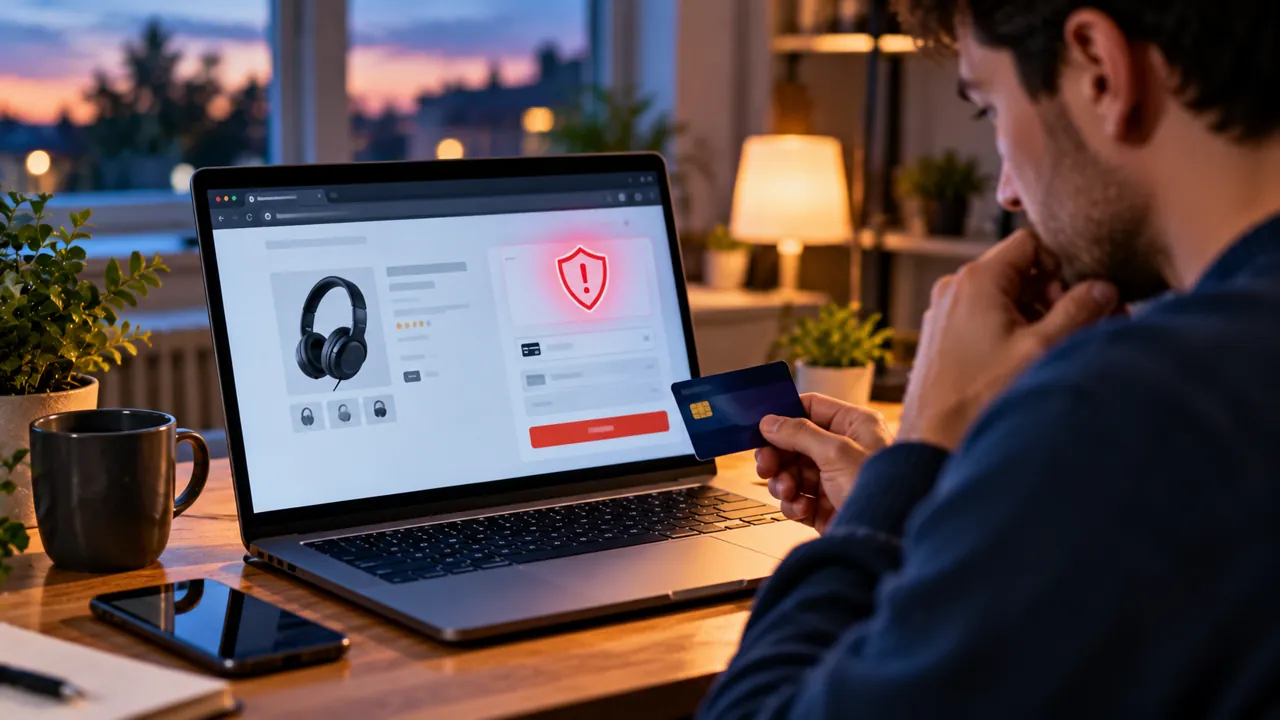
A convincing shopping website is not necessarily a trustworthy one. Criminals can copy a real retailer’s branding, buy ads, display a padlock and create hundreds of glowing reviews. Before entering your card number, use this practical investigation: check the exact domain, independently verify the seller, inspect the offer and checkout, and choose a payment method that gives you a realistic route to recover money.
This guide focuses on ordinary consumers in the United States and United Kingdom. No single check can prove a site is safe; look for several independent signs, and leave when serious warnings appear. The examples below use fictional addresses rather than real shops.
The 60-second scam-website screening checklist
- Read the actual domain name in the address bar, not the logo or page title.
- Search the retailer name separately and compare the domain with its independently verified official website.
- Look for an established business identity, realistic contact details, delivery times and a usable return policy.
- Check recent reviews on multiple independent sites; do not trust the store’s own testimonials alone.
- Treat unusually low prices, countdown timers and pressure to pay immediately as warning signs.
- Avoid sellers insisting on gift cards, cryptocurrency, wire transfers or other hard-to-reverse payment methods.
- If uncertain, do not enter card information.
Step 1: inspect the full URL, not just the first familiar word
Scam domains often include a trusted brand plus extra words, hyphens or an unfamiliar ending. For example, example-store.com and example-store-discount.net are different domains; the latter does not become legitimate because it contains the brand name. A URL such as brand.example-seller.net belongs to example-seller.net, not to brand.
On a phone, tap the address bar to reveal the complete address. Watch for character substitutions, unexpected country-code endings and links sent by text or social media. A shortened link may conceal the destination. When possible, reach the store by typing its known address yourself rather than following a promotional message.
Step 2: understand what HTTPS and the padlock really mean
HTTPS encrypts traffic between your browser and the website, reducing interception in transit. It does not verify that the merchant is honest. Fraudulent stores can obtain valid TLS certificates too. The US Federal Trade Commission explicitly warns that an encrypted connection is not proof of legitimacy. An invalid-certificate warning is a reason to stop, but the absence of a warning is not a green light.
Step 3: verify the business outside its own website
Search the store name together with terms such as complaint, scam, refund and reviews. Look for independent coverage, genuine customer experiences over time and consistent company information. For a purported UK company, Companies House may help verify a registered entity, but registration alone does not prove a seller is trustworthy or that the site belongs to that entity. For a US seller, examine its published contact details and applicable state business records where appropriate.
A physical address that leads to a random house, an unrelated business or a virtual office is a reason to investigate further, not automatic proof of fraud. Similarly, a newly launched legitimate shop may have few reviews. Judge the combination of evidence.
Step 4: check prices, product images and stock claims
A 70–90% discount on a newly released premium product is a strong reason for extra scrutiny, especially if every size and colour is supposedly available. Search for the same product photo or distinctive product description across other stores. Copied images alone are not conclusive—legitimate retailers use manufacturer photos—but mismatched branding, inconsistent specifications and implausible availability add to the risk.
Step 5: read shipping, returns and refund terms before checkout
Find a clearly written returns policy with an address or contact process, realistic shipping estimates, the party responsible for return postage and information about refunds. Generic policies that mention another company, conflicting delivery windows, broken links or vague “all sales final” wording deserve caution. Consumer rights vary by jurisdiction and product; a website cannot simply erase statutory rights through a misleading statement.
Step 6: assess reviews without trusting star ratings
Read a mix of recent positive and negative reviews from independent sources. Repeated wording, sudden clusters of five-star ratings, reviewers with no history and reviews discussing a different product can be suspicious. A small number of complaints is normal for many real businesses; look for patterns involving non-delivery, fake tracking numbers or refusal to refund. The FTC warns that ratings and reviews can be manipulated.
Step 7: check Google Safe Browsing, but understand its limits
Google’s Safe Browsing Site Status tool can flag sites known for phishing, malware or other threats. A clean result means the tool has not identified a relevant threat at that time; it is not a certification that a shop will deliver your order. New fraudulent domains can appear before warning systems classify them. Never override a browser warning just to complete a purchase.
Step 8: look closely at the checkout and payment request
Before submitting a card, confirm the payment page is on the expected retailer or a recognisable payment provider and that the transaction details match your order. An unexpected switch to a messaging app, personal bank account or unfamiliar payment link is a major red flag. Avoid sending card photos, PINs or one-time verification codes to a seller. Banks may use a one-time code in their own authenticated flow; never relay that code to a person in chat.
Payment methods: how much protection do they offer?
| Payment method | Practical protection | Warning |
|---|---|---|
| Credit card | Often offers charge-dispute rights and additional consumer protections depending on country and circumstances. | Contact the issuer promptly; deadlines and coverage vary. |
| Debit card | Bank may investigate unauthorised charges and may offer chargeback for merchant disputes. | Rights and chargeback rules differ from credit cards. |
| Established payment wallet | May limit direct sharing of card details; some services offer buyer protection. | Protection depends on transaction type and provider terms. |
| Bank transfer | Usually harder to reverse once sent. | Avoid paying unknown online shops by direct transfer. |
| Gift cards / cryptocurrency | Generally difficult or impossible to recover after transfer. | Strong warning sign when demanded by an unfamiliar seller. |
Step 9: recognise fake delivery messages and QR-code detours
Scammers sometimes move the attack away from the shop. A text may claim that a parcel needs a small redelivery fee, or a QR code may lead to a payment page that imitates a courier. Instead of tapping the message link, open the delivery company’s official app or website independently and enter your tracking number. A QR code is simply a link carrier; it does not make the destination trustworthy.
Step 10: identify the warning signs that matter most
| Warning sign | Why it matters | Safer next action |
|---|---|---|
| Brand name in an unfamiliar domain | May be impersonation or a lookalike address. | Find the real retailer through an independent route. |
| Only gift cards or crypto accepted | Payment is hard to recover. | Do not pay; use another seller. |
| Huge discount plus urgent countdown | Pressure can bypass careful checks. | Compare prices and pause. |
| No identifiable seller or return address | Harder to enforce refunds or resolve disputes. | Verify business identity independently. |
| Fake-looking reviews or copied policies | Possible mass-produced scam storefront. | Search for independent evidence. |
| Browser phishing/malware warning | Security service has identified a threat. | Leave the page; do not override warning. |
| Unexpected payment URL or request for OTP | Could be payment redirection or account takeover. | Stop and contact the bank using its official channel. |
A realistic example: checking a suspicious electronics sale
Suppose a social-media ad offers a £700 laptop for £139 at a shop that appears to use a major retailer’s logo. First, inspect the full domain. Next, visit the retailer’s verified site separately and search for the deal. Check whether the product and sale are mentioned there. Then inspect delivery and return terms, compare reviews across independent sources and verify the payment options. If the offer exists only on the unfamiliar domain and the seller insists on bank transfer, the sensible decision is to leave rather than “try a small order.”
What to do if you already entered your card details
- Contact your bank or card issuer immediately using the number on the card or its official app. Explain that card details may have been entered on a fraudulent website.
- Ask whether the card should be frozen or replaced, and report any unauthorised or disputed transactions.
- Keep screenshots, the URL, order confirmation, emails, receipts and transaction references; do not revisit a suspicious site to gather evidence if your browser warns against it.
- If you created an account using a password used elsewhere, change that password on the genuine services and enable multi-factor authentication.
- If you downloaded a file or app, stop using it and follow your device’s security guidance; seek professional help if necessary.
- Watch statements and alerts for further charges, including small test transactions.
How to report a scam in the United States
Report fraud to the FTC at ReportFraud.ftc.gov. If money has been charged, contact the issuer promptly to discuss a dispute. The FTC explains that credit-card dispute rights can apply when goods do not arrive or are misrepresented, but timing and eligibility matter. For identity theft, see IdentityTheft.gov.
How to report a scam in the United Kingdom
Report a suspicious website through the National Cyber Security Centre. If you lost money, tell your bank immediately and report the fraud through the current official police reporting route described by the NCSC online-shopping fraud guidance. In Scotland, contact Police Scotland. Suspicious emails can be forwarded to report@phishing.gov.uk; suspicious texts can be forwarded to 7726.
How to shop more safely next time
- Use a bookmarked retailer address or its official app rather than links from unexpected messages.
- Use unique passwords and turn on two-step verification for email, shopping and banking accounts.
- Choose a credit card where appropriate and available, and avoid direct transfers to unfamiliar merchants.
- Save order records and check statements regularly.
- Be especially careful during major sale periods, when fake ads imitate legitimate discounts.
- Avoid storing payment information on an unfamiliar merchant account; guest checkout can reduce unnecessary data sharing.
Key principle: A trustworthy checkout is established by multiple independent checks—not by a padlock, a polished design, an influencer endorsement or a high star rating.
Official sources and further reading
FTC: Online Shopping — official guidance.
FTC: Report Fraud — official guidance.
UK NCSC: Shopping and paying safely online — official guidance.
UK NCSC: Report a scam website — official guidance.
UK NCSC: Online shopping fraud recovery — official guidance.
Google: Safe Browsing — official guidance.
Bottom line: Check the full domain, verify the merchant independently, read the terms and use a payment method with meaningful protections. If the evidence does not add up, do not enter your card details. If you already paid, contacting your bank quickly is more important than trying to negotiate with a suspicious website.
You may also like
 Technology & How-To
 NHS App Prescription Not Showing? Check GP Approval, Pharmacy Status and Tracking
Find out why a prescription or medicine is missing from the NHS App in England. Separate repeat requests,…
 Technology & How-To
 Google Wallet Not Working After Switching Phones? Fix Card Setup and Tap to Pay
Google Wallet transferred but tap to pay fails? Separate card verification, bank approval, NFC, screen lock and device…
 Technology & How-To
 iCloud Family Sharing Not Working? Why You Still See 5GB and How to Fix It
Still seeing 5GB after joining an iCloud family plan? Check the account, invitation, sharing settings, personal plan and…