
Why Is My Google Storage Suddenly Full? Android Backups Now Count Toward Your 15GB — Here’s How to Fix It
Google storage suddenly full? Android backups, WhatsApp, Photos, Gmail and Drive now compete for the same quota. Here’s how to find what’s using space and free it safely.
Contents
- Why did my Google storage suddenly get fuller?
- Your 15GB is shared across more services than many people realize
- How to see what is actually using your Google storage
- Check your Android device backup size
- Android 9 and newer give you more backup controls
- WhatsApp backups can be one of the biggest hidden storage users
- Deleting the WhatsApp backup from Google does not stop future backups
- Google Photos may still be the largest category
- Why deleting files sometimes does not free space immediately
- Search Gmail for large attachments instead of deleting random mail
- Check Google Drive for forgotten large files
- What happens when Google storage is completely full?
- The safest order to free up Google storage
- Should you just buy Google One?
- Why storage can fill up again after you clean it
- Frequently asked questions
- Do Android backups now count toward Google storage?
- Do WhatsApp backups count toward the 15GB limit?
- Why did my storage increase without uploading files?
- Can I choose which Android apps are backed up?
- Will deleting a WhatsApp backup stop future backups?
- Why did my storage not change after deleting files?
- The bottom line
- Sources
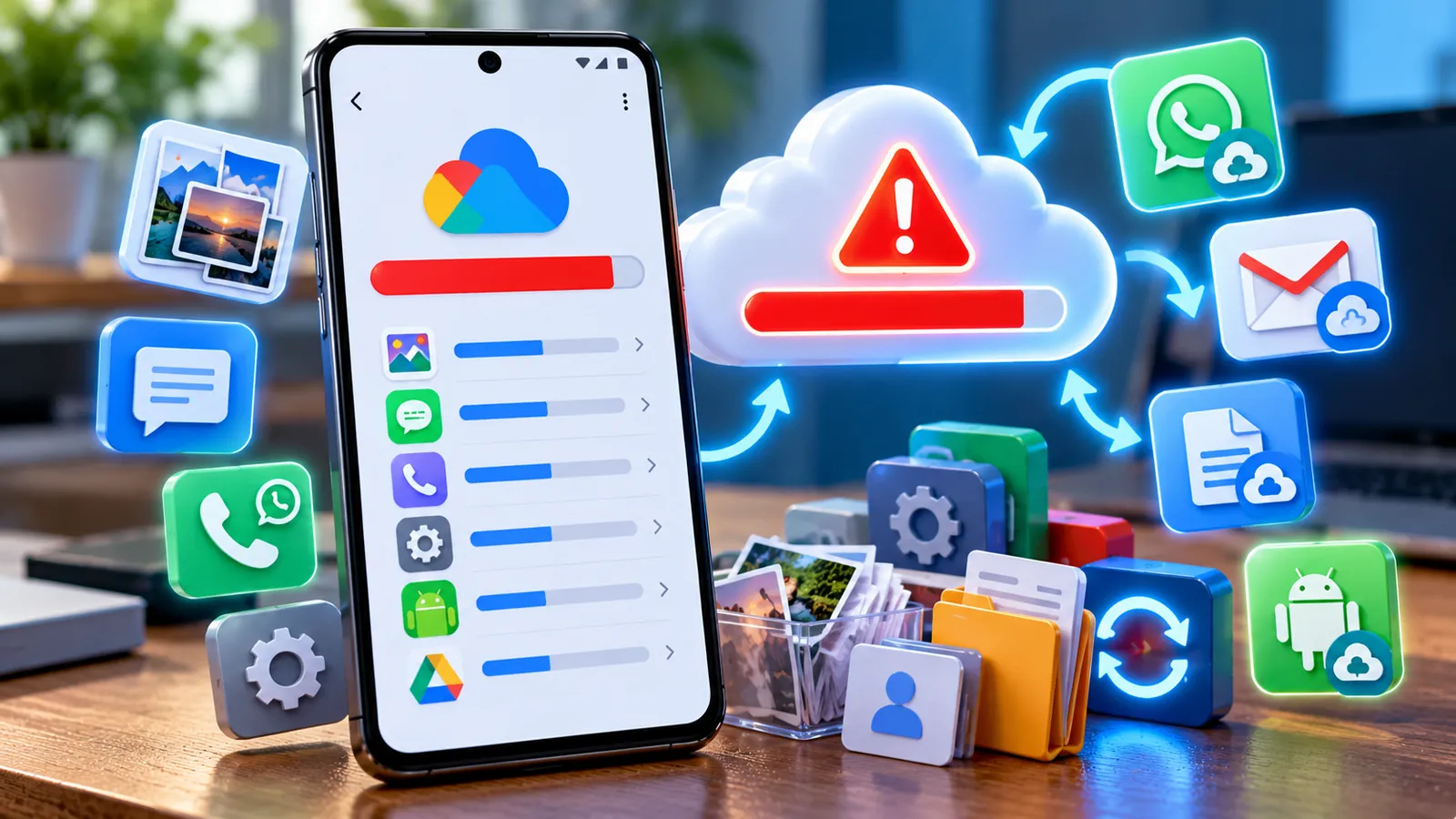
Last reviewed: October 8, 2026. If your Google Account storage suddenly looks much fuller than it did a few months ago, photos and Gmail may not be the only reason. Google has changed how Android device backups count toward your storage quota, which means your account can grow even when you have not manually uploaded new files.
Google now counts all data managed through Android backup settings toward your Google Account storage. That includes SMS and MMS messages, call history, device settings and app data. WhatsApp backups on Android also use the same shared storage pool.
For a standard personal Google Account, the free 15GB is shared across Gmail, Google Drive, Google Photos and supported backups. When the account runs out of space, some automatic backups can pause until you free up storage or move to a larger plan.
Why did my Google storage suddenly get fuller?
Google announced in 2026 that Android backup rules were changing. Previously, only some backup data counted toward the quota. Google now says all data managed through Android backup settings is included.
- SMS and MMS messages.
- Call logs and call history.
- Device settings.
- App data included in Android backup.
Google also introduced more detailed controls on Android 9 and newer, allowing users to choose which data types and individual apps should be included in backup.
Your 15GB is shared across more services than many people realize
Google does not give you a separate 15GB for Gmail, another 15GB for Drive and another 15GB for Photos. The same storage pool is shared.
- Google Photos photos and videos.
- Gmail messages and attachments.
- Google Drive files.
- Android device backups.
- WhatsApp backups on Android.
- Some other account and app data.
That is why deleting a few hundred emails may barely change the total if a large Android or WhatsApp backup is consuming several gigabytes.
How to see what is actually using your Google storage
- Open the Google One app on Android, or Google One in your browser.
- Open Storage.
- Review the breakdown for Gmail, Drive, Photos, backups and other items.
- Open the storage manager to inspect large files or backups.
Do this before deleting anything. The fastest cleanup comes from identifying the largest category first.
Check your Android device backup size
Android backups can now be a meaningful part of your storage usage, especially if several phones are linked to the same Google Account.
Look for old device backups you no longer need. If you replaced a phone months ago and the old backup is still present, it may be safe to remove after confirming that you do not need it for restoration.
Do not delete a current device backup casually. It may contain messages, settings or app data you would need after a lost or damaged phone.
Android 9 and newer give you more backup controls
Google says Android 9 and newer can let users select which data types and individual apps are backed up. The exact menu varies between Pixel, Samsung and other manufacturers, but it is generally located in the phone’s Google or Backup settings.
A sensible approach is to keep backup enabled for data you would genuinely miss, while disabling unnecessary app backups for services that already keep everything in their own online account.
WhatsApp backups can be one of the biggest hidden storage users
WhatsApp backups on Android count toward Google Account storage. If you have years of chats and videos, the backup can become surprisingly large.
Google recommends reducing the WhatsApp backup size inside WhatsApp before simply deleting the cloud backup.
- Open WhatsApp.
- Go to Settings > Chats > Chat backup.
- Review the backup settings.
- Exclude videos if you do not need them in the cloud backup.
- Use WhatsApp storage management to remove large media you no longer need.
Videos are often the biggest part of a WhatsApp backup, so excluding unnecessary ones can save a large amount of space.
If you are changing WhatsApp backup settings, read our guide Can You Recover Deleted WhatsApp Messages Without a Backup? before deleting anything important.
Deleting the WhatsApp backup from Google does not stop future backups
Google specifically warns that deleting a WhatsApp backup from Google storage does not turn off future backups.
If WhatsApp is still configured to back up automatically, a new backup can appear later and fill the space again. Change the WhatsApp backup settings first, then remove the old cloud backup only if you understand the consequences.
Deleting a backup is permanent. If you change phones or reinstall WhatsApp before creating a new usable backup, you may lose the ability to restore that chat history.
Google Photos may still be the largest category
Photos and especially videos can consume storage quickly. Google Photos lets you use Original quality or Storage saver. Storage saver reduces file size for eligible uploads, although newer uploads still count toward your quota.
- Review backup quality.
- Check which device folders are being backed up.
- Look for large videos.
- Review screenshots and downloads.
- Delete media you no longer need.
Many people accidentally back up screenshots, downloaded memes and messaging-media folders that add thousands of low-value files.
Why deleting files sometimes does not free space immediately
Google says storage changes can take time to appear, and in some cases the available storage figure may take up to 24 hours to update.
Deleted files may also still be sitting in Trash or Bin. Check Gmail, Drive and Google Photos trash folders if you are certain the files are no longer needed.
Search Gmail for large attachments instead of deleting random mail
Years of PDF files, photos and video attachments can quietly consume gigabytes. Focus on the largest messages first rather than deleting thousands of tiny emails.
After deleting large messages, empty Gmail Trash if you want the storage to be reclaimed sooner.
Check Google Drive for forgotten large files
Old ZIP archives, videos, exports and project files can stay in Drive for years. Use Google One’s storage manager or sort Drive by storage usage to find the largest files.
Before deleting, confirm that another person or device is not relying on the file.
What happens when Google storage is completely full?
A full account can affect storage-dependent Google services. Google’s Android backup update specifically says automatic device backups may pause when the account exceeds its storage limit.
Backups can resume after you free up space or increase your storage plan.
The safest order to free up Google storage
- Check the Google One storage breakdown.
- Review WhatsApp backup size and remove unnecessary video from future backups.
- Check Android device backups and remove only obsolete ones.
- Review large Google Photos videos.
- Find large Gmail attachments.
- Delete forgotten large files in Drive.
- Empty trash folders after confirming the files are disposable.
This order targets the biggest items first and reduces the chance of deleting useful files for very little storage gain.
Should you just buy Google One?
Sometimes paying for more storage is the simplest option, but first find out what is using the space. If the data is valuable and you genuinely need it, a larger plan may be reasonable.
If several gigabytes are coming from an obsolete phone backup or unnecessary WhatsApp video, cleanup may solve the problem without another subscription.
Why storage can fill up again after you clean it
- A large recurring WhatsApp backup.
- Google Photos uploading new videos.
- Extra device folders enabled in Photos.
- An Android device backup growing over time.
- Several phones using the same Google Account.
- Large Gmail attachments arriving regularly.
The real fix is finding the automatic source of growth, not repeating the same cleanup every few days.
Frequently asked questions
Do Android backups now count toward Google storage?
Yes. Google says all data managed through Android backup settings counts toward Google Account storage, including SMS/MMS, call history, device settings and app data.
Do WhatsApp backups count toward the 15GB limit?
Yes. WhatsApp backups on Android count toward Google Account storage.
Why did my storage increase without uploading files?
An Android device backup, WhatsApp backup, Google Photos sync or another automatic process may have added data.
Can I choose which Android apps are backed up?
Google says Android 9 and newer have controls for selecting individual apps and data types, although the exact interface varies by device.
Will deleting a WhatsApp backup stop future backups?
No. Deleting the cloud backup does not disable future WhatsApp backups. Change WhatsApp’s backup settings separately.
Why did my storage not change after deleting files?
Google says storage changes can take time to update, and deleted items may still be in Trash.
The bottom line
Google storage can fill faster on Android because more device-backup data now counts toward the same quota as Gmail, Drive and Photos. SMS, call history, settings, app data and WhatsApp backups can all contribute.
The best fix is not blindly deleting photos. Open Google One, find the largest category and reduce the source of growth — especially old device backups, oversized WhatsApp backups and unnecessary video uploads.
You can also check our Google Play Fest 2026 guide for current Android deals and Play Points rewards.
Sources
Google One — Android device backup storage update & controls.
Google One Help — How your existing storage works with Google One.
Google One Help — Clean up & fix issues with your Google storage.
Google Account Help — Manage your storage in Drive, Gmail & Photos.
Google One Help — Choose photo and video backup quality.
Android Community — WhatsApp backups and Google Account storage.
You may also like
 Technology & How-To
 Google Find Hub Trackers Get NFC Support — How to Identify Lost Tags and Set Left-Behind Reminders
Google Play services v26.39 adds NFC support for compatible Find Hub tracker tags and a new setup flow…
 Technology & How-To
 Android 17 Advanced Protection Adds 6 Powerful Security Features — Should You Turn It On?
Android 17 expands Advanced Protection with encrypted intrusion logs, USB protection, accessibility restrictions, WebGPU blocking and stronger authentication…
 Technology & How-To
 Google Pixel October 2026 Update Fixes 3 Bugs and Critical Security Flaws — Should You Install It?
Google’s October 2026 Pixel update fixes a missing keyboard, VoIP audio distortion and Pixel 11 photo rotation while…