
Amazon Fire Tablet vs Alexa Tablet: Should Existing Fire Owners Upgrade?
Amazon’s new Alexa Tablets run Android with Google Play, while Fire tablets use Fire OS. Here’s what changes, who should upgrade, and who should keep their Fire tablet.
Contents
- Fire OS vs full Android: the biggest difference
- Does that mean Fire tablets are obsolete?
- App availability
- YouTube, Gmail and Google apps
- Alexa+ versus classic Alexa integration
- Hardware: where the price difference goes
- Price: the strongest reason to keep a Fire tablet
- Which Fire owners benefit most from upgrading?
- Who should probably keep their Fire tablet?
- What about Fire Max 11 owners?
- What about Fire HD 10 owners?
- What about Fire HD 8 owners?
- Kids: should parents upgrade?
- Can your Fire tablet be converted into an Alexa Tablet?
- Will Fire tablets stop getting updates?
- What about accessories?
- A simple upgrade decision
- Frequently asked questions
- Do Alexa Tablets replace Fire tablets?
- Do Alexa Tablets have the Google Play Store?
- Can I install the same Google Play experience on my Fire tablet officially?
- Is the Alexa Tablet 8 just a new Fire HD 8?
- Should Fire Max 11 owners upgrade?
- The bottom line
- Sources
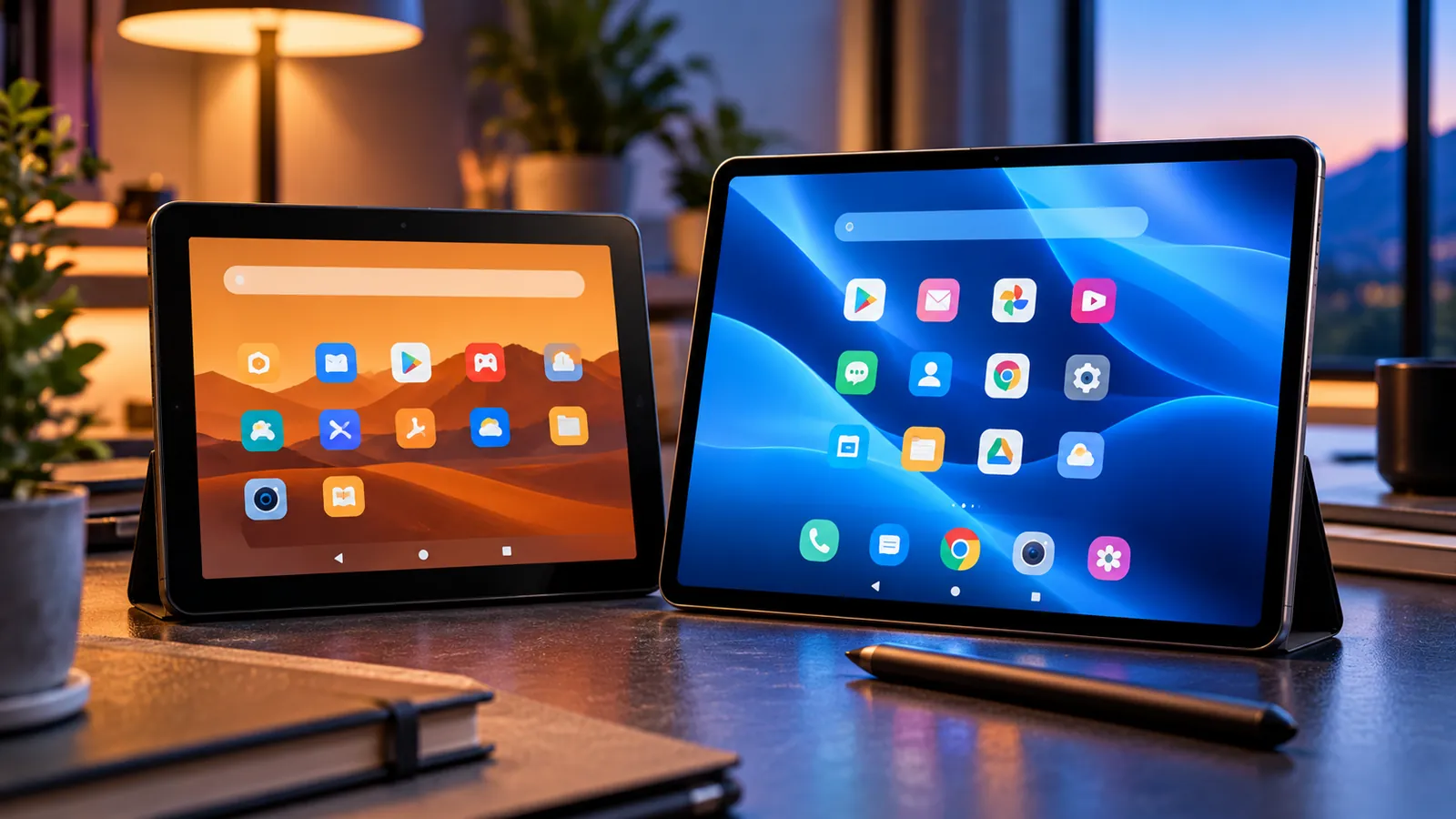
Last reviewed: October 11, 2026. Amazon’s new Alexa Tablets are not simply refreshed Fire tablets with a different name. The biggest difference is the software platform: classic Fire tablets use Fire OS, while the new Alexa Tablet 8, 11 and 12 Pro run Android with the full Google Play Store.
That makes the upgrade decision more complicated than comparing screen sizes. Fire owners have to decide whether broader app compatibility, Alexa+, stronger hardware and premium materials are worth paying much more than the budget prices that made Fire tablets popular.
For full specs and release dates, see our main guide: Amazon Alexa Tablets Are Here — Full Android, Google Play, Prices, Specs and Release Date
Fire OS vs full Android: the biggest difference
Amazon’s developer documentation describes Fire OS as a fork of Android. Fire tablets use Amazon services and the Amazon Appstore rather than the standard Google services stack.
The new Alexa Tablets run Android and include the full Google Play Store.
For many users, this changes the experience more than any processor upgrade because common apps such as YouTube, Gmail, Google Docs and many Android games are available directly through Google Play.
Does that mean Fire tablets are obsolete?
No. Fire tablets remain useful if you primarily use Amazon services, streaming, reading, kids content and basic web browsing.
They also remain attractive when price matters more than premium hardware.
The new Alexa Tablet family moves Amazon into a more expensive category, so it should be judged against mainstream Android tablets rather than only against older Fire models.
App availability
On Fire OS, app availability depends on the Amazon Appstore and Amazon’s service ecosystem.
Alexa Tablets give users the standard Google Play route for Android apps while keeping built-in Amazon apps.
That is especially valuable for people who previously had to keep a second device for Google apps or use unsupported workarounds on Fire hardware.
YouTube, Gmail and Google apps
Amazon explicitly confirms that the new Alexa Tablets can install YouTube, Gmail and Google Docs through Google Play.
If those apps are central to your routine, the new devices are a major quality-of-life improvement over a traditional Fire setup.
If you rarely use Google services and live mostly inside Kindle, Prime Video, Audible and web apps, the advantage is smaller.
Alexa+ versus classic Alexa integration
Fire tablets already support Alexa features, but the new lineup is designed around Alexa+ at the system level.
Amazon says users can summon Alexa+ by voice or touch without leaving the current app, and can optionally enable On-Screen Intelligence so Alexa can reason over what is visible on screen.
That makes the new tablets more assistant-centric than previous Fire hardware.
Whether that matters depends on how much you actually use Alexa. If you barely use voice assistants, Google Play may be the more important upgrade.
Hardware: where the price difference goes
Fire tablets have historically focused on affordability. Amazon’s current Fire developer pages list models such as Fire HD 8, Fire HD 10 and Fire Max 11 with relatively modest memory and older Fire OS versions.
The Alexa lineup raises the ceiling considerably. The Tablet 11 includes 8GB RAM and a 2.5K 90Hz display, while the 12 Pro adds a 120Hz screen, up to 16GB RAM in higher configurations, quad speakers, Wi-Fi 6E and optional Nanomatte glass.
That makes the new devices more suitable for multitasking, higher-end games and productivity.
Price: the strongest reason to keep a Fire tablet
The new Alexa Tablet 8 starts at $229.99, the 11 starts at $329.99 and the 12 Pro starts at $499.99.
Those prices are far above the budget positioning associated with Fire tablets.
If your existing Fire tablet still handles reading, streaming and casual browsing well, upgrading purely for speed may not be cost-effective.
Which Fire owners benefit most from upgrading?
- Google app users: if you rely on Gmail, YouTube, Google Docs or apps missing from the Amazon Appstore.
- Heavy multitaskers: if limited RAM and slower Fire hardware are holding you back.
- Students: if school workflows depend on Google apps or broader Android app compatibility.
- Productivity users: especially those considering the Alexa Tablet 12 Pro with keyboard and stylus.
- Alexa power users: if you want the new Alexa+ system-level experience.
Who should probably keep their Fire tablet?
- People who mainly read Kindle books and stream Prime Video.
- Kids-device households where the existing Fire Kids setup already works well.
- Casual users who do not need Google apps.
- Anyone whose Fire tablet is still fast enough for basic use.
- Budget-focused buyers who care more about price than premium hardware.
What about Fire Max 11 owners?
Fire Max 11 is the closest older Amazon tablet to a productivity-oriented device, with an 11-inch display, 4GB RAM and stylus support.
Moving to the Alexa Tablet 11 doubles the RAM to 8GB and adds Google Play, while the 12 Pro adds a much more ambitious keyboard, pen and high-refresh display setup.
For Fire Max 11 owners, the most meaningful upgrade reasons are Google Play and stronger multitasking rather than simply screen size.
What about Fire HD 10 owners?
The Fire HD 10 has been a straightforward entertainment tablet. Amazon’s developer specs list the 2023 model with a 10.1-inch 1080p display and 3GB RAM.
The Alexa Tablet 11 is a substantial step up in display resolution, refresh rate and memory.
But if you only watch video and read, that hardware jump may not change your daily experience enough to justify the price.
What about Fire HD 8 owners?
The Alexa Tablet 8 is the most natural size replacement, but it is not a budget continuation of the Fire HD 8 philosophy.
It costs more because it uses a newer aluminum design, stronger hardware, Android with Google Play and integrated Alexa+.
If your Fire HD 8 is mainly an inexpensive Kindle-and-streaming device, keeping it may be more economical.
Kids: should parents upgrade?
Amazon also launched new Kids Tablets alongside the Alexa lineup. Those devices run Android, include parent-managed Google Play access, a year of Kids+ and updated Parent Dashboard controls.
Parents should compare those models rather than automatically giving a child the adult Alexa Tablet.
An existing Fire Kids device may still be perfectly adequate if the child mainly uses Kids+ content and current parental controls.
Can your Fire tablet be converted into an Alexa Tablet?
No. The new software experience is tied to new hardware.
Installing apps manually on Fire OS does not turn the device into the same supported Android + Google Play platform Amazon is shipping on Alexa Tablets.
If your main goal is full Google Play integration with official support, the new hardware is the cleaner route.
Will Fire tablets stop getting updates?
Amazon still publishes Fire tablet software updates and maintains Fire OS documentation.
The launch of Alexa Tablets does not automatically mean every Fire tablet loses support immediately.
Update support depends on the specific model and generation, so check Amazon’s software-update page for your device rather than assuming the product line ended overnight.
What about accessories?
Existing Fire cases, keyboards and styluses should not be assumed compatible with the new Alexa Tablets.
The 12 Pro uses dedicated Pro Keyboard and Pro Pen accessories, while physical dimensions differ across the new models.
Factor accessory replacement into the upgrade cost if you already own a Fire tablet setup.
A simple upgrade decision
- Upgrade now if missing Google apps frustrate you every week.
- Upgrade to the Tablet 11 if you want a general-purpose Android tablet without the 12 Pro price.
- Upgrade to the 12 Pro if you want keyboard, stylus and heavier multitasking.
- Keep your Fire tablet if it is mainly for Kindle, streaming and basic browsing.
- Wait for sales if price is your main concern and your current tablet still works.
Frequently asked questions
Do Alexa Tablets replace Fire tablets?
Amazon has launched them as a new Android-based tablet family, but Fire tablets and Fire OS still exist in Amazon’s current documentation and support pages.
Do Alexa Tablets have the Google Play Store?
Yes. Amazon says they include full Google Play access.
Can I install the same Google Play experience on my Fire tablet officially?
Fire OS remains Amazon’s separate Android fork using Amazon services. The new Alexa Tablet Google Play experience is part of the new product line.
Is the Alexa Tablet 8 just a new Fire HD 8?
No. It occupies a similar small-tablet size but uses a different software platform and a much higher price point.
Should Fire Max 11 owners upgrade?
The strongest reasons are Google Play, more memory and the higher-end 12 Pro productivity ecosystem. If your Fire Max 11 already meets your needs, upgrading is optional rather than urgent.
The bottom line
The Alexa Tablet family fixes the biggest software limitation many Fire owners complained about: restricted access to the standard Google Android ecosystem.
But Amazon is charging more for that flexibility and for stronger hardware.
If your Fire tablet is a cheap entertainment device, keeping it makes sense. If you want a normal Android tablet with Google Play while staying inside Amazon’s Alexa and Kindle ecosystem, the new Alexa Tablets are a much bigger upgrade than a routine Fire refresh.
Sources
Amazon — New Alexa Tablets with Android and Google Play.
Amazon Developer — Fire tablet hardware and Fire OS.
You may also like
 Technology & How-To
 Windows 11 Search Is Getting a Major Redesign — You Can Change Settings Directly From Search
Microsoft is testing a faster WinUI 3 Windows Search with inline actions that can change dark mode, Bluetooth,…
 Technology & How-To
 NVIDIA Is Ending Windows 10 Game Ready Driver Support — What GeForce Users Need to Know
NVIDIA says October 2026 is the final month for full Windows 10 Game Ready and Studio Drivers. Here’s…
 Technology & How-To
 Galaxy S24 Gets Android 17 / One UI 9 — New Features, Download Size and Rollout Status
Samsung has started rolling out stable One UI 9 based on Android 17 to the Galaxy S24 series,…