
Companies House Identity Verification: Requirements, Deadlines and Steps
Verify your identity for Companies House in the UK. Check director and PSC requirements, GOV.UK One Login steps, personal codes and deadlines.
Contents
- Who must verify, and where does the personal code go?
- What changed in November 2026?
- How to find the correct deadline for your role
- Directors: the confirmation statement is the key filing
- PSCs: check your individual 14-day period
- Before you start: documents and account details
- Step 1: choose the official verification route
- Step 2: start the GOV.UK One Login identity check
- Step 3: find your 11-character Companies House personal code
- Step 4: connect the code to the director or PSC record
- For a company director
- For a person with significant control
- Common problems and the correct next step
- What if you have already missed the deadline?
- Costs, account security and scams
- Final compliance checklist
Contents
- Who must verify, and where does the personal code go?
- What changed in November 2026?
- How to find the correct deadline for your role
- Directors: the confirmation statement is the key filing
- PSCs: check your individual 14-day period
- Before you start: documents and account details
- Step 1: choose the official verification route
- Step 2: start the GOV.UK One Login identity check
- Step 3: find your 11-character Companies House personal code
- Step 4: connect the code to the director or PSC record
- For a company director
- For a person with significant control
- Common problems and the correct next step
- What if you have already missed the deadline?
- Costs, account security and scams
- Final compliance checklist

Companies House identity verification is a legal requirement for UK company directors, people with significant control (PSCs) and certain other roles. The 12-month transition that began on 18 November 2025 has ended. If you still need to comply, check your role-specific requirement now: first prove your identity through GOV.UK One Login or an authorised agent, then use your Companies House personal code to connect that identity to the relevant company record.
These are two separate steps. Successfully completing an identity check does not automatically mean you have supplied the verification statement and personal code for every role that requires them. Companies House updated its official guidance on 19 November 2026 to reflect the end of the transition and explain its approach to non-compliance. There is no safe shortcut that treats one calendar date as the deadline for every director and PSC; the appropriate filing and timing depend on the role. Start with the current Companies House guidance.
Who must verify, and where does the personal code go?
| Your role | Identity-check requirement | How the code is linked |
|---|---|---|
| Existing UK company director | Verify your own identity | Give your personal code in the company’s confirmation statement filing |
| New director or person incorporating a company | Verify before the relevant new appointment or incorporation filing | Provide the code during the appointment or incorporation process |
| Person with significant control (PSC) | Verify your own identity | Use the separate PSC verification service, with the applicable verification statement |
| Both director and PSC in the same company | Normally verify the person once | Use the same code but supply it separately for both roles |
| Director of multiple companies | Normally verify the person once | Give the personal code for each company appointment that requires it |
| Authorised Corporate Service Provider (ACSP) | Identity verification is part of the authorised-agent registration process | Provide the code when registering as an authorised agent |
Companies House says it will introduce verification later for some other categories, including certain people who file on behalf of companies, corporate directors and officers of corporate PSCs. Do not assume a company secretary who only files forms is already subject to exactly the same deadline as a director solely because they submit filings. Check the current scope before acting.
What changed in November 2026?
Mandatory verification started on 18 November 2025, but that date began a transition rather than setting one universal deadline. The official verification service page now records that the transition period has passed. Companies House also published an updated non-compliance policy on 19 November 2026. It explains a staged approach that can include guidance, default notices and enforcement where requirements remain unmet.
The practical consequence is straightforward: if you are unverified or have never supplied your personal code against a required company role, check the public company record and your current filing obligations immediately. Do not wait for an unsolicited message or assume that an accountant has already connected your identity to every role.
How to find the correct deadline for your role
Directors: the confirmation statement is the key filing
For a current director, Companies House requires the personal code with the company’s next confirmation statement. Its confirmation statement guidance says a filing will not be accepted until all the company’s directors have verified their identities. If you are a director of two companies, each company needs its own relevant filing even though you keep the same personal code.
New directors provide their codes when being appointed or when incorporating a new company. If you have missed a requirement, the fact that a filing date has passed does not remove the underlying duty; seek the correct compliance route promptly.
PSCs: check your individual 14-day period
A person with significant control must verify and provide a personal code for the PSC role. The 14-day submission period depends on the circumstances and can be checked through the live PSC verification-details service. A newly registered PSC can provide the code when first added to the register or within 14 days of being added. The service can show the dates relevant to an existing PSC after sign-in.
If you are both a director and a PSC, supplying the code in a confirmation statement covers the director role, not the separate PSC declaration. Use the dedicated PSC service as well. The service offers a route to request an extension before a PSC deadline has passed; an extension is not a blanket automatic grace period for everyone.
Before you start: documents and account details
The free government route uses GOV.UK One Login. Depending on the route offered, the official service may ask for one of these documents:
- A biometric passport from any country.
- A UK photocard driving licence, full or provisional.
- A UK biometric residence permit (BRP) or biometric residence card (BRC).
- A UK Frontier Worker permit (FWP).
You will also need your current address, including the year you moved there, and your own GOV.UK One Login sign-in or details to create one. Each person needs their own email address for verification; a shared family or business mailbox cannot be used for multiple people to verify themselves under one login.
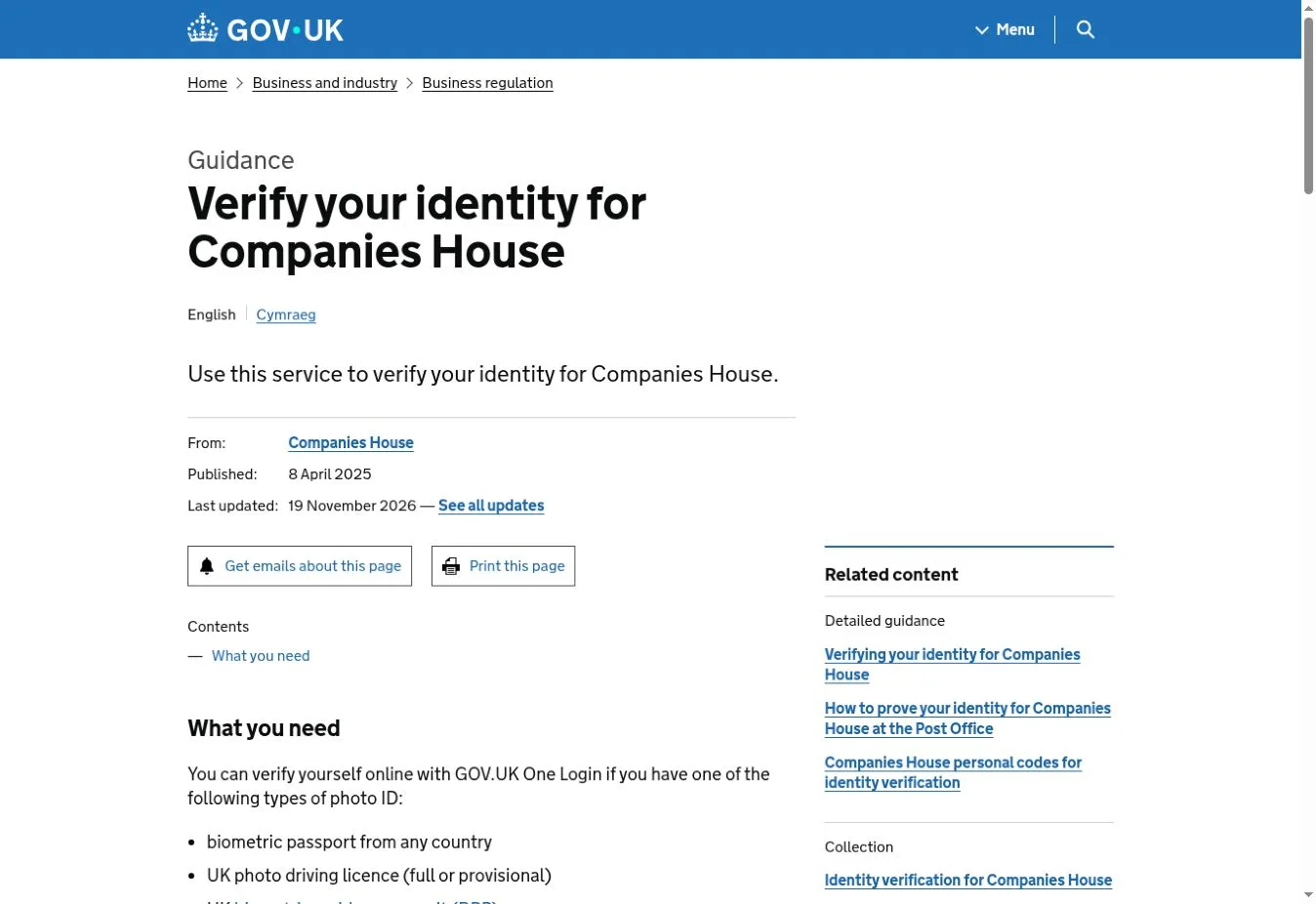
Source: Companies House – official identity-verification page, captured 20 November 2026. © Crown copyright; reused under the Open Government Licence v3.0.
Step 1: choose the official verification route
You can verify directly through GOV.UK One Login at no charge or ask an Authorised Corporate Service Provider (ACSP), such as an accountant or solicitor registered to provide the service. An ACSP may charge a fee. Do not confuse hiring an accountant to submit a confirmation statement with having that accountant perform an authorised identity check.
The direct government service asks questions about you as an individual, not your company, and guides you towards a supported option: an identity-checking app, online security questions or an in-person Post Office check where available. A Post Office route requires you to begin online and enter the requested photo-ID details first; it is not simply a matter of visiting a branch without starting the service.
If an ID document has expired, check the route rather than guessing: an expired passport cannot be used with the One Login app; the government lists limited acceptance of a DVLA-issued driving licence expired within 90 days and certain BRP, BRC or FWP documents expired within 18 months. It also says expired documents cannot be used for the alternative bank-details or Post Office route.
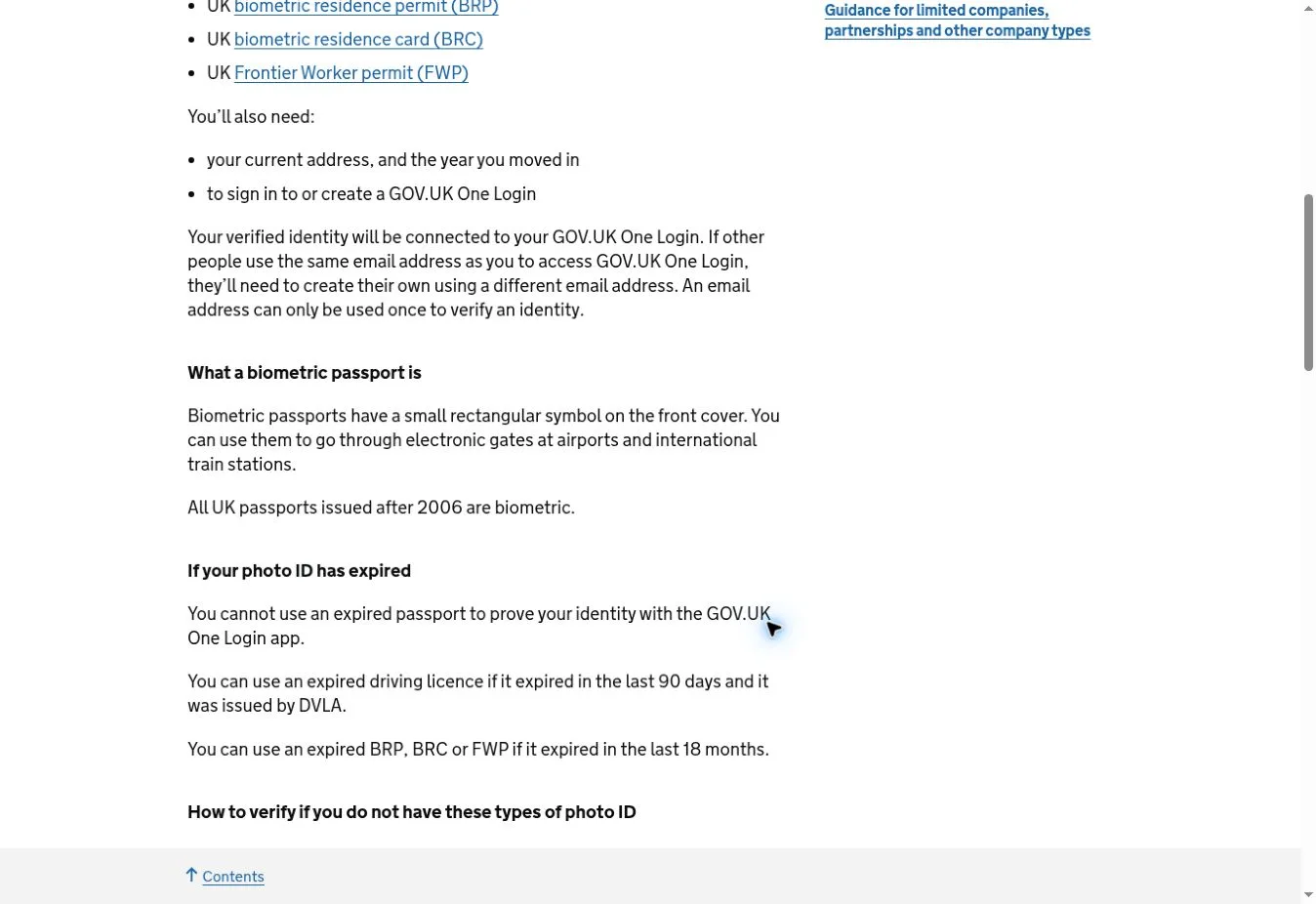
Source: Companies House document and expiry guidance, captured 20 November 2026. © Crown copyright, OGL v3.0.
Step 2: start the GOV.UK One Login identity check
- Open the official Verify your identity for Companies House page.
- Review the accepted documents and the alternative routes shown on the page.
- Select Verify your identity to start the government service.
- Sign in to your own GOV.UK One Login or create one if asked; follow the on-screen route offered for your circumstances.
- Complete the identity checks using genuine personal information and documents, then retain the official confirmation.
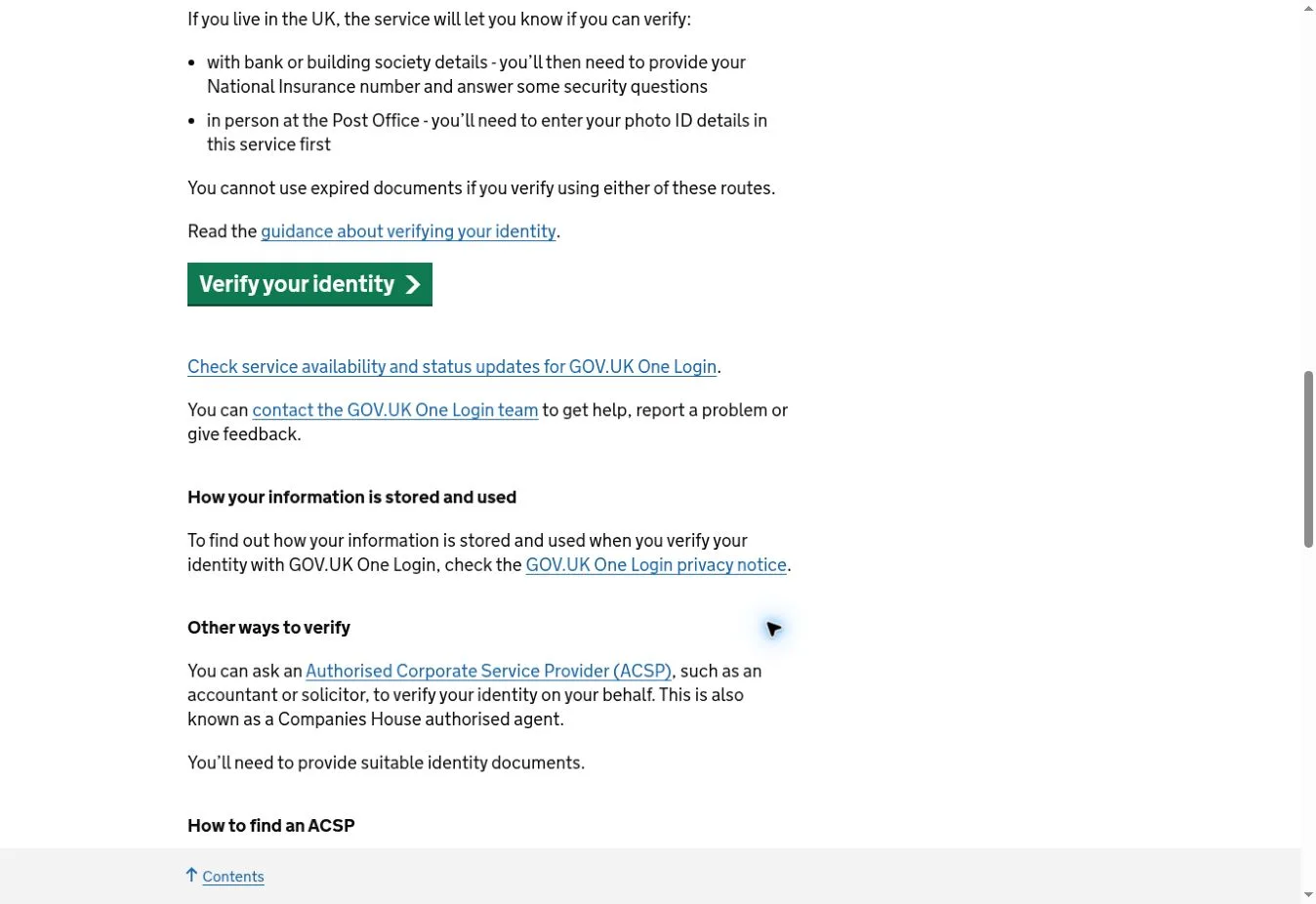
Source: GOV.UK verification start button, captured 20 November 2026. © Crown copyright, OGL v3.0.
The government flow selects the verification method after sign-in and may involve sensitive identity information. Follow the screens presented to you rather than entering passport details, identity photos or verification codes on a third-party website. If One Login is temporarily unavailable, check the government service-status page before retrying.
Step 3: find your 11-character Companies House personal code
After successful verification, Companies House assigns a personal code of 11 characters. The code belongs to the individual, not the company. If you verified using GOV.UK One Login, sign in to the Companies House account using the same email address and open Manage account. The official personal-code guide says people who verified after 8 July 2026 were also sent their code by email.
If an ACSP verified your identity, the personal code was sent to the email address the agent provided for you. Ask that agent to check the address if it never arrived. A personal code is not a company authentication code: the former identifies the verified person; the latter is used for company filings. Keep them distinct.
You should usually verify your personal identity only once, even if you direct several companies, but you must still give the code to Companies House separately for each role and appointment that requires it. Share your code only with someone you trust to file on your behalf.
Step 4: connect the code to the director or PSC record
For a company director
When the company files its confirmation statement, provide the Companies House personal code for each director and confirm that the directors have verified. If you have recently been appointed, use the code in the appointment filing instead. Check the official confirmation-statement guidance before submitting.
For a person with significant control
Open Provide identity verification details for a PSC. The public page explains that you need sign-in details, the company number and your personal code. Select Start and use the signed-in service to associate your verified identity with that PSC role and make the required statement. The same service can show the individual 14-day period and offers an extension-request route before the deadline.
The public PSC service says it cannot be used where the PSC’s personal information is protected at Companies House, or while an application for protection is awaiting a decision. In that situation, use Companies House’s official support route for the appropriate procedure instead of repeatedly attempting the standard form.
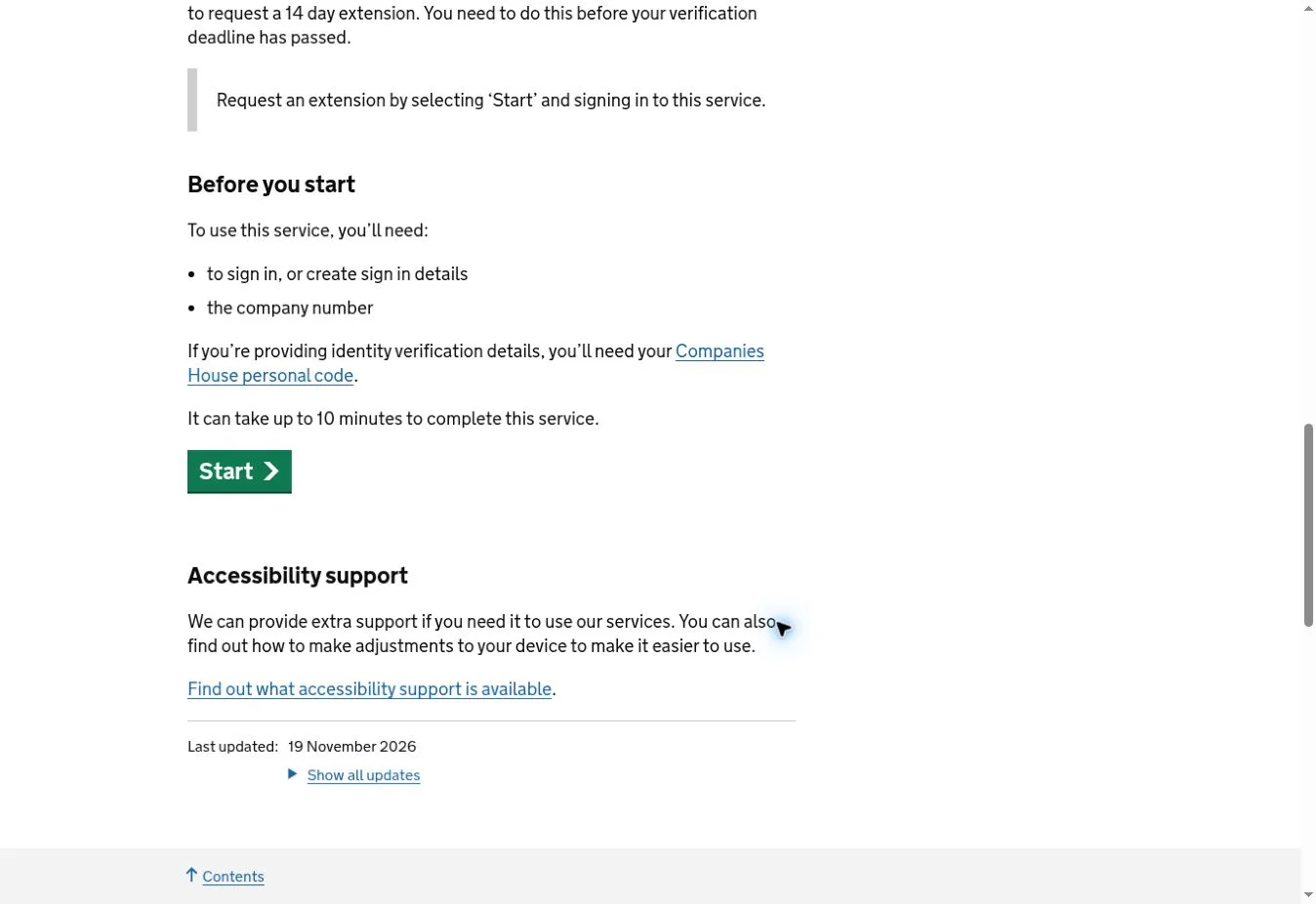
Source: Companies House PSC verification-details service, captured 20 November 2026. © Crown copyright, OGL v3.0.
Example: Alex is a director and a PSC of the same private company. Alex completes one personal identity check and receives one code. The company uses the code in the director section of its confirmation statement. Alex must still use the PSC service for the separate PSC requirement. Repeating the full identity check is normally unnecessary; completing the two role-specific statements is the point.
Common problems and the correct next step
| What goes wrong | What to check | Practical next step |
|---|---|---|
| Passport expired | An expired passport cannot be used in the GOV.UK One Login app | Review other accepted document or verification routes before starting again |
| No suitable photo ID | One Login may offer bank-based questions or a Post Office route depending on eligibility | Let the government service assess available options; consider an authorised ACSP if needed |
| You verified but cannot find the code | Different sign-in email or an ACSP-provided email address | Check Companies House Manage account with the original email, or contact the ACSP |
| Personal code rejected or details do not match | Typing error, Companies House date of birth, or data submitted by an agent | Check the code carefully, correct the relevant record or ask the ACSP to correct its submission |
| You are a director and PSC but only one role is linked | Director and PSC filings are separate | Complete the outstanding declaration for the other role |
| PSC deadline is close | Your individual 14-day period and extension eligibility | Check the official PSC service and request any available extension before the deadline |
| GOV.UK One Login seems unavailable | Service status and account-specific error instructions | Check the official status page and use the published support route |
If the code does not match your Companies House record, the government advises checking your date of birth and personal details. For example, an incorrect date of birth on Companies House records may need correction before the code can be linked. If your ACSP submitted inaccurate details, that agent may need to update them. Avoid repeated attempts with random codes.
What if you have already missed the deadline?
Do not assume there is a general penalty-free extension after the end of the transition. Companies House states that acting as a director without completing the required verification can constitute an offence, and the company may also be in breach. Depending on the circumstances, it can use guidance and warnings, financial penalties or prosecution. The updated enforcement policy explains that it considers proportionality and individual circumstances.
Your next actions should be concrete: check your company record and the required filing; complete the identity check if outstanding; supply the personal code using the appropriate director or PSC route; and retain confirmation of the filing. If you cannot use the PSC service before your deadline, it offers an extension request before the due date. If that deadline has already passed, seek instructions from Companies House promptly; do not claim an extension retrospectively without approval.
Costs, account security and scams
Verifying directly through GOV.UK One Login is free. An authorised corporate service provider can charge for its work, and a paid agent is optional for those who can complete the government route themselves. You must use your own identity and avoid sharing passwords, sign-in codes, ID scans or remote device access with unsolicited callers or messages.
Companies House warns against posting or emailing identity documents directly to it as a substitute for the official verification routes. A real filing agent may need your personal code to file on your behalf, but that is not permission to send it to a stranger claiming to be from Companies House. Begin from a genuine GOV.UK service page and verify the agent’s authorisation independently.
Final compliance checklist
- Confirm each role you hold: director, PSC, authorised agent or more than one.
- Check the actual filing or individual PSC period relevant to that role.
- Complete the personal identity check through GOV.UK One Login or a registered ACSP.
- Retrieve and securely store your 11-character personal code.
- Provide it in the required company filing for every role, not just once across your entire company portfolio.
- Keep the official filing acknowledgement and review the company register for the resulting status.
The most common mistake is to stop after receiving a personal code. The task is finished only when the identity verification and the required role-specific submission have both been completed. Start with the current Companies House instructions, then use the director confirmation-statement or PSC route that matches your circumstances.
You may also like
 Useful Information
Hotel Chocolat Recall UK: Batch Codes and Refund Steps
Check the UK Hotel Chocolat recall: affected Christmas box batch codes, best-before dates, purchase window and how to…
 Useful Information
How to Find a Lost 401(k) in the US: Government Database Guide
Search the free US Department of Labor database for a lost 401(k). Get Login.gov steps and official alternatives…
 Useful Information
How to Find Lost Workplace Pensions in the UK for Free
Find lost UK workplace pensions for free. Use the government Pension Tracing Service, track old employers and contact…